
Participating Frequently
February 9, 2023
Answered

Adobe Won't Launch + Error Message

  • February 9, 2023
  • 1 reply
  • 3917 views

Hello!


my Acrobat app will not open any document or even open the app. it also will not let me uninstall it. anytime i try anything i get the following error pop-up message i attached below. 


any guidance is appreciated, thank you.
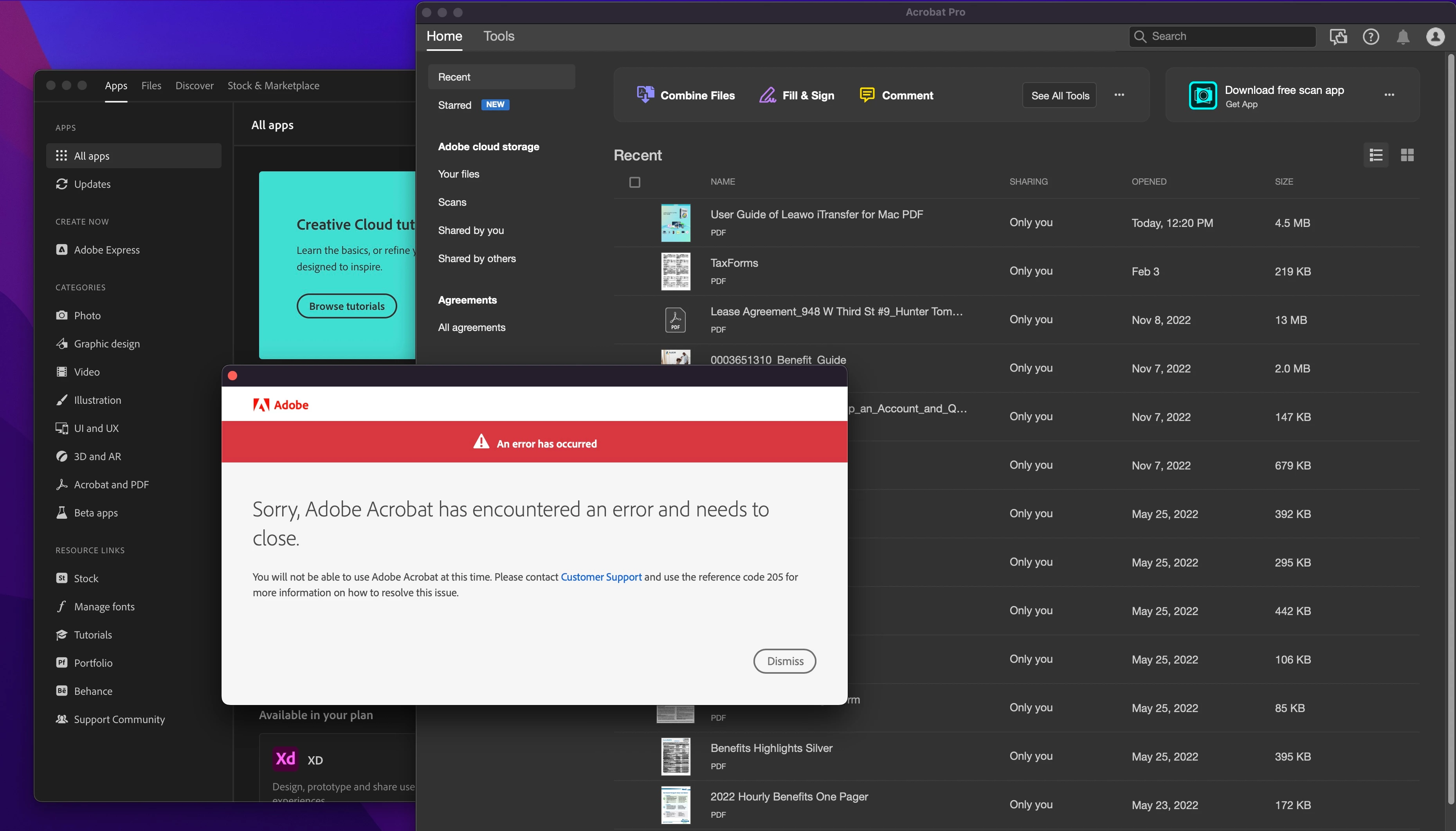
 

This topic has been closed for replies.
Correct answer Amal.

I turned off the Firewall on my iMac... I don't have an anti-virus software downloaded, but there is software built-into the iMac... One thing I cannot do is use a different Internet, because I upgraded my Internet awhile ago so I can't really "go back." 


I'm not sure what else I can do. 


Hi there

We are sorry to hear that the issue still persists, Would you mind collecting the Adobe CC logs https://helpx.adobe.com/creative-cloud/kb/cc-log-collector.html  , Procmon logs (Win Only) https://www.adobe.com/devnet-docs/acrobatetk/tools/Labs/acromonitor.html  and share them via any cloud storage. Just upload the log file to the cloud, generate the link, and share that link with us for further investigation.


Also, go through the help page https://helpx.adobe.com/download-install/kb/fix-licensing-error-205.html and see if that works for you.

Regards
Amal
[Edited]

1 reply

Amal.
Legend
February 10, 2023

Hi @hunter_ 


Hope you are doing well and sorry to hear that.


Please try to remove the application using the Acrobat cleaner tool https://www.adobe.com/devnet-docs/acrobatetk/tools/Labs/cleaner.html , reboot the computer once and reinstall the application using the direct link
https://helpx.adobe.com/acrobat/kb/acrobat-dc-downloads.html and see if that works.


Regards
Amal

hunter_Author
Participating Frequently
February 18, 2023

Is there a download for macintosh?

Amal.
Legend
February 27, 2023

Hi @hunter_ 


Have you checked the link shared earlier, it has the downloads available for macintosh as well as shown in the screenshot below:


Let us know if you experience any trouble and need more help.


Regards

Amal