Participating Frequently
February 3, 2024
Question

Annoying pop-ups in Acrobat

  • February 3, 2024
  • 13 replies
  • 29874 views

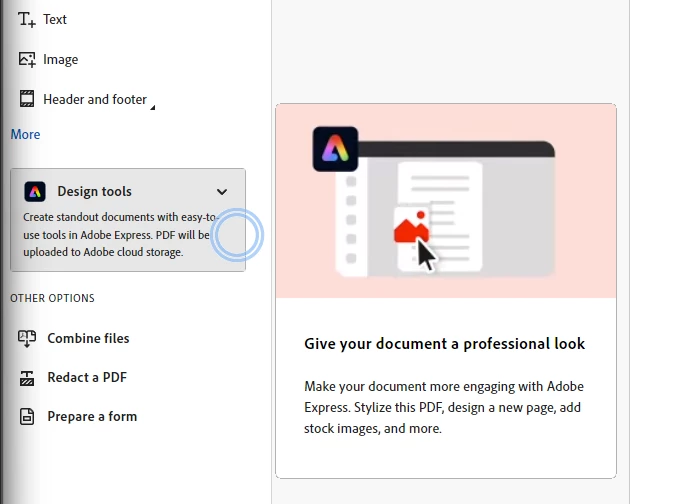
How can you turn off these annoying pop-ups in Acrobat. Why did Adobe think this was a good idea? They are so distracting when I am working.

13 replies

Participant
April 22, 2024

PLEASE PLEASE help us find a way to turn off the very annoying popups tool tips! The suggested "Show me messages when I launch Adobe Acrobat" was already unchecked.

Participant
June 24, 2024

Same for me. That box is unchecked and I still get the stupid pop-up when I open a new PDF.
I don't want Adobe's unhelpful spam pop-ups. PLEASE HELP TO TURN THEM OFF.

Participant
July 3, 2024

I open Acrobat Pro to actually get work done. I instantly get interrupted by some annoying pop up - which I always cancel. It happens almost every time

I find it very very irritating from a user persepctive. Perhaps you should rethink this as it doesn't serve the customer well at all.


Participating Frequently
February 3, 2024

Seriously these pop-ups are so annoying! Who on earth thought this was a good idea?! 


sheilad2210067
Participant
April 3, 2024

I couldn't agree more! I use Adobe Creative a lot, and the popups occur every 30-60 seconds. When I am working on a document for an hour, that very annoying! This makes a horrible user experience. 

This is so disruptive, that I am looking for an alternative program to use. 


It happens when I am in Edit > adding Text. 


I can't find an option to turn them off. I have the Preferences > General > Messages from/to Adobe > unchecked, but this toggle doesn't affect this particular message. 

Participant
September 1, 2024

Adobe Actually stop. 

You need to create a setting that says, either "I am an experienced used who does not wish to know about new features" or "I would like to know about new features" Having pop ups show up CONSTANTLY while working is a pain. You are actively hindering people doing their jobs. This is actually terrible strategy if you think that this is what your community and users are looking for. You have a panel every year with new features. Why do I need to be bombarded with pop-ups while trying to do my job. Imagine a builder having a hammer stopping him every time he tries to swing it to hammer a nail into a wall. 

Pariah Burke
Community Expert
Community Expert
February 3, 2024
  1. In Acrobat, open the Preferences (Edit > Preferences on Windows or Acrobat > Preferences on macOS).
  2. Go to the General pane.
  3. Disable the checkmark beside "Show me messages when I launch Adobe Acrobat".


They're called "In Product Messaging" with an internal process name of "upsell" alerts. If you're the administrator for your organization, you can disable them by looking for and enabling the bAcroSuppressUpsell flag. More info on locking down such features here: https://www.adobe.com/devnet-docs/acrobatetk/tools/PrefRef/Windows/FeatureLockDown.html

Participating Frequently
February 3, 2024

Thank you Pariah.