Participating Frequently
January 27, 2022
Answered

Area Highlight???

  • January 27, 2022
  • 2 replies
  • 13479 views

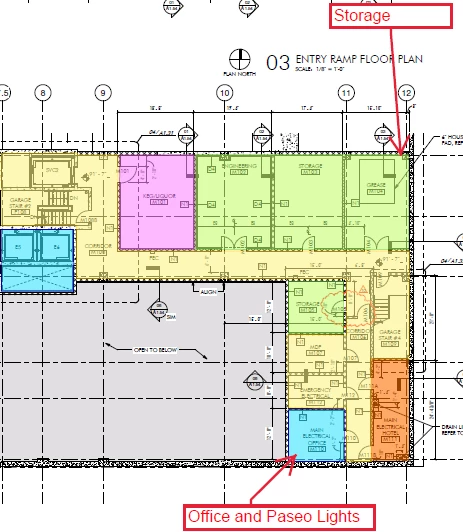
I work predominatly with technical drawings and blue prints.  I need to highlight areas NOT just text.  Both Foxit and Revo Bluebeam have area highlight tools.....Adobe does not???  Can't find anything but the mostly useless text line highlighter.   No point in paying for this software if it doesn't have a feature I use every day.  What kind of Idiot designs a PDF editor without this feature???  Searched the community and the web...only relvant answer I found states Adobe doesn't have an area highlighter.  Thanks in advance if you have an answer! 
Correct answer Chris 486

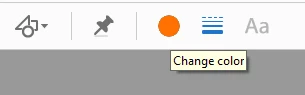
The tools I believe you are looking for are in the Comment toolbar and what David is highlighting which is the drawing tools menu. Used them this week for plan work as well!


Once you have which shape or polygon selected you can then select the fill color, border color and opacity to customize the options.


2 replies

Chris 486
Community Expert
Chris 486Community ExpertCorrect answer
Community Expert
January 28, 2022

The tools I believe you are looking for are in the Comment toolbar and what David is highlighting which is the drawing tools menu. Used them this week for plan work as well!


Once you have which shape or polygon selected you can then select the fill color, border color and opacity to customize the options.


Chris 486
Community Expert
Community Expert
January 28, 2022

Here is the Documentation on using comments in Adobe if that helps as well.


View, reply, print comments in Adobe Acrobat


Dave Creamer of IDEAS
Community Expert
Community Expert
January 28, 2022

Are you referring to these tools:

David Creamer: Community Expert (ACI and ACE 1995-2023)
Participating Frequently
January 28, 2022

I don't know as I do not recognize that tool bar. What's it called?  Using Acrobat DC Pro....and so far it sucks.  I've searched through evrying I could find and don't see a match to your screen capture....but thanks for responding.  Also when I do find / set a tool bar it is gone the next time I open the program....so have to start over setting things up in a useful layout.  The tool bars in both of the other progams I've used are orders of magnitude easier to navigate.  Did Adobe intentionally make this program difficult to navigate??? 

Dave Creamer of IDEAS
Community Expert
Community Expert
January 28, 2022

As @Chris 486 mentioned, they are part of the Commenting tools. 


Acrobat Pro has a number of different functions--luckily, each function is not hard to learn. It's just the number of functions that are confusing initially.

David Creamer: Community Expert (ACI and ACE 1995-2023)