
davidp20382817
Known Participant
September 25, 2018
Answered

automatic drop down

  • September 25, 2018
  • 1 reply
  • 2434 views

Hello all,

I see this question has been asked several times but seems like non of the scripts work for my PDF document or I am very begginer level.

What I am trying to achieve is that I have two drop-down menus, and whenever I pick an item from the first drop down, I want the other drop down to give automatic answers based on the item picked from the first drop down.

So to give you an idea, we have Resignation in the first drop box (called Transaction), and I want the person who picked resignation to have " 14 weeks, 12 weeks, 10 weeks option available right away in the second drop down (called Transaction 2).

I have created both drop downs and was using this javascripcode:

  1. switch (event.value) { 
  2.     case "Transaction"
  3.         this.getField("Transaction 2").setItems(["14 weeks,12 weeks,10 weeks]); 
  4.         break

But when I close javascript - seems like it is not working.Anny advice will be highly appreciated!!!

Thank you!
This topic has been closed for replies.
Correct answer try67

I will definitely add that - the reason is a bit different because I could not sent you the form or the values due to confidentiality.

two questions:

why this getfield "dropdown4" if I do not have any value with the name "DropDown4" as well as name of my dropdowns is Transaction?

is there anything else I need to add? other than that

And for sure cant thank you enough for assisting me with this - it is VERY important for me:(


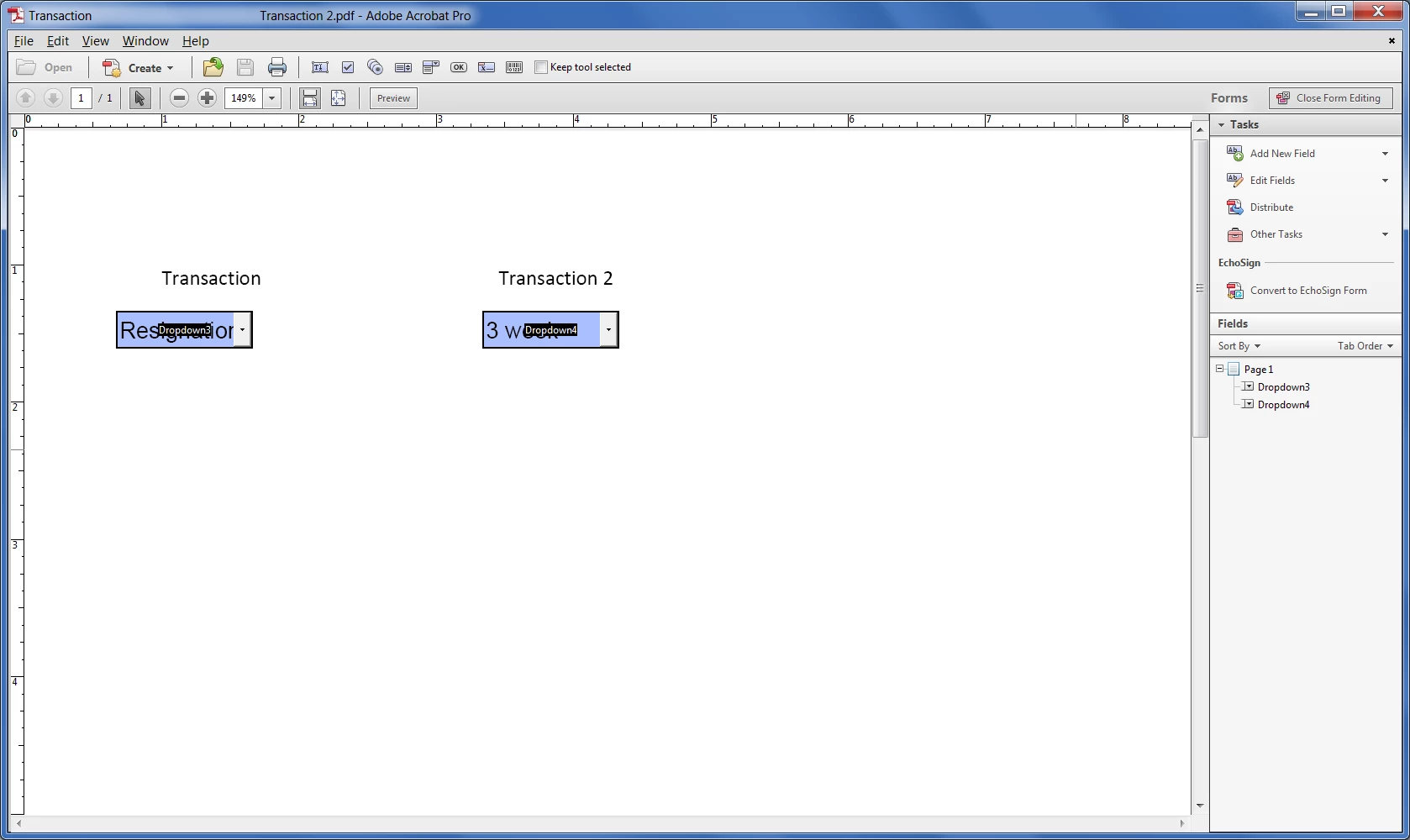
Your field is not named "Transaction". They are named "Dropdown3" and "Dropdown4". Go to Prepare Form mode and look at what's written on top of them, as well as what's listed in the Fields List panel on the right. The text next to the fields is irrelevant.

When I added that line of code it worked fine for me. The values of "Dropdown4" changed as soon as I made a change in the selected value of "Dropdown3".

1 reply

try67
Community Expert
Community Expert
September 25, 2018

You didn't close the string properly in line #3. Also, each item needs to be a separate string, so use this:

setItems(["14 weeks","12 weeks","10 weeks"])

davidp20382817
Known Participant
September 26, 2018

Hey there,

I appreciate your response - I will try thta and let you know.

Also, do I create this script in "Validate" or "Action" , cause whole this time I was trying to do it in "Actions"

thanks again!

Inspiring
September 26, 2018

Hello ty67,

I would love to share but unfortunately it is strictly confidential

So the code I am inputting for Validate is this:

"switch (event.value) {

    case "Transaction Type":

        this.getField("New Hire").setItems(["Brand New Hire","Transfer from LRIO","Transfer from RIOS"]);

        break;

}

is there anything I am missing?

And when i am say it is not working, it does not give me an error message - everything seems OK - however when I close it - the script does not apply to the document.


You said you tried one script that looks complete, but your latest seems to be back to something like your original, and it's incomplete. It's hard to keep track with what you're doing. With your latest, you have a double-quote mark at the beginning, which shouldn't be there.