sorry - i do not. i can work well with instructions though!
No problem. Here's what you need to do.
Press Ctrl+J and a window will appear. It will look something like this:
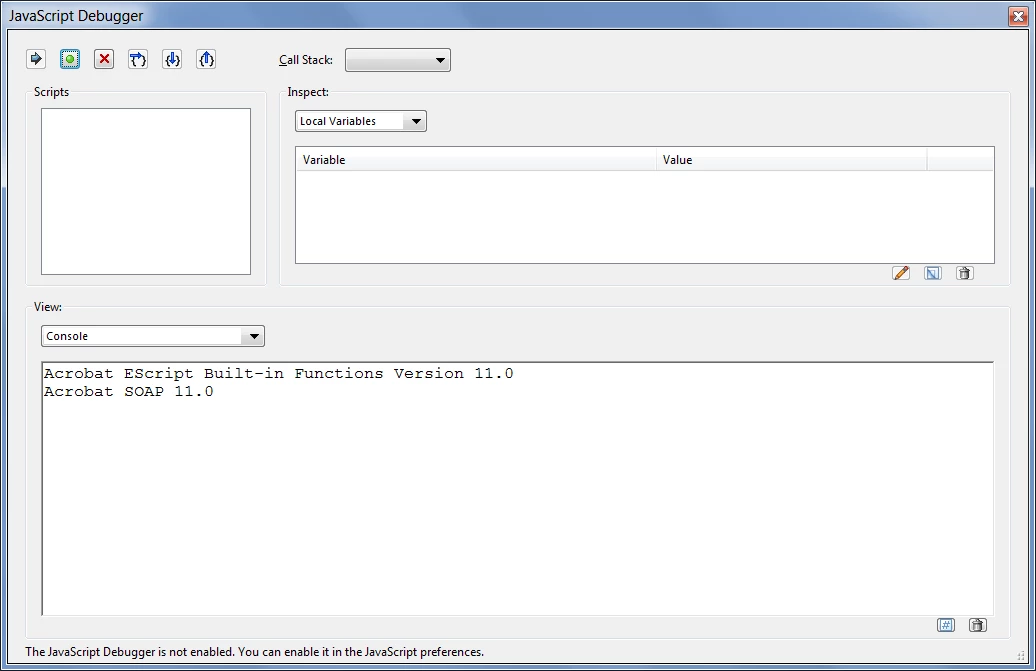
Click into the text area in the lower half of the window. If it asks you whether to enable the console, click Yes.
Select all the text in that field and delete it. Then paste the following code into the same field:
this.syncAnnotScan();
var annots = this.getAnnots();
if (annots!=null) {
for (var i in annots) {
var annot = annots[i];
if (annot.type=="FreeText") {
var annotContents = annot.richContents;
for (var j in annotContents) {
annotContents[j].textColor = color.green;
}
annot.setProps({richContents: annotContents});
}
}
}
Now the tricky part. Select all of that text using the keyboard (Ctrl+A) or mouse and then press Ctrl+Enter. Use the Enter key next to the number-pad, though, not the big one in the center of the keyboard. If it works the word "undefined" should appear at the bottom of the field, and the comments should be changed to green.
If something else happens, please describe what it was.
If it worked you can now select one of these comments using the Object Select Tool (a black cursor), right-click it, go to Properties and then tick the "Make Properties Default" box, and press OK. Any new comments you create afterwards will be green by default, so you won't need to run the script again.

 AdChoices