
Answered
Batch export of pdfs to individual jpg with getting rid of prompts
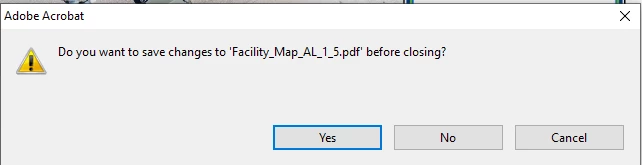
I want to batch convert 100s of pdfs to an individual jpg of each pdf. I was able to find the linked thread below that helped me set up an action wizard to help with this in Adobe Acrobat XI Pro. I am using a folder to add files and a folder to save files. However, for each export to jpg I am prompted for a response as to whether I want to save changes to the pdf before closing. See below screenshot. Is there a way to just run the exports and not have to click "no" each time? This would save me 100s of clicks. Thanks in advance for any help! --Jennifer
Thread to explain how to set up action wizard:
Screenshot of prompt with exporting to jpg with action wizard running.
 AdChoices