
Participant
February 1, 2021
Question

Best way to color change text box and make it stick once you click out of it.

  • February 1, 2021
  • 1 reply
  • 655 views

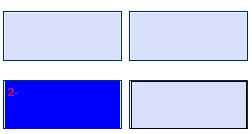
I have a chart that people will fill out with custom text. However, not every box in the chart will be completed. What is the best way to have the text boxes that are completed change colors so they stand out once you click off of them? I can get the boxes to change color when you type into it but it won't stick once you click into another text box. I've tried various validation statements, but nothing seems to work. I'm at a loss. Do I need an if than statement? I'm not the best at JavaScript. Thanks in advance.


This topic has been closed for replies.

1 reply

Nesa Nurani
Community Expert
Community Expert
February 1, 2021

You can use On Blur event of text field.

Go to field properties -> action tab and select 'On Blur' -> 'Run a javascript' and add this code:

event.target.fillColor = color.blue;

Change color if you wish, I just used blue as an example.

Participant
February 1, 2021

Thanks! That worked, but when I click out of the cell the color disappears. Do you know of a way to make the color stay when you click off of it?

Nesa Nurani
Community Expert
Community Expert
February 1, 2021

Thats because you have turned on field highlight, you can turn it off in preferences

but it won't work for other users, because they need to turn it off also in their software.