Exit
  • Global community
    • Language:
      • Deutsch
      • English
      • Español
      • Français
      • Português
  • 日本語コミュニティ
  • 한국 커뮤니티
0

blue lines

New Here ,
Jan 10, 2021 Jan 10, 2021

Hi,

since a couple of days my Adobe acrobat starts up with blue squares all over the page. Does anybody knows where I can find this setting to eliminate this?

Thanks in advance!

Kind regards, Frank
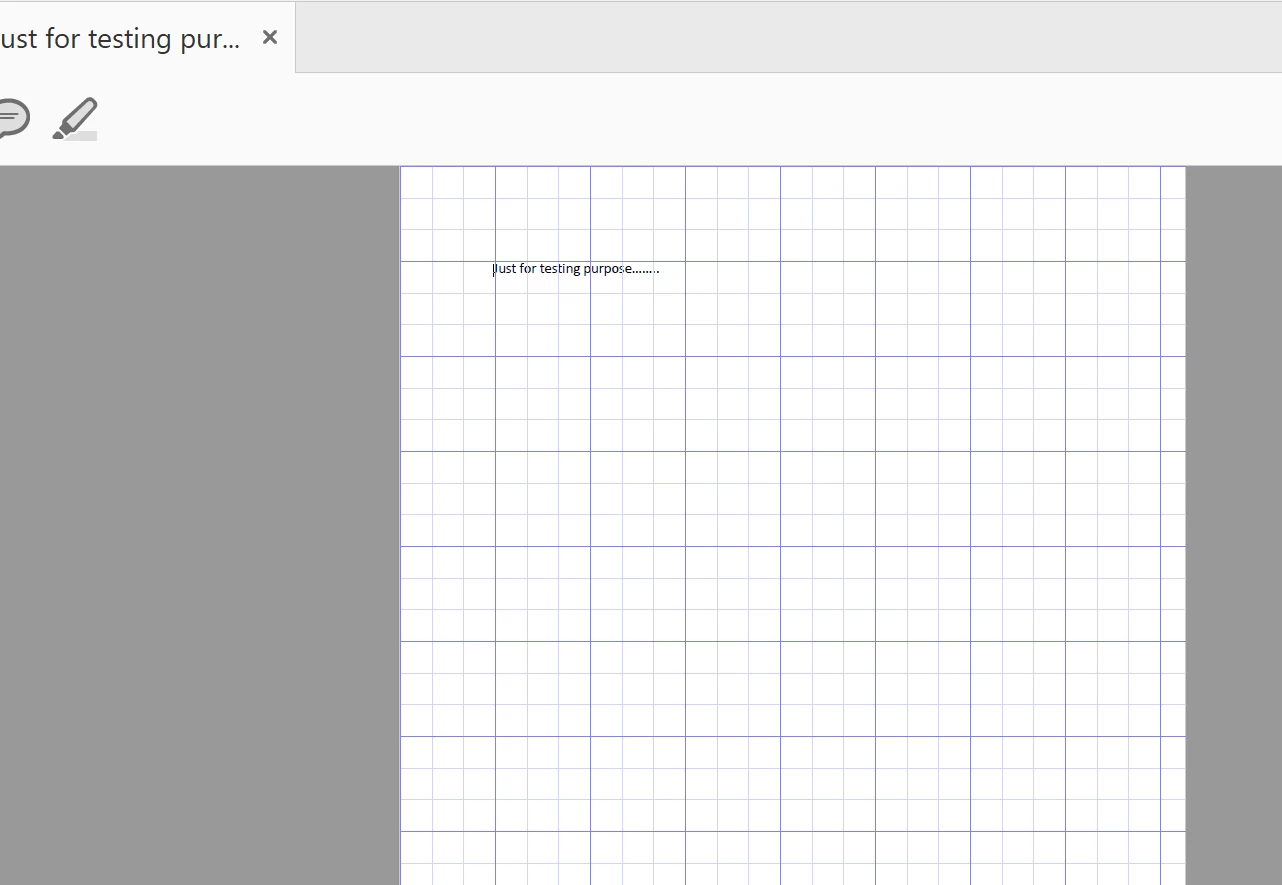
 

Just for testing purpose.png

TOPICS
Edit and convert PDFs , Standards and accessibility
873
Translate
Report
Community guidelines
Be kind and respectful, give credit to the original source of content, and search for duplicates before posting. Learn more
community guidelines
1 ACCEPTED SOLUTION
Community Expert ,
Jan 10, 2021 Jan 10, 2021

View> Show/Hide> Rulers & Grids> Grids.

View solution in original post

Translate
Report
Community guidelines
Be kind and respectful, give credit to the original source of content, and search for duplicates before posting. Learn more
community guidelines
Community Expert ,
Jan 10, 2021 Jan 10, 2021

View> Show/Hide> Rulers & Grids> Grids.

Translate
Report
Community guidelines
Be kind and respectful, give credit to the original source of content, and search for duplicates before posting. Learn more
community guidelines
New Here ,
Jan 10, 2021 Jan 10, 2021

Thanks Luke!

Translate
Report
Community guidelines
Be kind and respectful, give credit to the original source of content, and search for duplicates before posting. Learn more
community guidelines
Community Expert ,
Jan 10, 2021 Jan 10, 2021
LATEST

Also Ctrl+U. You probably pressed it by accident.

Translate
Report
Community guidelines
Be kind and respectful, give credit to the original source of content, and search for duplicates before posting. Learn more
community guidelines
