New Participant
November 1, 2016
Respondido

booklet prints every other page upside down

  • November 1, 2016
  • 6 respostas
  • 61754 Visualizações

When I try to print a booklet, every other page prints upside down. I've set it up as f&b, short edge bind, legal/landscape, with booklet selected.

Melhor resposta por DANIEL5FBE

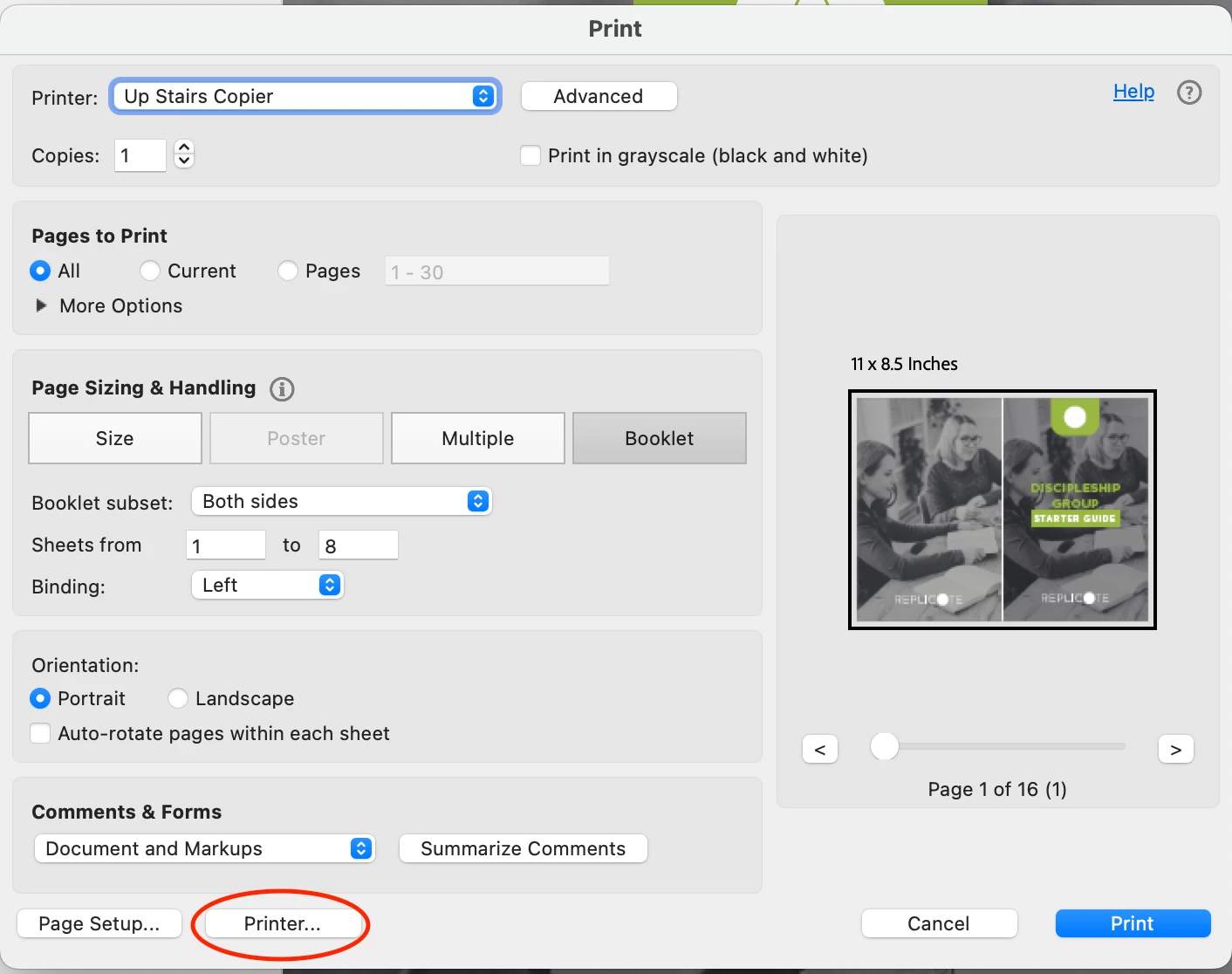
I also found a separate solution because setting it to portrait didn't fix the issue for me. If you're working on a Mac, you have to go into the Mac Printer settings>Finishing>short edge binding (top). 
6 Respostas

DANIEL5FBEResposta
New Participant
January 23, 2025

I also found a separate solution because setting it to portrait didn't fix the issue for me. If you're working on a Mac, you have to go into the Mac Printer settings>Finishing>short edge binding (top). 

New Participant
February 20, 2025

This issue is still happening 2-20-25. I haven't printed a booklet for I'd say at least a year and ran into this problem which never happened to me until now. Thank you AceFrog for figuring this out- changing to portrait worked. I don't have a Mac, but thanks for the heads up DANIEL5FBE.

leeeoooooo
New Participant
March 10, 2022

I tried every 'reverse' or 'flip' setting I could find. My last try was to change 'portrait' to 'landscape'. But always with the same result:
The reverse page is upside down in relation to the front of the page.
I really want to print this PDF as a half-page sized folded booklet but I'm out of ideas.

leeeoooooo
New Participant
March 10, 2022

Disregard.
I had been running the printer using Apple's 'generic PCL printer' driver with uniformly unsatisfactory result.
I downloaded a driver from Samsung support and now that I'm using Samsung's print driver for this printer I'm all of a sudden getting good results. All better now.


I know I switched to the generic driver for a reason (maybe AirPrint) but that was apparemtly to source of my problem.

New Participant
September 14, 2024

YES! This turned out to be the solution for me (Mac OS X, Brother Printer). I tried everything on this page, and it wasn't until I saw this and used the actual Brother driver instead of generic that I was able to get it to work. Thank you!


Participating Frequently
January 19, 2021

Thanks so much for this tip. I think I printed my document at least five times, with different settings. Choosing "Portrait" didn't make sense so I didn't change it. But when I did it finally printed correctly. Yay!

New Participant
March 20, 2021

Thank you, thank you!  I too thought changing to "Portrait" didn't make sense: changed it after my third attempt and bravo!

kobies92626965
New Participant
October 2, 2017

I have the same issue, but none of the solutions mentioned above are making a difference when I print from Adobe Reader on my mac.

My printer supports automatic duplex printing, and I have followed these steps exactlym and still every second page is printing upside down and out of order:

  • Choose File > Print and select the printer.

  • Specify which pages to print:

    • To print pages from front to back, select All. (done)
    • To divide a large booklet into smaller groupings, select Pages and specify a page range for the first grouping. Print each page range separately. (I don't change this setting)
  • Click Booklet. (done)

  • To print certain pages on a different paper or paper stock, specify those pages using the Sheets From/To option. Click the Properties button and select the correct paper tray and any other options as necessary. (I don't fiddle with this option)

  • Choose additional page handling options. The Preview image changes as you specify options.

    Booklet Subset Determines which sides of the paper print. Choose Both Sides to automatically print both sides of the paper (your printer must support automatic duplex printing). (I choose both sides, because our printer is set by default to print double sided)

    My printer supports automatic duplex printing, so there has to be a way for it to print correctly without me turning the pages manually... My page orientation is set to PORTRAIT.

    THIS ONLY HAPPENS WHEN I PRINT FROM PDF, when I print booklets form Word, they come out perfectly.

    I am stuck...

AceFrog
New Participant
December 6, 2016

Set your Page Orientation to Portrait NOT Landscape.  This had me going also.  This info should be in Adobe's Basic Printing Tasks page Basic PDF printing tasks, Acrobat, Reader

New Participant
December 16, 2016

Acefrog, thank you very much for providing a solution! I appreciate your help very much! I would have never figured that out. Carol

Community Manager
November 4, 2016

Hi CarolynToyoda,

Please confirm the workflow that you follow exactly to understand this better.

Also please confirm if it happens with all file and from when have you experienced this issue?

Thanks,

Supriya

New Participant
November 4, 2016

My original document was made in ID, then exported as a pdf. I have been printing this document for years without a problem but my Brother MFC-L8850CDW was recently replaced under warranty and that’s when the trouble started.

I set it up to print legal, landscape, F&B, collated, short-edge binding w/o border, and I choose Booklet with both sides. The preview shows the pages in the correct orientation but the even pages all print upside down.

Thank you for your help!!

Carol