

tlmurray23
Inspiring
July 24, 2023
Answered

Can I change the tools list in Acrobat Pro 2023 on Mac?

  • July 24, 2023
  • 1 reply
  • 1256 views

I'd like to change the list of tools to those I use most often, then hide the others until I need them. I don't see a way to do that, nor have I found anything in Adobe's help pages. Is there a way to do this? 
This topic has been closed for replies.
Correct answer mariahweyne

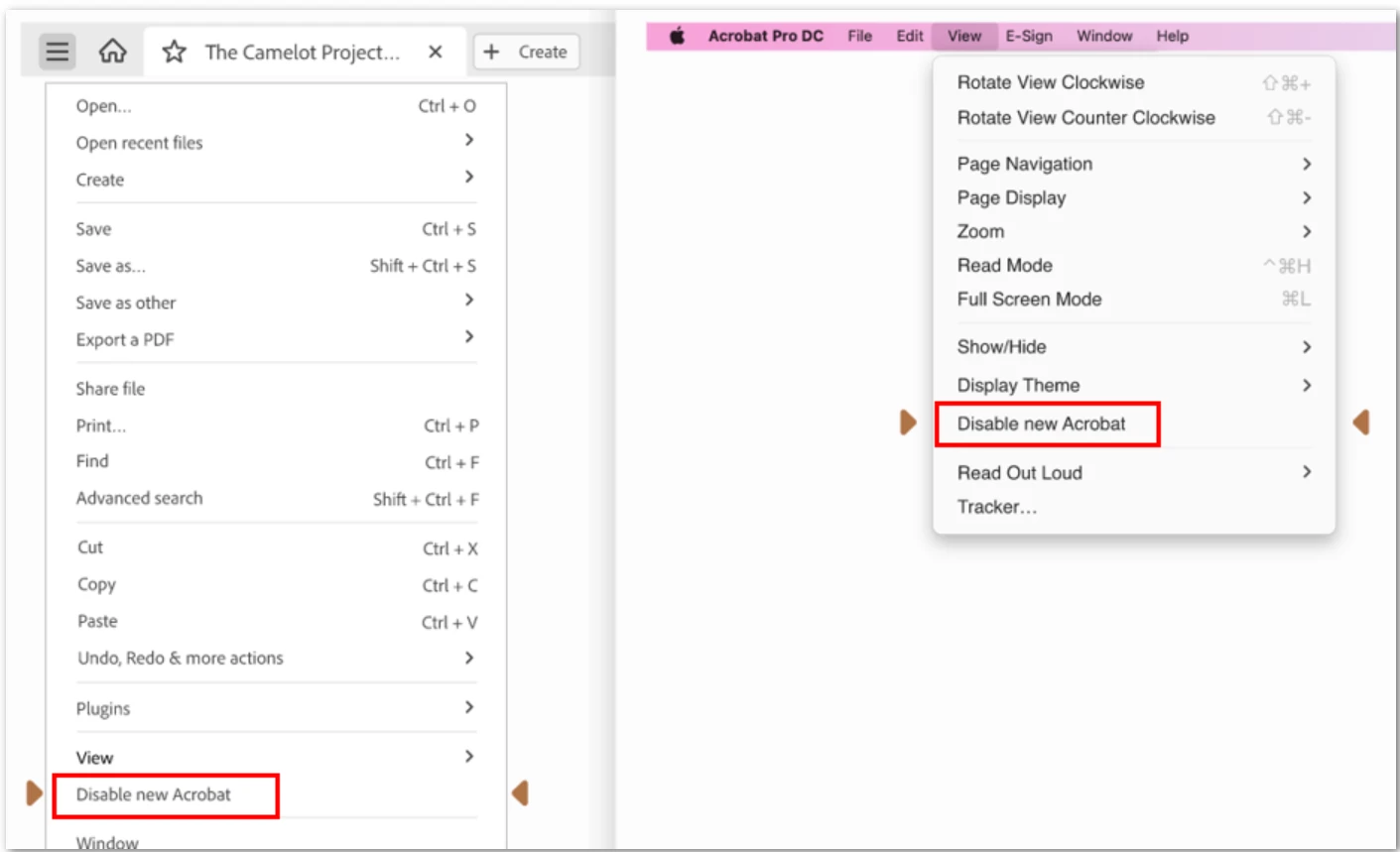
Definetely the new UI. Disable it.

1 reply

mariahweyne
Inspiring
July 24, 2023

Tools bar on top.  Click on the ones you want and add/remove the shortcut to your favorites

tlmurray23
Inspiring
July 24, 2023

It sounds like you might be thinking of a previous version, where the main classes of tools were in a column on the right, and when you select one, their "subtools" (for lack of a better word) would be in a toolbar above the PDF. I attached what I see.

mariahweyne
mariahweyneCorrect answer
Inspiring
July 25, 2023

Definetely the new UI. Disable it.