
September 23, 2017
Answered

Can I lock the name of my pdf file to keep others from changing it

  • September 23, 2017
  • 2 replies
  • 4215 views

I'm sending out an template built in Illustrator to many of my customers. I'll be saving the template as a pdf and would like to be able to keep my customers from editing the name of the file completely or partially. I don't think this is possible without putting a security password on the file. I need the customers to add their artwork to the file so a security password won't work - correct? Does anyone no of a way to protect the file name only?
This topic has been closed for replies.
Correct answer Allta Media

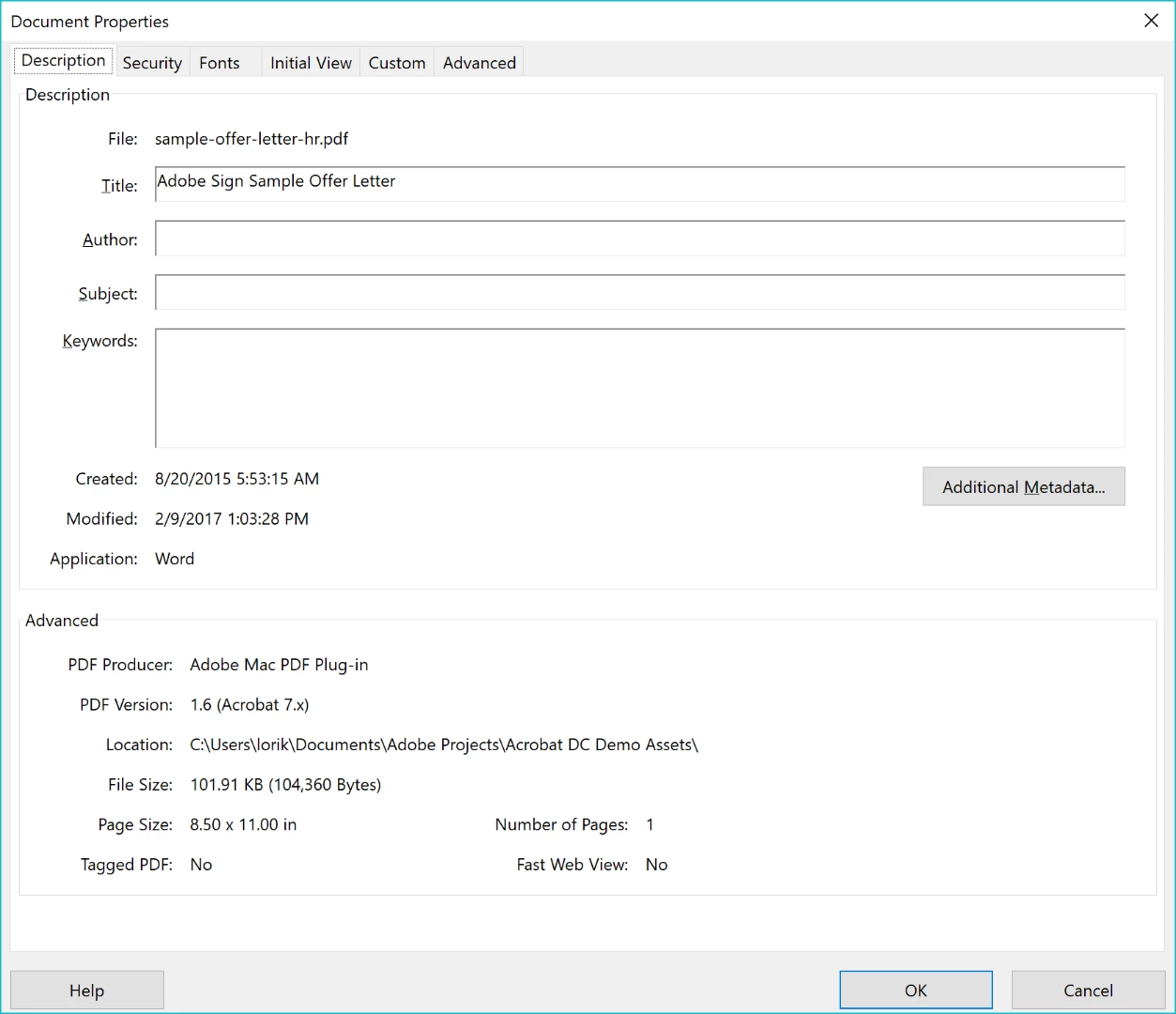
You can't disable the ability to Save As in a PDF. You can however, give your template a title in the metadata, display the title in the titlebar, and disable changing it. Use Ctrl + D to add the Title.

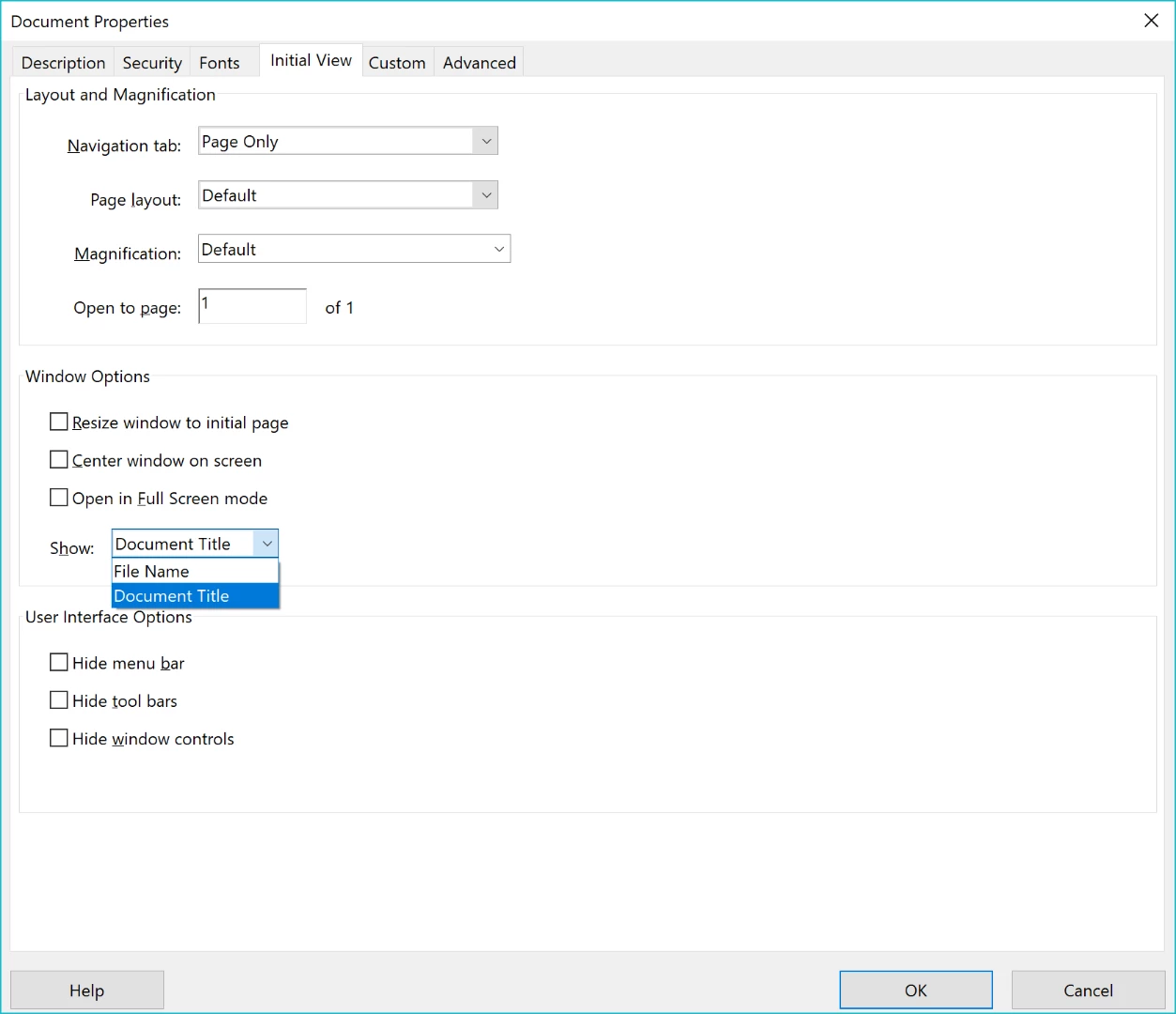
Then under the Initial View tab set the Window Options to show the Document Title.

Then, set the Password Security on the PDF to disable editing.

2 replies

Bernd Alheit
Community Expert
Community Expert
September 25, 2017

You can't protect the name of the file.

November 21, 2017

Thanks - that's what I was afraid of.

Allta Media
Community Expert
Allta MediaCommunity ExpertCorrect answer
Community Expert
September 25, 2017

You can't disable the ability to Save As in a PDF. You can however, give your template a title in the metadata, display the title in the titlebar, and disable changing it. Use Ctrl + D to add the Title.

Then under the Initial View tab set the Window Options to show the Document Title.

Then, set the Password Security on the PDF to disable editing.