
Participant
January 20, 2023
Question

Can't Do Custom Printing Margins in Acrobat

  • January 20, 2023
  • 2 replies
  • 1493 views

I've been trying to print booklets in Acrobat for a while but the printing always goes off centre as it has set margins pushing the content inwards.

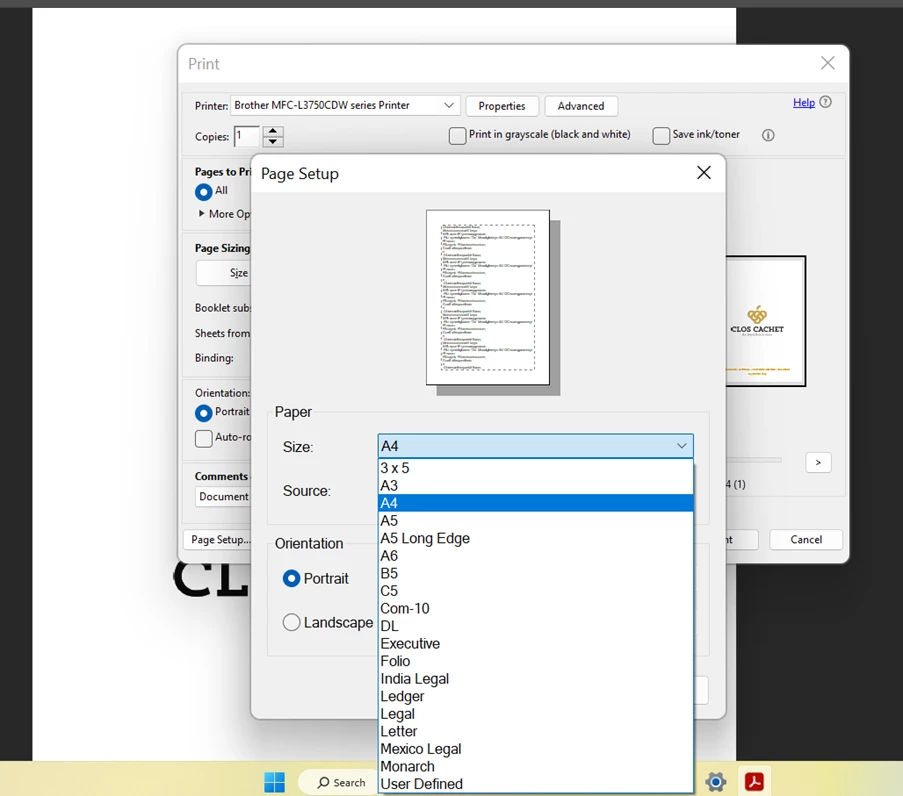
How do I create custom margins and be able to edit the margins in this picture. 

I'm on a Windows PC.

Please help! 
This topic has been closed for replies.

2 replies

Brad @ Roaring Mouse
Community Expert
Community Expert
January 22, 2023

One of the major drawbacks with Acrobat's Booklet printing is it wants to only print in the imageable area of your paper size. Your printer driver has predefined page sizes that account for these printer margins. What you may need to do if you have the ability to set a Custom paper size (in your screen grab, that's probably "User Defined" at the bottom), is create a new paper size that is the A4 dimensions you want (I assume your print an A5 page size in your booklet), but set all four side margins to "0". You still can't print anything in those margin areas, but at least the size and positioning will be correct.

Participant
January 22, 2023

Hi Brad,


Yes this is what I am trying to do but unsure how to set the margins to 0 as they are greyed out when trying to fix it.


Thanks

Brad @ Roaring Mouse
Community Expert
Community Expert
January 22, 2023

Sad to say, that's probably because of your printer driver. Some printers allow it, some don't.


That being said, I just downloaded the driver for your printer and it appears it has its own Booklet Printing ability. (printer settings). Maybe that would work better for you.


Amal.
Community Manager
Community Manager
January 20, 2023

Hi @defaulteqsxd42w37p3 


Hope you are doing well and sorry for the trouble.


Please go through the 'Margin control options' in the help page https://helpx.adobe.com/acrobat/using/crop-pdf-pages.html and see if that works for you.


Regards

Amal


Participant
January 22, 2023

Hello Amal,


This doesn't help unfortunately. It doesn't affect the printing margins at all.