
Participant
March 9, 2025
Answered

can't use Acrobat pro

  • March 9, 2025
  • 1 reply
  • 613 views

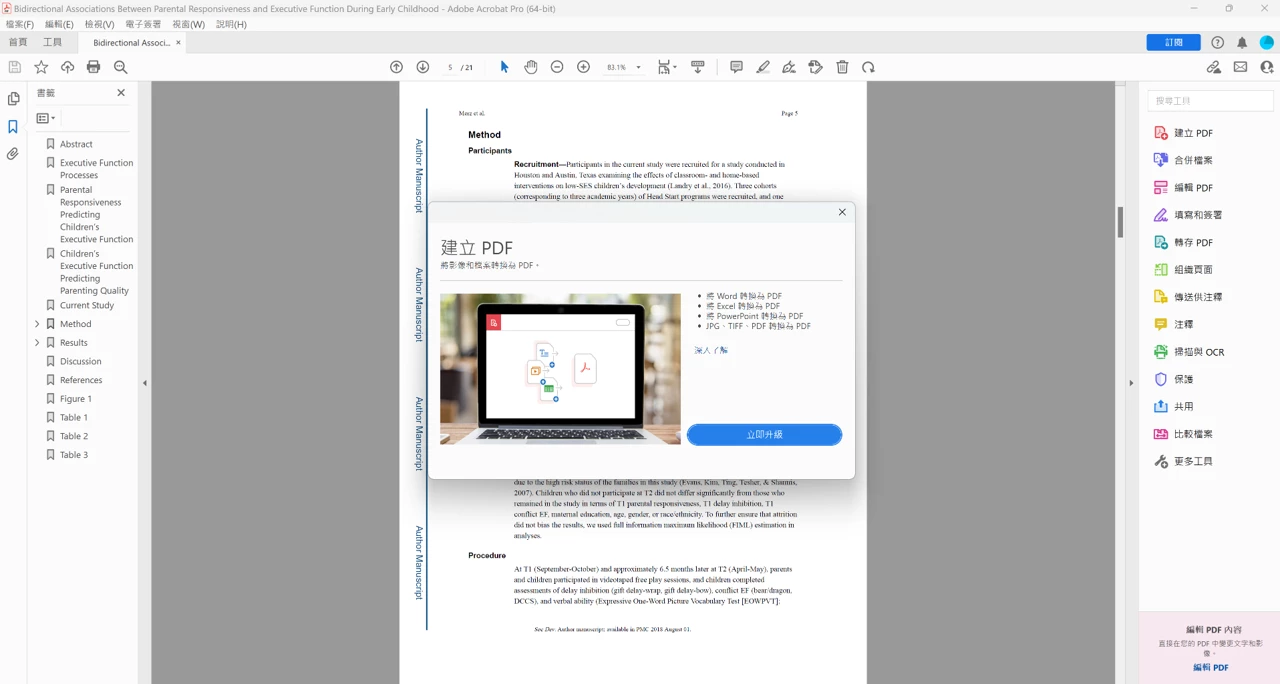
I first purchased Acrobat DC and then paid for Acrobat Pro a few days later. However, even after uninstalling and reinstalling the software, my version remains Acrobat DC, and I cannot edit or convert any PDF files. A prompt appears, but when I follow the link to the webpage, it says I need to purchase the software. However, the webpage also states that I cannot purchase it again. How can I resolve this issue? Thank you!
 

Correct answer creative explorer

@Sandy25844811gcjd you need to uninstall the trial version. I would use Adobe Cleaner from adobe website versus using any third party cleaner. Adobe Cleaner helps remove old Adobe software, cleaning corrupt installation files, and fixing your host files to establish a connection with Adobe servers. https://helpx.adobe.com/ca/creative-cloud/kb/cc-cleaner-tool-installation-problems.html

Then log back into adobe.com and install the Acrobat Pro. And it should work great soon after! 

1 reply

creative explorer
Community Expert
creative explorerCommunity ExpertCorrect answer
Community Expert
March 9, 2025

@Sandy25844811gcjd you need to uninstall the trial version. I would use Adobe Cleaner from adobe website versus using any third party cleaner. Adobe Cleaner helps remove old Adobe software, cleaning corrupt installation files, and fixing your host files to establish a connection with Adobe servers. https://helpx.adobe.com/ca/creative-cloud/kb/cc-cleaner-tool-installation-problems.html

Then log back into adobe.com and install the Acrobat Pro. And it should work great soon after! 

m
Participant
March 16, 2025

Thank you so much. I solved the problem. 

AnandSri
Community Manager
Community Manager
March 21, 2025

Hello Sandy!


I hope you are doing well, and we're glad to know that the issue is fixed for you. Feel free to reach us out if you need any assistance. For future references, you can refer to this article: https://adobe.ly/4bV2tp1


Thanks,

Anand Sri.