
dryanphoto@gmail.com
Participating Frequently
December 10, 2021
Question

Cannot Move Image because of three layers

  • December 10, 2021
  • 4 replies
  • 867 views

Hello,

I was given a PDF to edit. I'm using the lastest Acrobat Pro on a Mac using OS 11.4 Big Sur on a M1 Chip Processor. 

The client only has a PDF of the file they want edited, not the original InDesign/PS version.

I'm just trying to move images around and then I get to this one.


There are three layers as a masked element. I cannot just select them all to drag over, I try to c/p and the mask below everything will not show up where I need it to be. I've tried rearranging the leverything so that they can be seen. Nothing is working. I go to Edit In PS, and all I get is the guys headshot, nothing elese. 
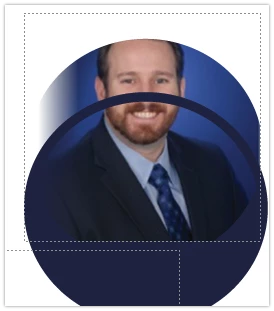
I'm pulling my hair out because a job like this should not take an hour to do. Any help would be great!

Thanks,

Deirdre

This topic has been closed for replies.

4 replies

Brad @ Roaring Mouse
Community Expert
Community Expert
December 12, 2021

Personally, I use PitStop to do extensive edits of this kind. It's a pricey tool, but if you are doing a lot of this, it quickly pays for itself.

Brad @ Roaring Mouse
Community Expert
Community Expert
December 12, 2021

Since there is no grouping of objects in Acrobat, after you select Edit PDF in Tools (turning off recognize text since you don't need it in this case) you need to drag a selection tool around all the objects to grab them all.

It will only select objects it completely encloses, so, as in my example, it won't grab the text that wraps around it. You can then move, cut, paste, etc. to your heart's content.


You could also consider converting the files to an Illustrator file if you are doing more involved edits. It's not the best, but certainly you'd have more control of things going forward. You will have to resolve any missing fonts, of course, but I would rather do THAT work then trying to do major editing in Acrobat.

JR Boulay
Community Expert
Community Expert
December 11, 2021

In a forum we share between goodwill, in private it is an audit.

Acrobate du PDF, InDesigner et Photoshopographe
JR Boulay
Community Expert
Community Expert
December 10, 2021

Can you share your doc?

Or just the image pasted in a blank PDF?

Acrobate du PDF, InDesigner et Photoshopographe
dryanphoto@gmail.com
Participating Frequently
December 10, 2021

I don't want to share a doc in a public forum... 

I tried pasting it in a pdf and the photo shows up but not the other layers.