
ronnyb61949247
Participant
January 15, 2019
Answered

Cannot stop sound on PDF

  • January 15, 2019
  • 1 reply
  • 3683 views

Just began using Acrobat Pro DC on a Mac. Added several mp3 songs to a long PDF file, spaced out over several pages. They all play fine by clicking on them, but I cannot stop playing them: if I add "play content on floating window" the window is too large and covers text; if I add "play content on page" the stop button is too small.

In any case, I don't want the PDF recipient to go back a page, stop the sound, then go forward and play the new sound, again and again. On Apple Pages or Microsoft Word, I can click on the page anywhere or click a new sound to stop the previous one. So what do I do here?

Thank you in advance for your prompt answer,

Ronny B.
This topic has been closed for replies.
Correct answer AnandSri

Hi Ronny!

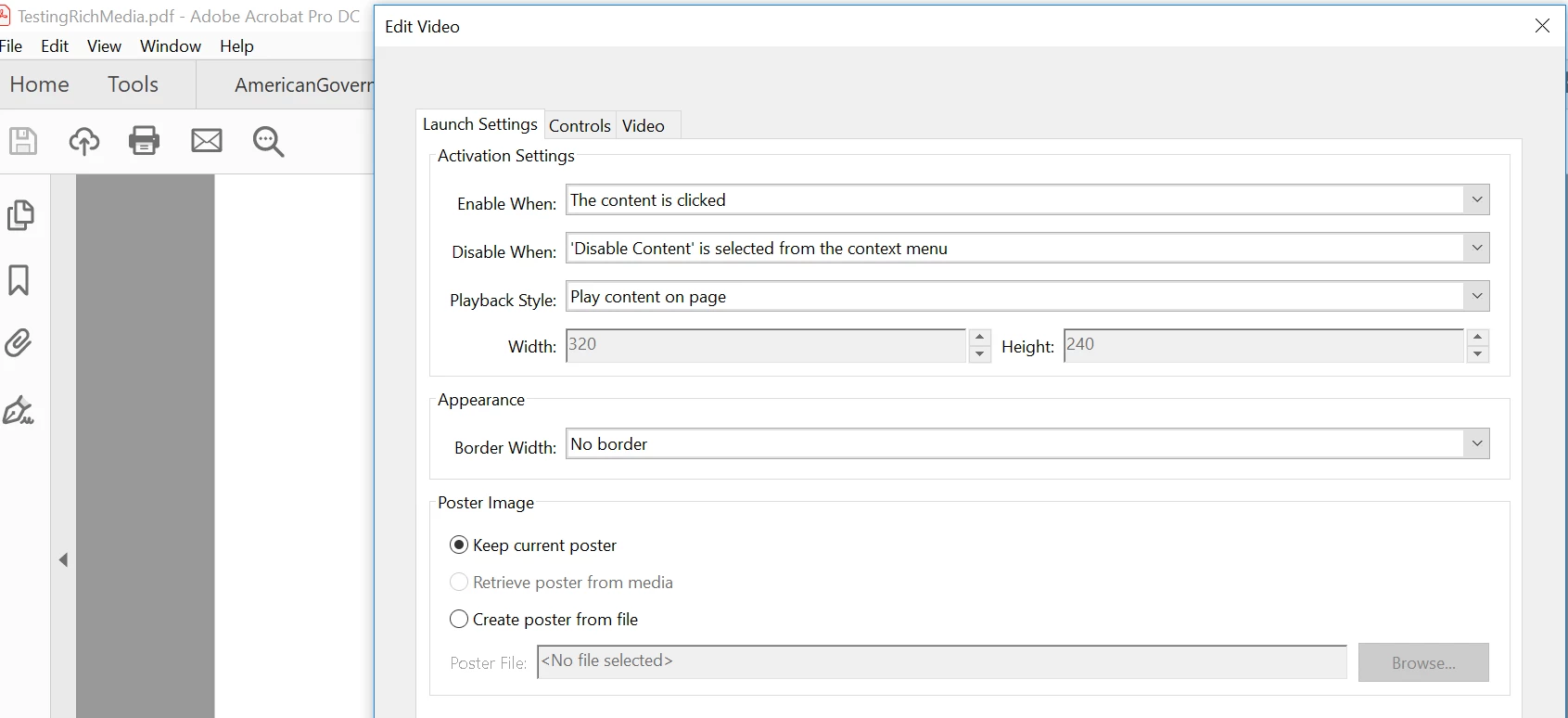
I am sorry for the delayed response and for the inconvenience caused, please Edit the Video properties and choose the option 'The page containing the content is not visible' under Disable When option.

You may access the Edit Video properties window by right-clicking on the Video and choose Properties.

You may also refer and try the suggestions from the following help articles Adding multimedia to PDFs

Playing video, audio, and multimedia formats in PDFs, Adobe Acrobat

Feel free to update this discussion for any further assistance.

Thanks,

Anand Sri.

1 reply

AnandSri
AnandSriCorrect answer
Legend
January 29, 2019

Hi Ronny!

I am sorry for the delayed response and for the inconvenience caused, please Edit the Video properties and choose the option 'The page containing the content is not visible' under Disable When option.

You may access the Edit Video properties window by right-clicking on the Video and choose Properties.

You may also refer and try the suggestions from the following help articles Adding multimedia to PDFs

Playing video, audio, and multimedia formats in PDFs, Adobe Acrobat

Feel free to update this discussion for any further assistance.

Thanks,

Anand Sri.