
September 22, 2016
Answered

Change highlighter color

  • September 22, 2016
  • 2 replies
  • 40067 views

I am using a Dell PC with Adobe Acrobat Pro DC, and I would like to change the highlighter color. After googling it for 20 minutes, I still cannot find the annotations option when going to View>>Tools>>Comment. I also don't have the "paint bucket" option in the comment ribbon at the top of my screen. And again, the suggested options still seem to not show when I right click on the highlighter button.
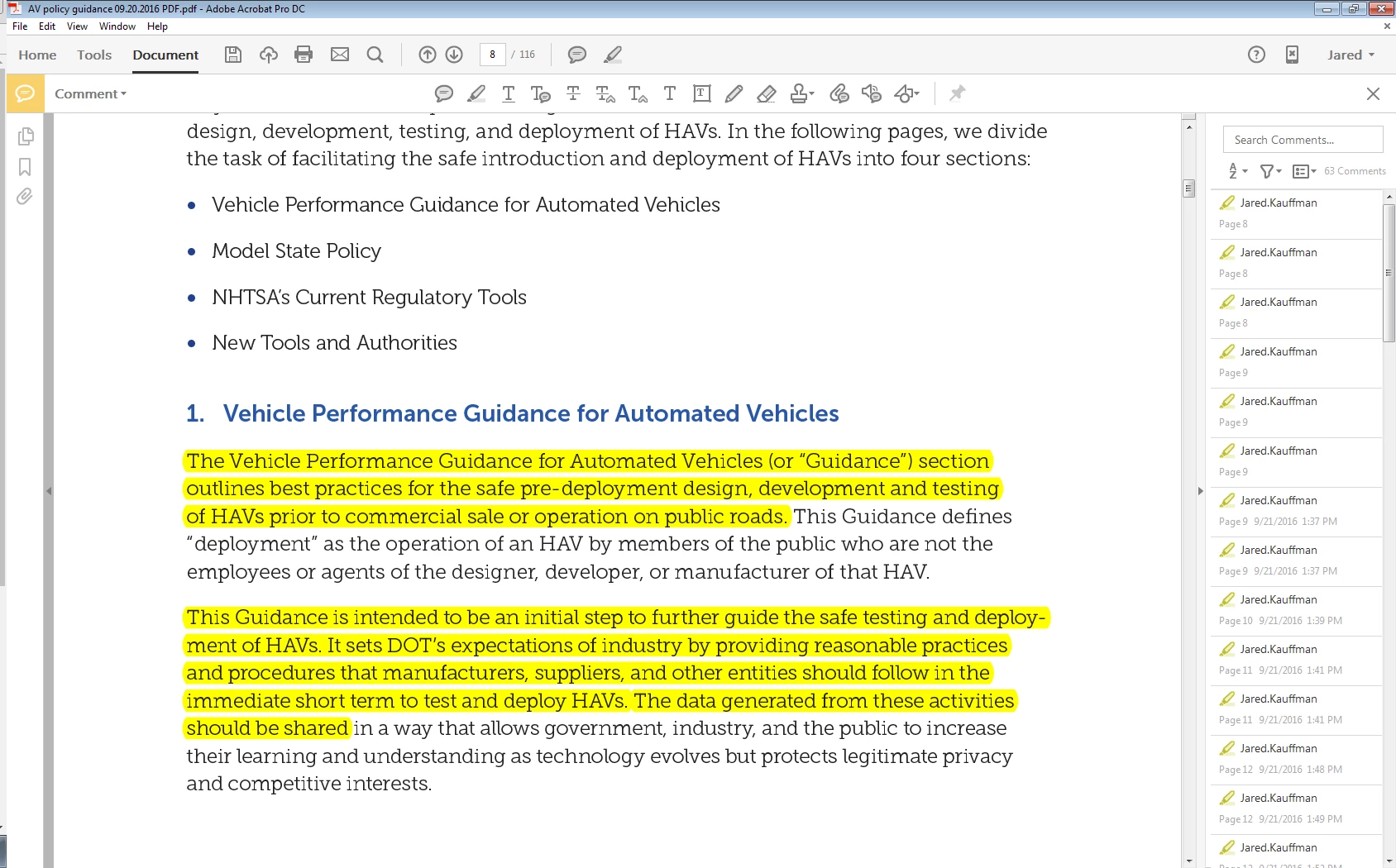
I'm very lost on what to do here.

Thank you.

This topic has been closed for replies.
Correct answer George_Johnson

What happens when you press ctrl + E to display the Properties bar? You should then be able to select one of the highlights and change the color, and make it the default color.

2 replies

micki1020@me.com
Participant
February 5, 2020

Thank you George. You solved my problem.

M.

Participant
April 9, 2021

Yeah, thanks, George, I was going nuts with that thing too.  But...Man, I have to say that the way the properties options were set up for that tool, as well as others, represents some seriously poor product management or programming... possibly both!

George_JohnsonCorrect answer
Inspiring
September 22, 2016

What happens when you press ctrl + E to display the Properties bar? You should then be able to select one of the highlights and change the color, and make it the default color.

Participant
May 26, 2022

Thanks!! I would never have found that solution!  Was looking over to the left of screen for all the fonts and have searched the internet as well.  Finally found the fix - I don't mind having to change the color if needed, but the default color was a dreadful dark mustard color. Thanks again!