Answered
Change percentage tint of spot colour in pdf
Is it possible to convert an existing spot colour to a different percentage tint within Acrobat?

Is it possible to convert an existing spot colour to a different percentage tint within Acrobat?
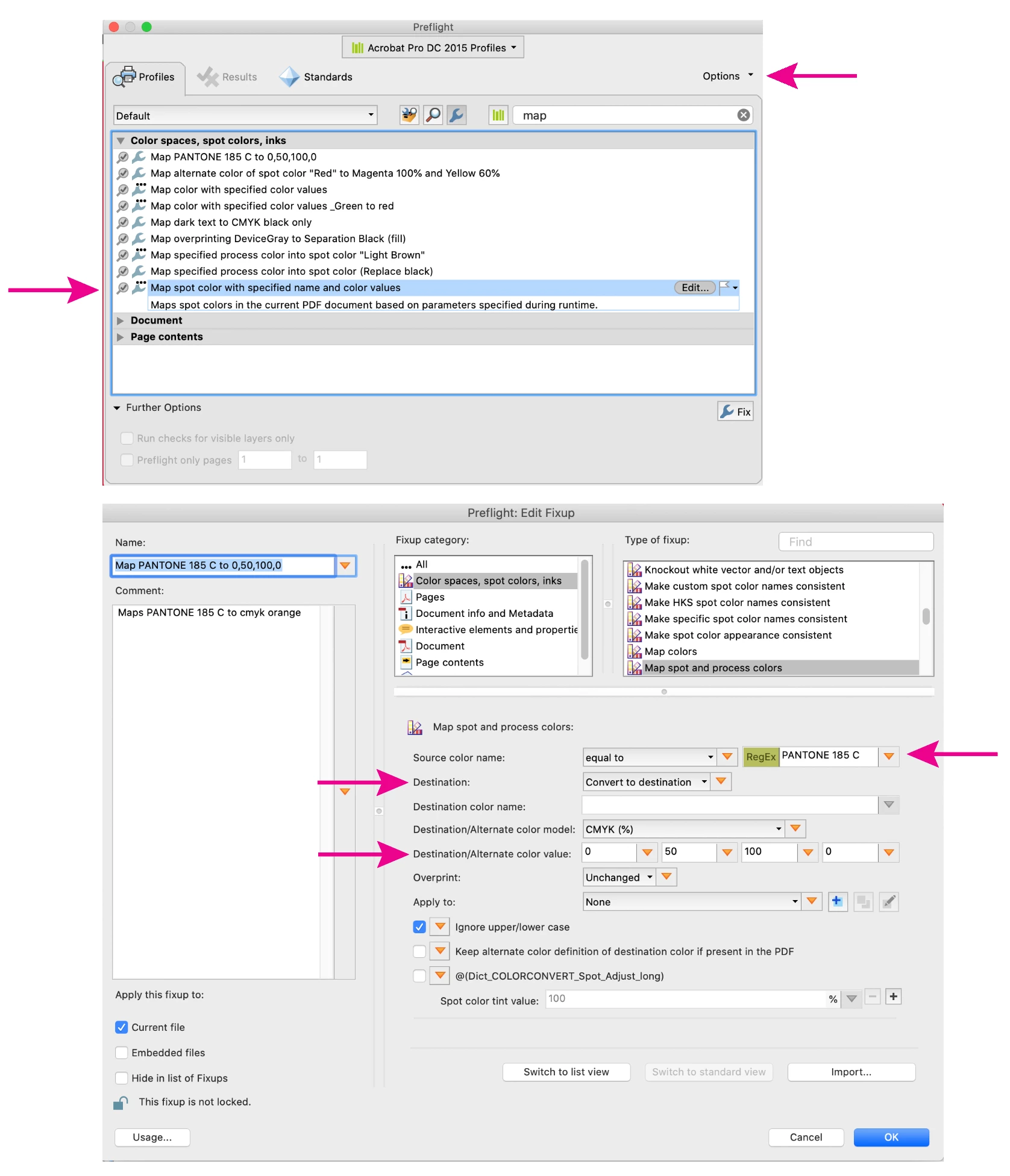
Yes, you can do this with a preflight profile. Tools> Print Production> Preflight> Fixups (blue wrench icon). Find the profile "Map spot color with a specified name and color value" select it and duplicate it from the little "Options" fly-out menu. Select the duplicated profile and click on "Edit" Fill in the Source color name and destination value, click OK, Select the new profile and click Fix. The screen shot shows a profile that will change Pantone 185 C to 0,50,100,0.
Already have an account? Login
Enter your E-mail address. We'll send you an e-mail with instructions to reset your password.
 AdChoices