Participant
May 1, 2025
Answered

choosing "keep original filenames" in batch conversion action I created changes filenames instead

  • May 1, 2025
  • 1 reply
  • 965 views

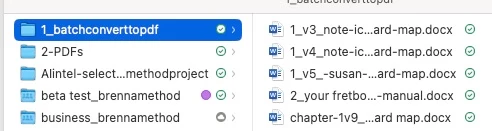
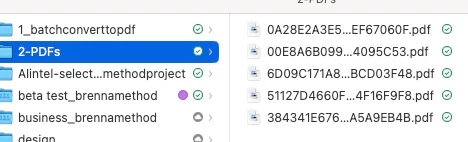
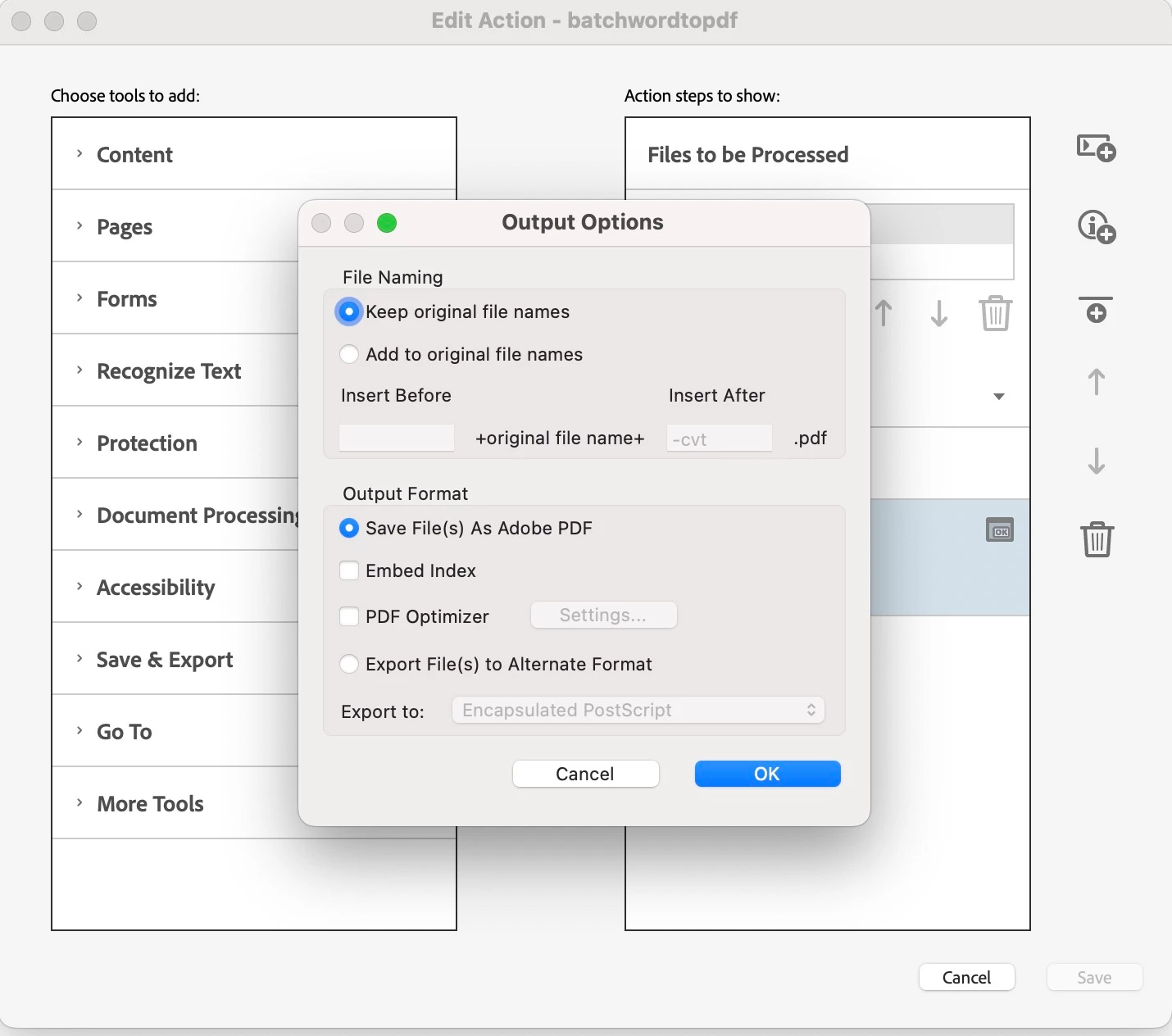
I'm using Adobe Acrobat Pro DC on a macbook running iOS Sonoma. I created a guided action to batch convert MSWord files to PDF files, and selected "keep orignal filenames" when prompted to specify settings, then saved the settings. However the converted files have different filenames instead. Does anyone know how to fix this?


Correct answer Elm516

Unfortunately none of that works. Converting to Adobe pdf than pdf/A has the same results: renamed files. Addding a suffix like-t to filenames when converting to Adobe pdf or pdf/a creates files with the new names and the suffix, but doesn't retain original file names


solved by Adobe tech support by deleting all preferences files in Library

1 reply

ls_rbls
Community Expert
Community Expert
May 1, 2025

Hi @Elm516 ,


Would you mind sharing in greater detail how did you setup the Action Wizard to process the batched files that reside in the 1_batchconverttopdf folder to be  saved as *.pdf  in the output folder 2-PDFs ?


I tried to recreate your scenarion, but I am on MS WIndows 11 and the files are produced fine. The filenames didn't change.


I am wondering if it has to do with where the output folder resides. What happens if  you move the output folder inside of the 1_batchconverttopdf folder?

Elm516Author
Participant
May 2, 2025
Elm516Author
Participant
May 2, 2025

The video shows that you are choosing to Export as PDF/A instead of Save As PDF, which involves enforcing an entirely different PDF compliance standard mechanism during the batch conversion.


This may explain why the file name changes to something that looks like an encrypted file name after batch processing.


And It makes sense that selecting PDF/A for conversion do requires following both PDF (ISO 32000) and PDF/A (ISO 19005) standards.


If this is correct, then choosing PDF/A enforces that the necessary standards are met throughout the process from beginning to end.


In other words, according to such standards, the resulting PDF/A file must keep its entire structure intact and unique (which should not change).


This highlights why the file name changed, maintaining the document's original format and content integrity during conversion.


Therefore, you might want to use the 'Add to original file names' option and try leaving the prefix and suffix fields blank.


See if this could help the system keep the original Microsoft *.docx file name when exporting to PDF/A, ensuring consistency in file naming.


If this hack doesn't work, then the only option would be to prefix the output file name with something, using "Insert before" or adding a suffix with "Insert After" in order to avoid the file name being renamed automatically, I'm afraid.


Unfortunately none of that works. Converting to Adobe pdf than pdf/A has the same results: renamed files. Addding a suffix like-t to filenames when converting to Adobe pdf or pdf/a creates files with the new names and the suffix, but doesn't retain original file names