
Participating Frequently
September 24, 2024
Answered

Colorado Tax Form DR 5002

  • September 24, 2024
  • 2 replies
  • 1062 views

I downloaded a Colorado tax form DR 5002, https://tax.colorado.gov/DR5002

But when I edit and save it, I get an error message that reads "This document could not be saved. There was a problem reading this document (26)."

What is the resolution to this issue?
This topic has been closed for replies.
Correct answer Subrato Namata

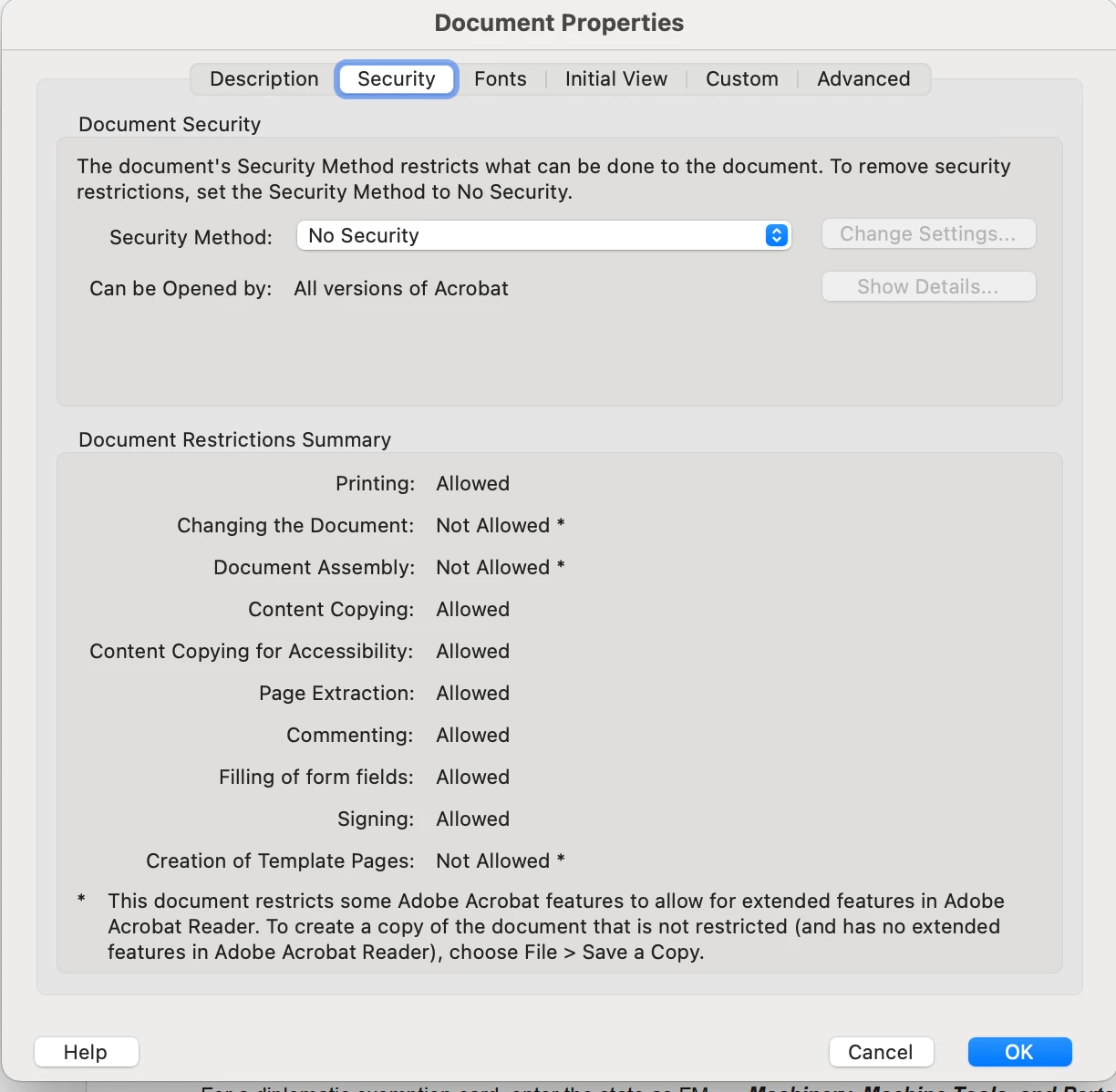
Hi, It seems the author has applied restriction to it. The document can't be edited. How are you editing. I just checked in Document properties.

2 replies

Subrato NamataCorrect answer
Adobe Employee
September 27, 2024

Hi, It seems the author has applied restriction to it. The document can't be edited. How are you editing. I just checked in Document properties.

Participating Frequently
September 27, 2024

Is there a way for me to remove the security setting or do I need to ask the government agency to update the security setting?

Adobe Employee
October 3, 2024

I don't think we can change that, since author had applied these modification settings to their pdfs for some specific reason as an author and creator of the source pdf, only author can modify the settings.

try67
Community Expert
Community Expert
September 24, 2024

In what application (including version number) did you open it?

Participating Frequently
September 24, 2024

Ver - 2024.003.20121