Answered
Combining PDFs
From the Tools tab, click on Combine Files, etc.
However, when I have "Multiple tabs" or open pdfs, how can I combine these files into 1 (one) pdf?
ie. S105-E-5005.pdf and S105-E-3003-11
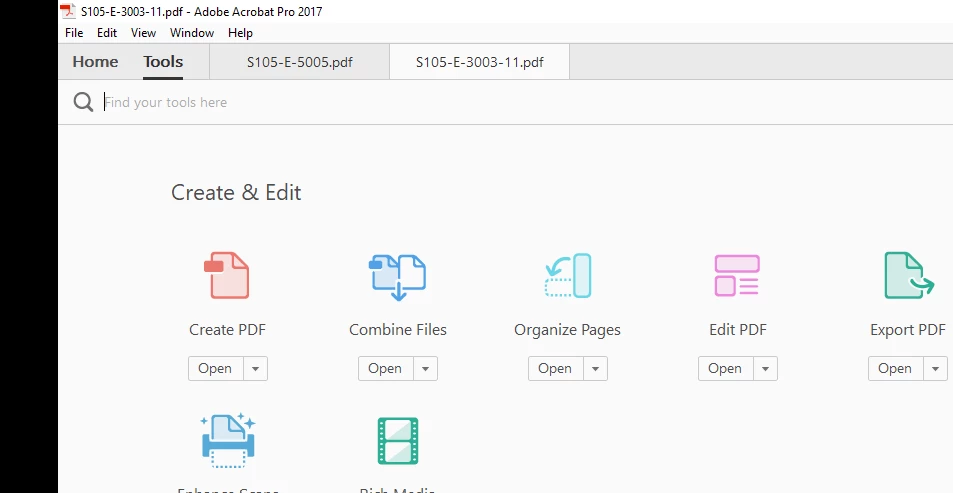

From the Tools tab, click on Combine Files, etc.
However, when I have "Multiple tabs" or open pdfs, how can I combine these files into 1 (one) pdf?
ie. S105-E-5005.pdf and S105-E-3003-11
Go to File - Create - Combine files into a single PDF, then click the Add Files button in the dialog window that opens, and change it Add Open Files:
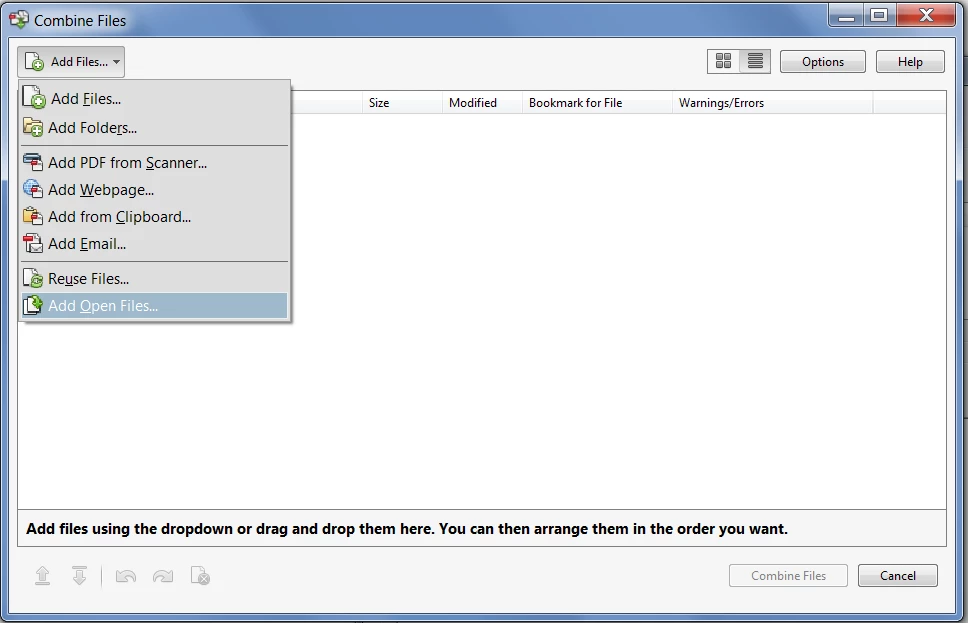
Select the files from the list, click on Combine Files, and you're done!
Already have an account? Login
Enter your E-mail address. We'll send you an e-mail with instructions to reset your password.
 AdChoices