
Answered
Compare Files Feature not working in Adobe Acrobat Pro
I am having a problem comparing two versions of a file. Getting an error message which reads "Acrobat could not Compare the Documents Completely."
I uninstalled and re-installed Adobe Acrobat Pro and got same results.
Windows 10 Pro.
Adobe Acrobat Pro is version 23.2048. (20421).
I also tested using the suggestion in this thread.
Open Acrobat>help>About Acrobat.
Navigate to Acrobat>Edit>Preferences>Security (Enhanced)>disable "Protected View" and "Enhanced Security"> Click OK
Close and reopen Acrobat and try comparing files again. That failed with the same error.
Original settings were restored.
Sample image or error:
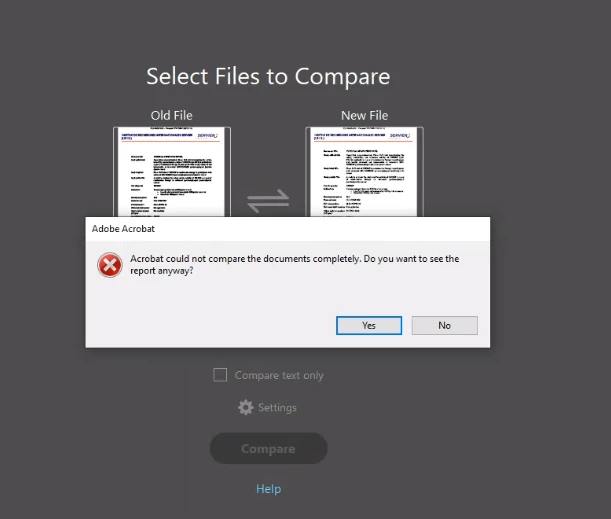
I gett he same error, regarless of whether I choose the Compare Text Only option or not.
 AdChoices