
Conditional Formatting and Changing Text Box Colors in Dropdown List
Beating my head against the wall on this one for a few hours, hoping an expert out there knows the answer...
Using Acrobat Pro, trying to figure out how to change the field color of each selection in a dropdown list. I have a dropdown list "Dropdown1". There are six selections in my list:
[Select] (no color)
Unacceptable (I need this field to be dark red)
Below Average (I need this field to be light red)
Average (I need this field to be orange)
Above Average (I need this field to be yellow)
Excellent (I need this field to be Green)
Additionally, I need two additional boxes (outside of the dropdown list) to change to the same color as the selected list item. (please see image below)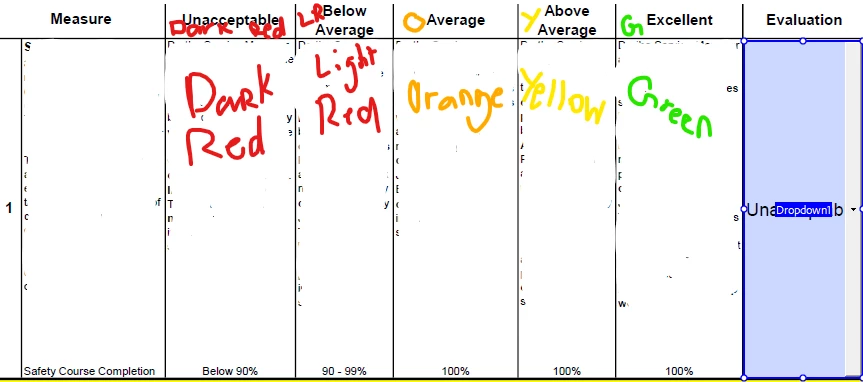
I have absolutely no idea how I can accomplish this. The additional boxes that need to change are not in fillable form at all, they are just part of the pdf. PLEASE someone PLEASE help!!
 AdChoices