

Saher Naji
Inspiring
November 3, 2022
Answered

Conditional Formatting or number field

  • November 3, 2022
  • 5 replies
  • 1662 views

Hello there,


I'm trying to change the format of text depending on a text field value

I don't know where is the wrong in my code!

it's not working


what I want is:

make the text red bold and italic if Actual_lodgning_1 >  lodging_per_diem_1


Thanks in advance


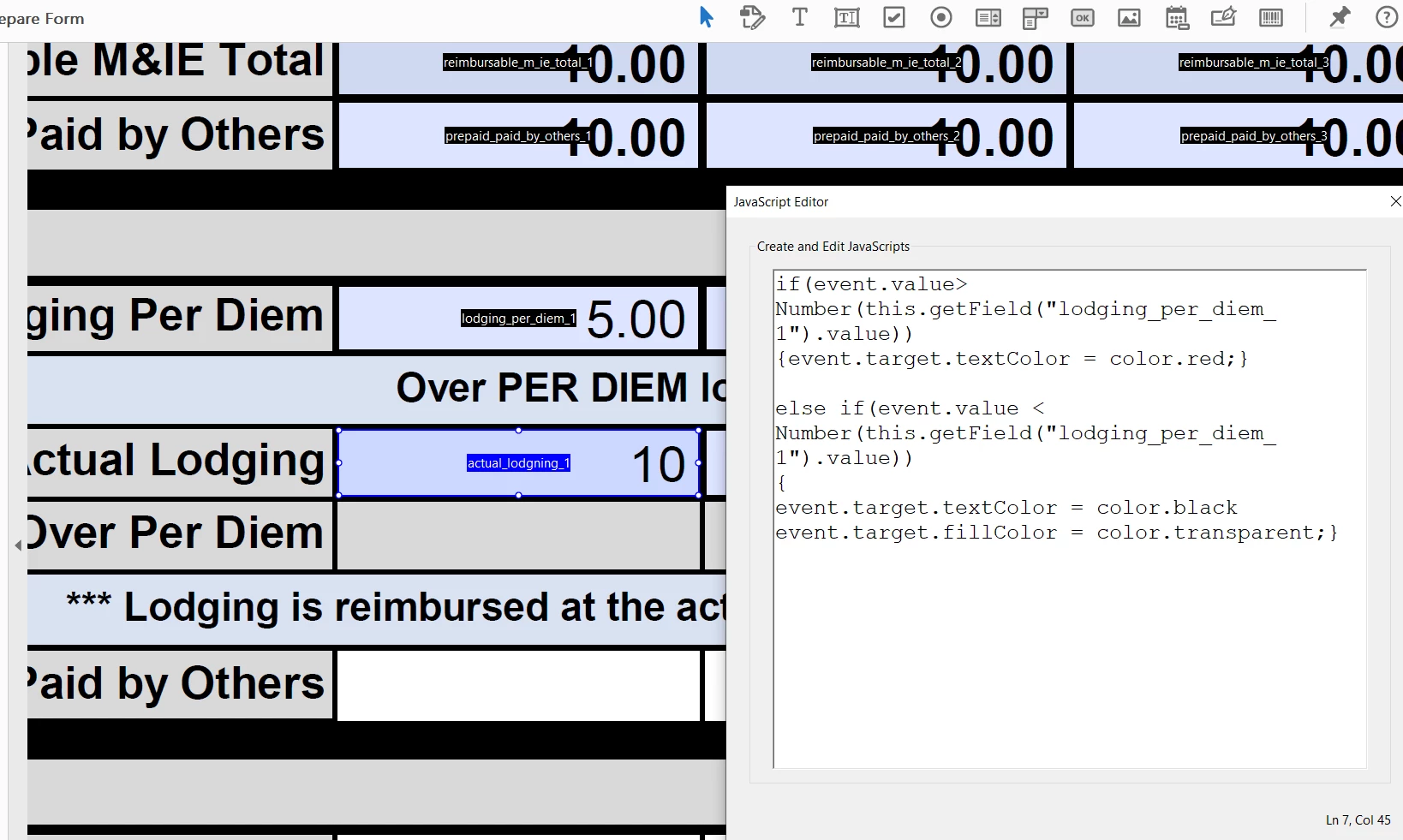
This is the code:

if(event.value>Number(this.getField("lodging_per_diem_1").value))
{event.target.textColor = color.red;}

else if(event.value < Number(this.getField("lodging_per_diem_1").value))
{
event.target.textColor = color.black
event.target.fillColor = color.transparent;}

Actual_lodgning_1


This topic has been closed for replies.
Correct answer Nesa Nurani

It will only work when the value of "Actual_lodgning_1" is changed and not when "lodging_per_diem_1" is changed.

5 replies

Saher Naji
Inspiring
November 3, 2022

Thanks for all of you

Gonna try this today

JR Boulay
Community Expert
Community Expert
November 3, 2022
Acrobate du PDF, InDesigner et Photoshopographe
Saher Naji
Inspiring
November 4, 2022

That's a mazing, thanks bro

Saher Naji
Inspiring
November 3, 2022


it's under custome validation script


there is no erros, it's not working!

Nesa Nurani
Community Expert
Nesa NuraniCommunity ExpertCorrect answer
Community Expert
November 3, 2022

It will only work when the value of "Actual_lodgning_1" is changed and not when "lodging_per_diem_1" is changed.

Saher Naji
Inspiring
November 3, 2022

Yes, this is what I want to change, but also it's not working

https://watch.screencastify.com/v/eeslnjtWPr8Oe8ZqzzuX

Bernd Alheit
Community Expert
Community Expert
November 3, 2022

To make the text italic you must change the font.

try67
Community Expert
Community Expert
November 3, 2022

The code seems fine. Where did you place it, exactly (under what event)?

And are there any errors in the JS Console when it runs?