
Confirm the fsType of a fully embedded font in a PDF using Acrobat Pro DC
In a (very complicated) attempt to use LaTeX eforms to generate a PDF form that uses a LaTeX font for the forms (see my detailed question here), I've managed to fully embed a Type1 font in the PDF, and I'm pretty sure the PostScript of the font has a FSType of 8, so it should be used in the form field. I verified in the postscript of both the font and the embedded postscript before it's sent to Distiller. Distiller creates the PDF and embeds the font without complaints, but I can also use Ghostscript to generate the PDF with similar results. I'm so far unable to get the font to work as a field font.
When I look at the file with Preflight profile "List potential font problems" in Adobe Acrobat Pro DC, I can see all sorts of details about the font I want to use for the form except the fsType information:
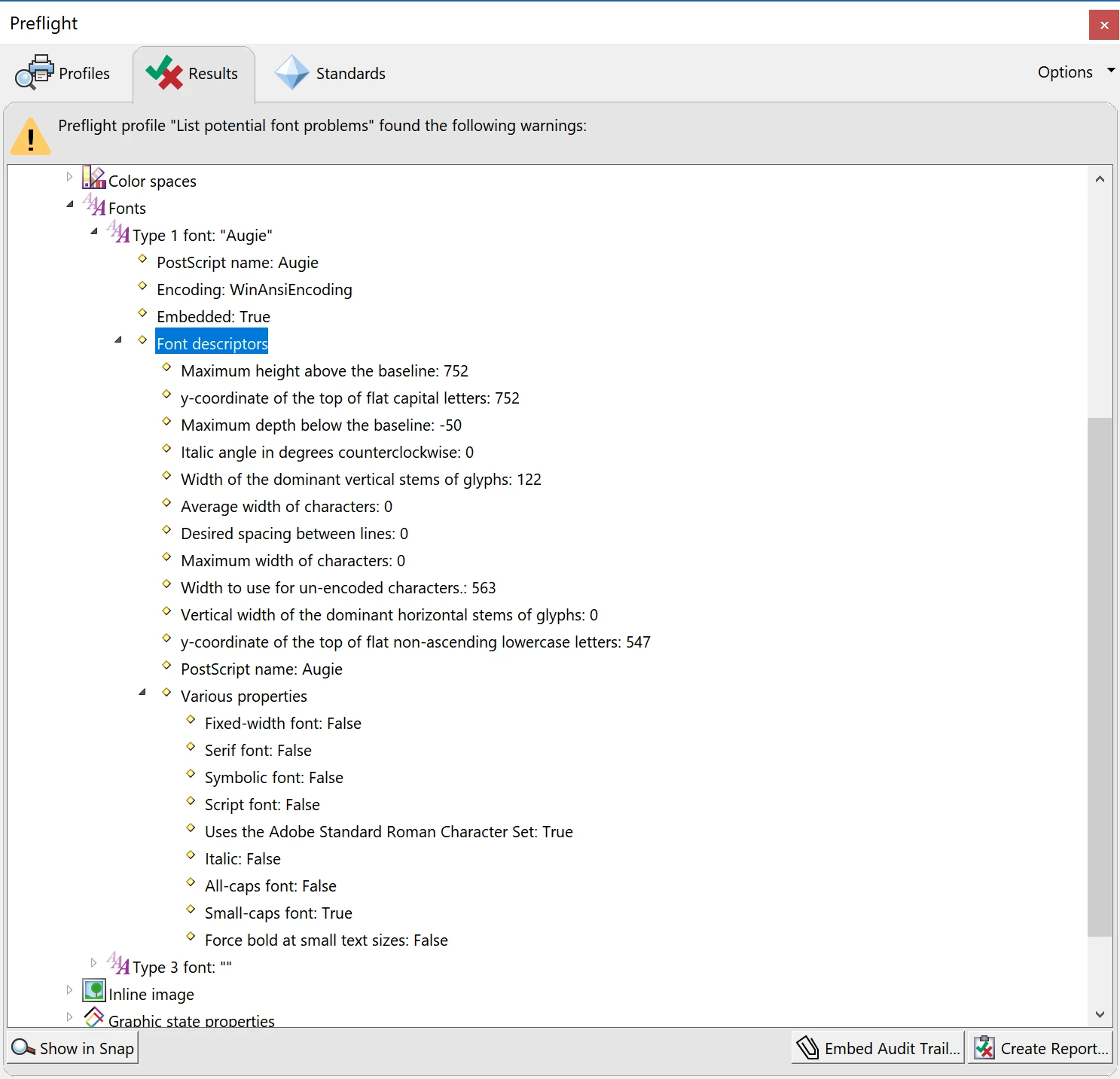
Is there a way with Acrobat Pro DC to verify the font is embedded with editing (fsType is 8)?
Also, assuming the fsType carried over from the PostScript to the PDF, do the experts here see any other reason why this font can't be used in the PDF form fields? I was under the impression that Type1 fonts could work, at least according to Embedding fonts in PDF forms and free-text annotations.
Cheers!
 AdChoices