
Known Participant
December 21, 2017
Answered

convert Layered PDF into Layered PSD

  • December 21, 2017
  • 3 replies
  • 7970 views

Hello everyone,

This is probably question for an expert .

What is the best way how to achieve this result. I am researching this for a quite a while now.
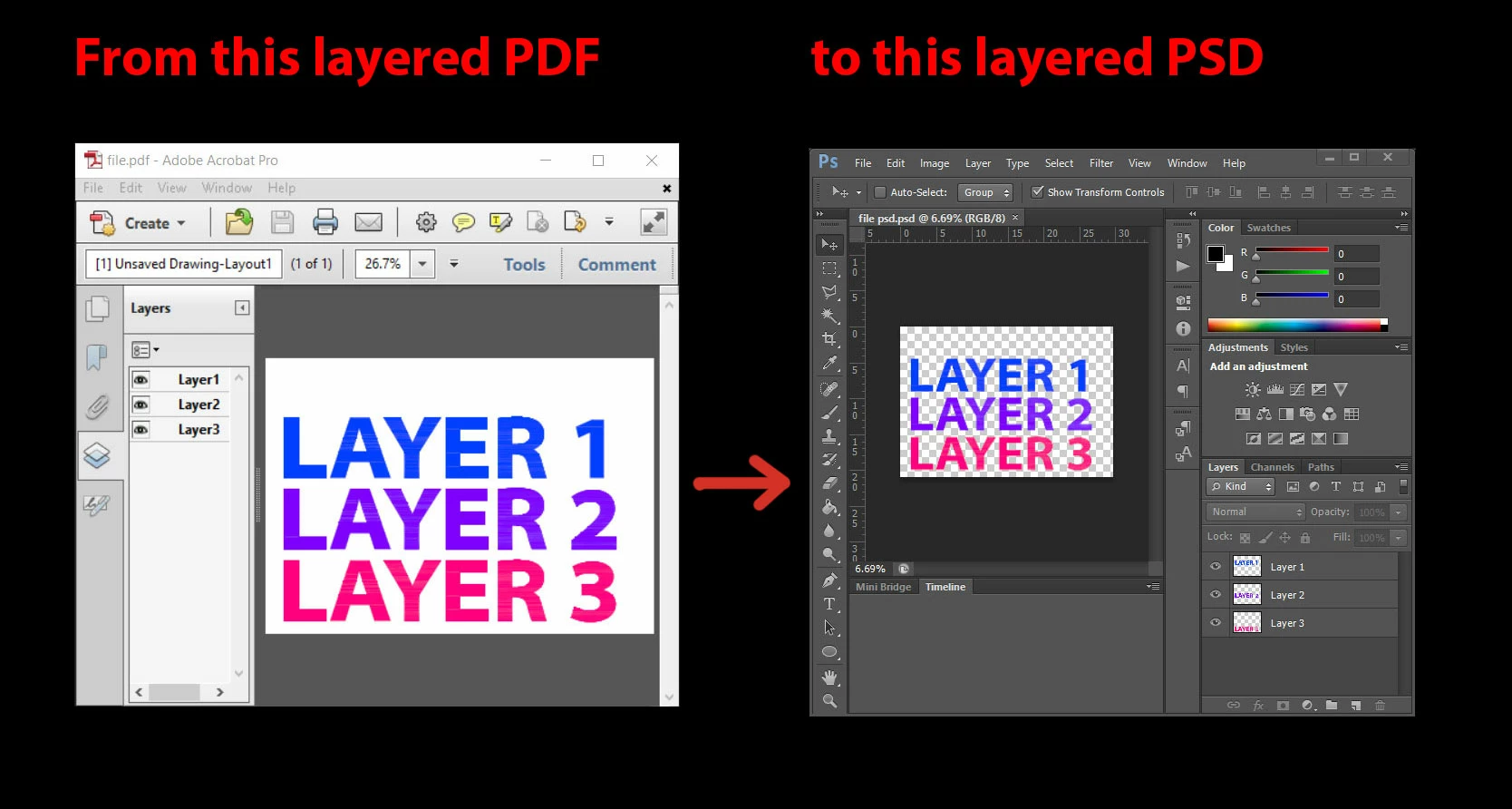
The picture represents what i want to achieve but simply cannot.

Only way I can achive it is, manually by disabling the visibility of all layers but one and export as png. And like this I export all layers, than batch import them into Photoshop.

I hope there any preflight option that will allow me to export layers as separate pdfs ?

Here is my layered pdf from autocad.

https://www.dropbox.com/s/jyz9dpw8mze4vo8/file.pdf?dl=0

And I want to be able to open layered pdf from autocad as a layered psd in Photoshop.

regards,

TP

This topic has been closed for replies.
Correct answer Dov Isaacs

There is no such built-in option within Acrobat, including the Preflight functionality.

Note that there is a fundamental difference between what is called layers in PDF and what is called layers in Photoshop. Layers in PDF don't interact with each other in PDF. On the other hand, layers in Photoshop most often interact with each other. Layers in PDF can conceivably be translated to totally independent layers in Photoshop's imaging model.

I suspect that the only way of automating the process you desire would be via JavaScript to export one layer at a time and then corresponding automation to recombine as separate layers within Photoshop.

          - Dov

3 replies

Participant
May 10, 2024

photopea.com   this website do your requast

Luke Jennings
Inspiring
December 22, 2017

You can do this in Illustrator.

As you will be converting apples to oranges, you might get orpple juice.

Try saving your CAD file as an Illustrator file (.ai), if you can't, open your PDF in Illustrator, noting that Illustrator is not a universal PDF editor, and unexpected changes can and do occur. (remember your blood pressure Dov).

From Illustrator go to File> Export> Export as> Photoshop (psd)> Write layers.

You can choose the desired raster resolution in the export dialog.

Known Participant
December 22, 2017

Luke, Thank You for your input.

I have already tried this. Illustrator tends to do mess of the layers. This workflow doesn't have desired effect.

Currently I manually export layers as images from acrobat an manually name them and set them in desired order. I found that easier than fixing illustrators export.

Dov Isaacs
Dov IsaacsCorrect answer
Legend
December 21, 2017

There is no such built-in option within Acrobat, including the Preflight functionality.

Note that there is a fundamental difference between what is called layers in PDF and what is called layers in Photoshop. Layers in PDF don't interact with each other in PDF. On the other hand, layers in Photoshop most often interact with each other. Layers in PDF can conceivably be translated to totally independent layers in Photoshop's imaging model.

I suspect that the only way of automating the process you desire would be via JavaScript to export one layer at a time and then corresponding automation to recombine as separate layers within Photoshop.

          - Dov

- Dov Isaacs, former Adobe Principal Scientist (April 30, 1990 - May 30, 2021)
Known Participant
December 21, 2017

How one does automate this process via Javascript ?

Dov Isaacs
Legend
December 21, 2017

JavaScript is programming in an interpretive language. If you are not familiar with JavaScript and are not a programmer, you would probably need to find a professional you can assist you with this.

          - Dov

- Dov Isaacs, former Adobe Principal Scientist (April 30, 1990 - May 30, 2021)