
Known Participant
October 23, 2022
Answered

Copy and paste a row of 'Buttons' - NOT Radio buttons

  • October 23, 2022
  • 1 reply
  • 496 views

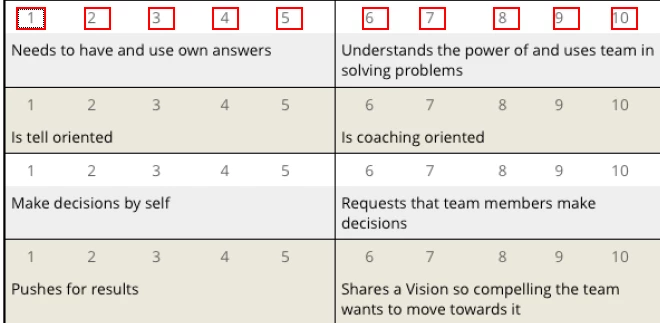
How do you copy and paste a row of 'Buttons' to new rows on a document as per below.

The buttons in RED have been created but need to copy and paste them onto new rows in the same document and keep them aligned and spaced the same. 


This topic has been closed for replies.
Correct answer Nesa Nurani

Select 'Prepare Form'  tool, drag your mouse and select all buttons then  right click on one of the button (while all selected) and select 'Create multiple copies', now move copies to where you want them.

1 reply

Nesa Nurani
Community Expert
Nesa NuraniCommunity ExpertCorrect answer
Community Expert
October 23, 2022

Select 'Prepare Form'  tool, drag your mouse and select all buttons then  right click on one of the button (while all selected) and select 'Create multiple copies', now move copies to where you want them.

Known Participant
October 23, 2022

Thank you Nesa, your answers have been very helpful, job completed on this form.