

Corrupted dialogue boxes — Acrobat currently unusable!
As of last week, I started experiencing some bugs while using Acrobat. The first I noticed was that the dialogue window which opens when clicking the share button appears corrupted and — with the usual icons / options not visible — results in a workflow dead end. I have taken to attaching PDF files manually within Mac Mail … fine but not amazing as I always usually view PDFs in Acrobat before sending to clients, etc and share directly from the application.
That's annoying but obviously not too difficult to work around. The next / main problem is a simlar corrupted dialogue window which appears after files are opened. This is completely unselectable and means that I have to force quit Acrobat every time it happens. (ie Pretty much every time I open it!)
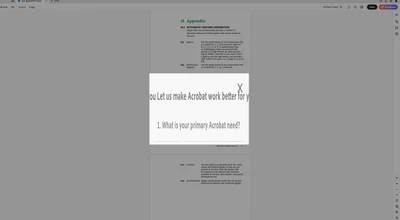
Using Acrobat for basic reviewing / sharing tasks has been absolutely integral to my workflow my entire career and I struggle to remember any other occasions where it just doesn’t work!
I reported an issue with page transitions not working in full screen mode nearly four years ago and it still hasn't been fixed as far as I'm aware. Not great at all but something you can live without … this is more worrying though.
Anyone else experienced this problem? Any recommended fixes?
 AdChoices