

SageRoulade
Participant
December 27, 2022
Question

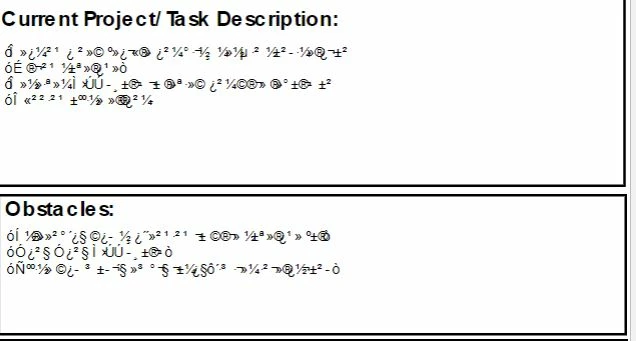
Corrupted text in Adobe Acrobat fill fields when exported

  • December 27, 2022
  • 1 reply
  • 2546 views

Hello,


Several journal logs I am required to have done for class have now become corrupted. Is there any way to retrieve my original text? It seemed fine when it was being exported a month ago, now I come back and the original file also has the garbled text. Maybe it was because I saved as a PDF instead of printing it to a PDF? Any guidance is much appreciated. 
This topic has been closed for replies.

1 reply

try67
Community Expert
Community Expert
December 27, 2022

Is this text in a form field? Comment? Something else? How did you add it, and how are you accessing it now?

Can you share a sample file?

SageRoulade
Participant
December 27, 2022

Sure! Yes I've attached the template I was given with form fields and then the corrupted file. I've also attached a working file. The working file is not editable anymore.

try67
Community Expert
Community Expert
December 27, 2022

Don't use Microsoft's Print to PDF engine. I assume you did it to flatten the form fields?
This can be done internally in Acrobat, much more safely.

You can use the Preflight tool to do it, or by simply executing this script on the file (as a part of an Action or a Custom Command):

this.flattenPages();