Participant
March 27, 2019
Answered

Coupons won't print

  • March 27, 2019
  • 1 reply
  • 2994 views

I'm using Windows 8.1 Pro and used to be able to print these coupons.  Now, I get blank pages and no coupons.  Green Giant has great coupons, but they will no longer mail them.  Can anyone help?  Thanks!

https://www.greengiant.com/promotions/?utm_source=Green+Giant&utm_campaign=fa183c750a-EMAIL_CAMPAIGN_2019_03_12_08_16&ut…

This topic has been closed for replies.
Correct answer AkanchhaS8194121

Hi Nancyp,

Your Green Giant website shows two options to get coupons. 1.Print it 2. Email Coupon

Solution-A

As instructions says, "Printing coupon would require Adobe Reader DC. If you don't have it, install now.....". Installing Acrobat Reader DC desktop app will install Chrome Extension along with it. (as shown below) Which would help printing PDF on web.
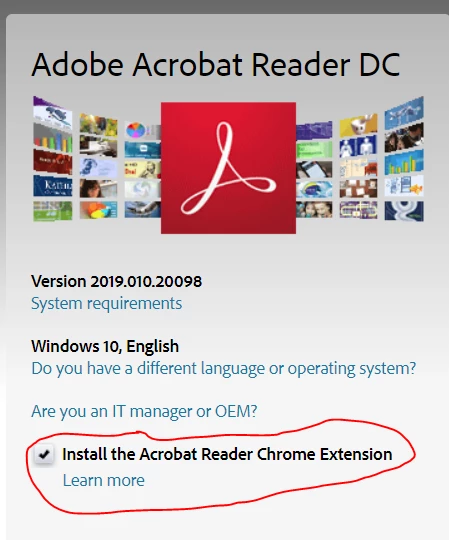
Note: Make sure you have got Acrobat Reader DC Chrome Extension enabled.
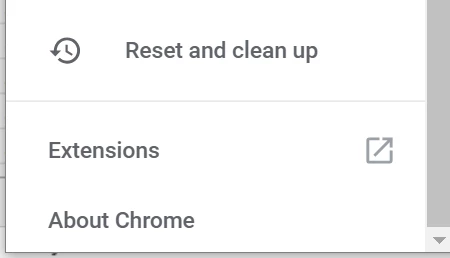
  • To check, Open Chrome>Click on settings icon at upper right corner.
  • Click Extension at lower left corner of the page.

  • Enable Adobe Acrobat

Solution-B

With the help of Acrobat Reader Chrome extension you can Open coupon (if its in the form of PDF) in Acrobat Reader and from there print easily.

Open PDFs in Acrobat Reader from Chrome

Thanks,

Akanchha

1 reply

AkanchhaS8194121
AkanchhaS8194121Correct answer
Legend
March 28, 2019

Hi Nancyp,

Your Green Giant website shows two options to get coupons. 1.Print it 2. Email Coupon

Solution-A

As instructions says, "Printing coupon would require Adobe Reader DC. If you don't have it, install now.....". Installing Acrobat Reader DC desktop app will install Chrome Extension along with it. (as shown below) Which would help printing PDF on web.

Note: Make sure you have got Acrobat Reader DC Chrome Extension enabled.

  • To check, Open Chrome>Click on settings icon at upper right corner.
  • Click Extension at lower left corner of the page.

  • Enable Adobe Acrobat

Solution-B

With the help of Acrobat Reader Chrome extension you can Open coupon (if its in the form of PDF) in Acrobat Reader and from there print easily.

Open PDFs in Acrobat Reader from Chrome

Thanks,

Akanchha

Participant
March 28, 2019

Still not working.  I'm using Windows 8.1 Pro, so my screen layouts are different from what you show.   I don't see this page at all (see image below that you sent), even though I've downloaded the latest AA Reader DC and done the updates.  When I look for a Chrome Extension, this is what I see:

Adobe Acrobat

Convert current web page to an Adobe PDF file (Windows only)

I have it set to "On"  so I assume that I have the proper Chrome Extension?????

Is Windows 8.1 Pro the problem?  Any help would be greatly appreciated!