

Saher Naji
Inspiring
September 14, 2022
Question

Create a button to print page range based on a checkboxes?

  • September 14, 2022
  • 1 reply
  • 459 views

Hi there,

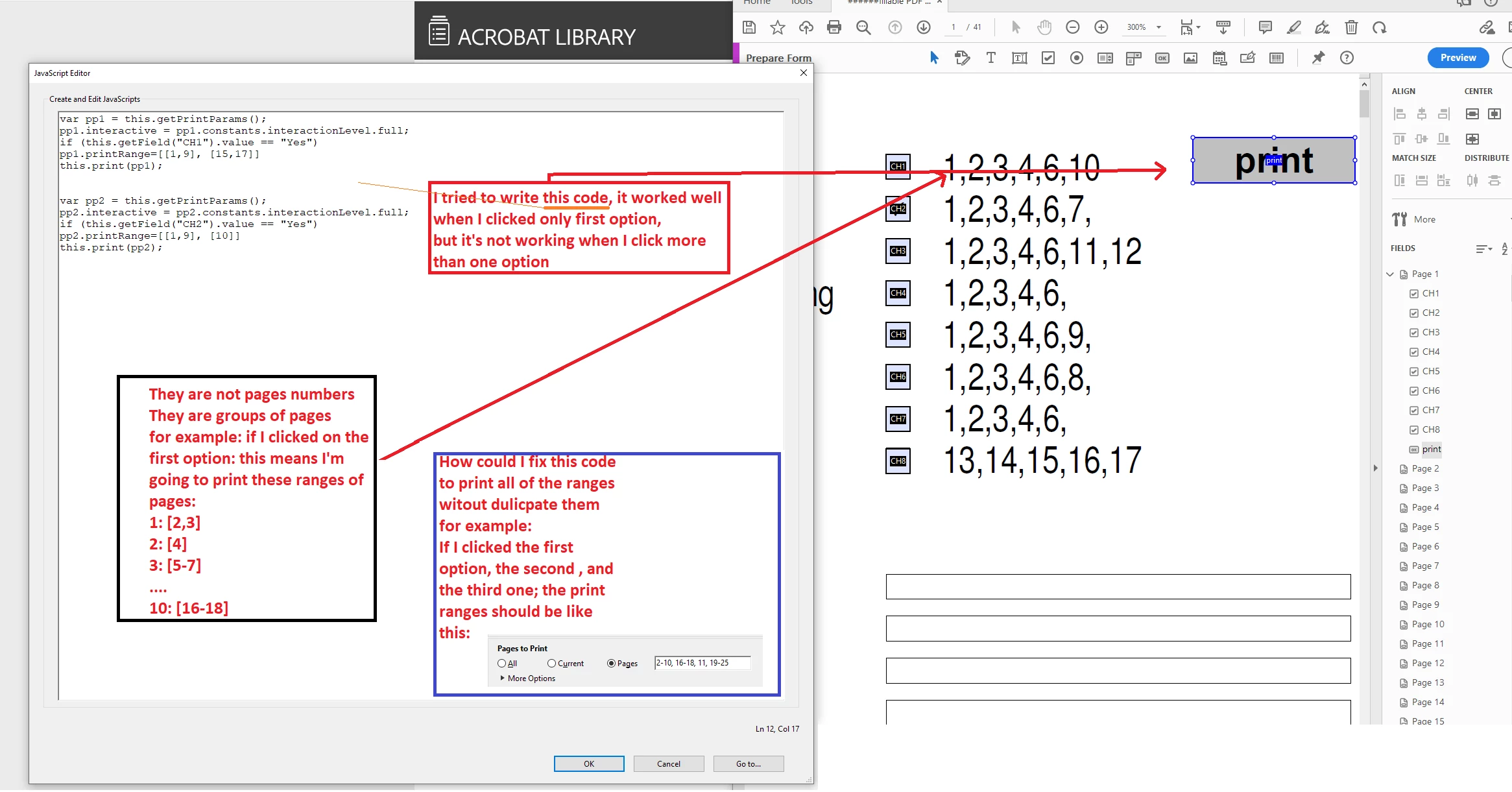
I'm trying to write a code to help me printing a spesific ranges of pages, depending on checkboxes the screen-shot below explain every thing

or instead of this, If I clicked on the first checkbox for example, this should hide the other pages, and show only the specific range, and when I click on the print button, this will print only the appear pages and ignore the hidden.

Thank you ♥

Saher
 

This topic has been closed for replies.

1 reply

try67
Community Expert
Community Expert
September 14, 2022

You have to place curly brackets around each section of code associated with an if-statement. If you don't, only the first line following it will be conditional, and the rest will always execute. If you post your code as text (which you should always use, instead of an image), I can show you exactly how to do it.


Saher Naji
Inspiring
September 14, 2022

Thansk for reply, I used this code: 

var pp1 = this.getPrintParasm();
pp1.interactive = pp1.constants.interactionLevel.full;
if (this.getField ("CH1").value == "Yes")
pp1.printRange = [[1, 9], [15, 17]];
this.print(pp1);

and it's working very well


but only for the first optioin, I need to click more than option

This is what I get once I click on the button,


But I don't know how to complete the code