

KazuT
Inspiring
January 6, 2017
Answered

Crop / resize page to letter size Acrobat DC

  • January 6, 2017
  • 3 replies
  • 37156 views

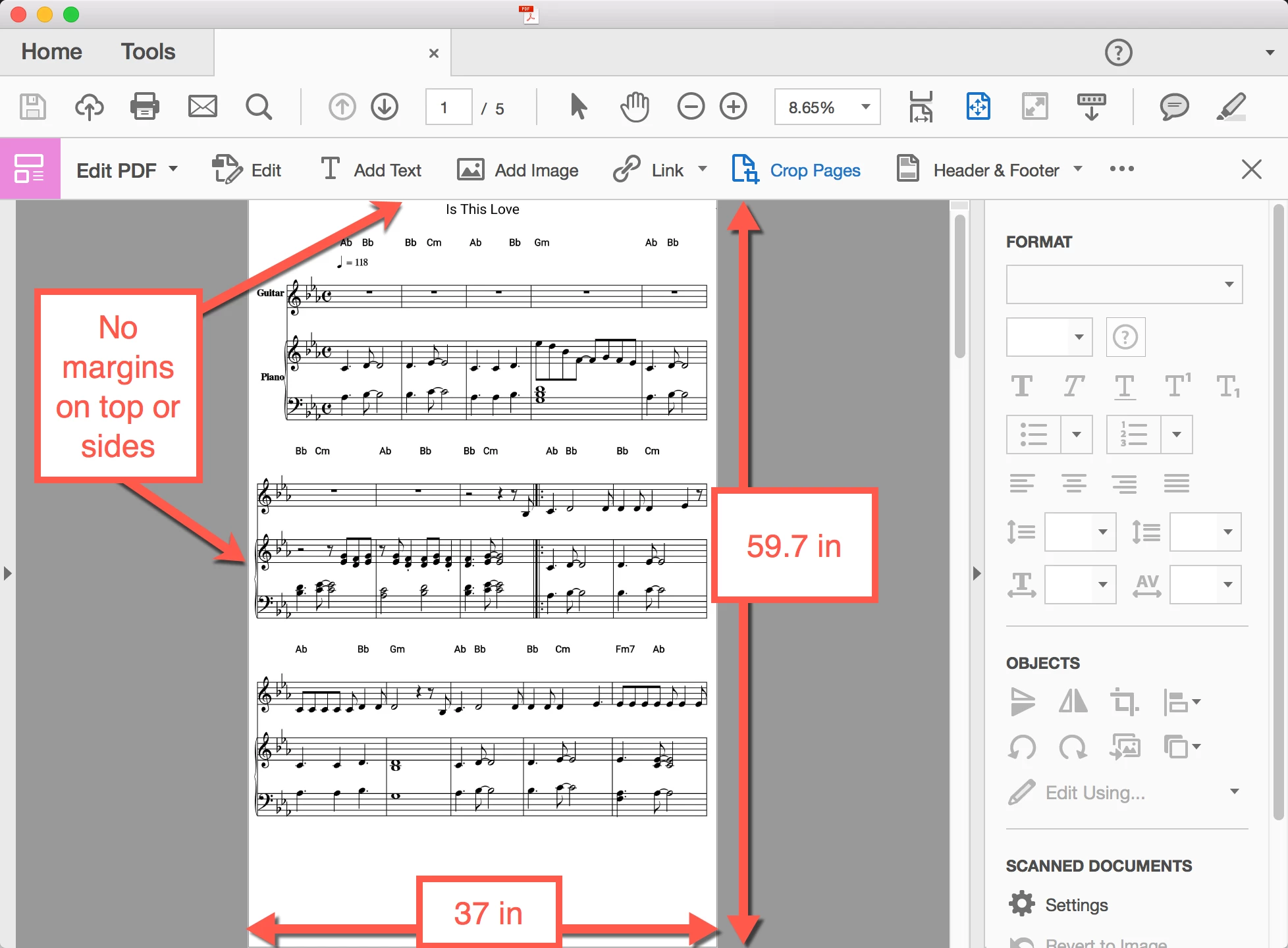
I have an app that creates a strangely-sized PDF. In Acrobat DC, I'd like to be able to:

  • Resize it to 8.5" x 11"
  • Have print margins on the top and sides (so they don't get cut off when printed)

I haven't been able to figure out how to do this in Acrobat DC. The Crop Tool isn't constrained to any set proportions.
This topic has been closed for replies.
Correct answer Karl Heinz Kremer

Take a look at this recent questions, I provided more information about how to use the Preflight tool to resize PDF pages.

https://forums.adobe.com/thread/2257926

3 replies

lognalwal
Participant
November 26, 2019

I know this is old. Just thought I would put it here.


I just "printed" the document and set it to "fit" in the print dialog setup to print letter size. I saved it as a PDF from the print dialog and this quickly solved the issue for me. 


The preflight tool on Adobe Acrobat DC for me was convoluted and in the scale dialog, it only had the long side and short side fields to enter a number with no other options (for example, inches, pixels, etc.) So I had no idea what values to enter to make it letter size or any size for that matter.

Participant
October 13, 2020

I would mark this as the correct answer for most casual users rather than preflight. Print to PDF is the easiest way to resize. The fit option won't leave you margins. If you want margins use the Custom Scale resize, there is a little preview window that lets you see how the page is resized based on the scale you choose. Just keep changing the scale until you see the margins you are looking for.

Bernd Alheit
Community Expert
Community Expert
October 13, 2020

Print to PDF will remove all interactive features of the PDF file.

Karl Heinz  Kremer
Community Expert
Karl Heinz KremerCommunity ExpertCorrect answer
Community Expert
January 6, 2017

Take a look at this recent questions, I provided more information about how to use the Preflight tool to resize PDF pages.

https://forums.adobe.com/thread/2257926

KazuT
KazuTAuthor
Inspiring
January 7, 2017

Thanks Karl! This is helpful. However, I wish it wasn't so difficult to resize a PDF to letter size in DC.

Karl Heinz  Kremer
Community Expert
Community Expert
January 7, 2017

Me too, but keep in mind that this was not even possible before DC came around: This is a new feature in Acrobat's Preflight that was introduced in DC.

Bernd Alheit
Community Expert
Community Expert
January 6, 2017

Use the Preflight Tool.