
Participant
July 25, 2025
Question

cutomize tool bar

  • July 25, 2025
  • 2 replies
  • 210 views

Hi All,

using adobe acrobat and i cannot get any access to the customise toolbar eg, so i can split documents etc.  

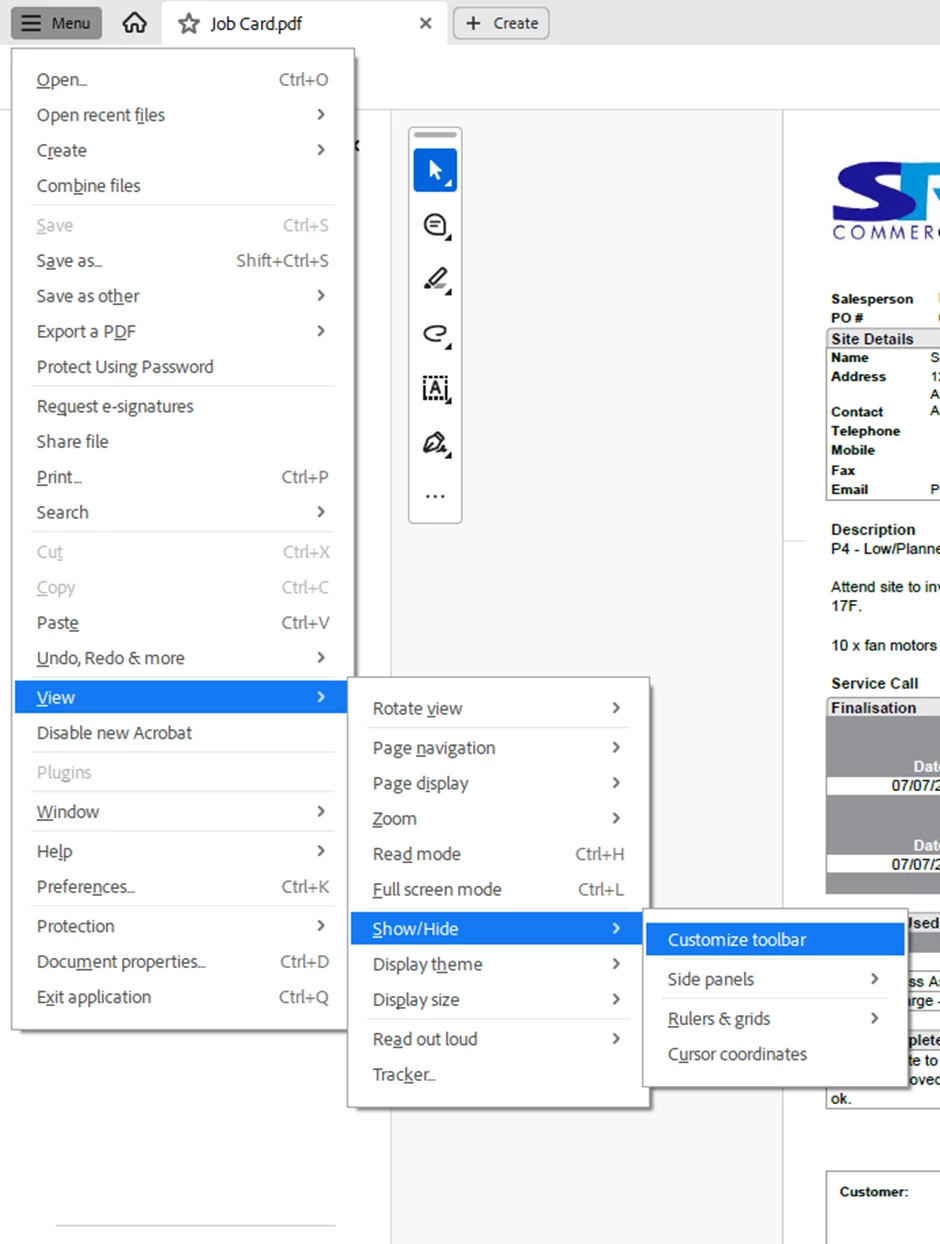
when going into menu, view, show/hide, it only has side panels and rules/grids options (all of which are locked), it should have an option here for customize toolbar as below example from my managers adobe acrobat.  we have purchased a second licence for myself and my adobe is logged in, in my managers name so i thought it shoud look the same as her's and give me full access to allow the customise toolbar?  please help


2 replies

Participant
July 25, 2025

Hello!

It sounds like your Adobe Acrobat is stuck in the "New Acrobat Experience" interface, which hides familiar customization options and tools. To fix this, look for the "hamburger menu" (three horizontal lines) in the top-left corner of Acrobat, and select "Disable new Acrobat" or "Disable new Acrobat experience." After restarting, you should regain access to the classic toolbar customization and tools like "Split Document," regardless of whether you have Acrobat Standard or Pro. 

Amal.
Legend
July 25, 2025

Hi there,

Hope you are doing well and thanks for reaching out.

It sounds like you’re using Adobe Acrobat but not seeing the “Customize Toolbar” option under View > Show/Hide, and you're expecting the same interface your manager has.

A few things to check:

1. Version Differences: First, double-check that you and your manager are both using the same version and edition of Acrobat. Acrobat Reader, Acrobat Standard, and Acrobat Pro may have different features available. You can check your version via Help > About Adobe Acrobat.

2. User Permissions: Since you mentioned that you're signed in with your manager’s Adobe ID, it's possible the license is active, but there might still be user permission restrictions or installation differences.

3. Install/License Issue: If the second license was just added, it's worth checking with the IT admin in the Adobe Admin Console (if you’re using a team or enterprise plan) to confirm the correct license is assigned and activated on your device.


Hope this information will help.