
Participant
July 12, 2022
Question

Date displayed incorrectly

  • July 12, 2022
  • 1 reply
  • 318 views

I have a pdf which gets populated by a power automate flow. The date field when the contract is generated is formatted like so
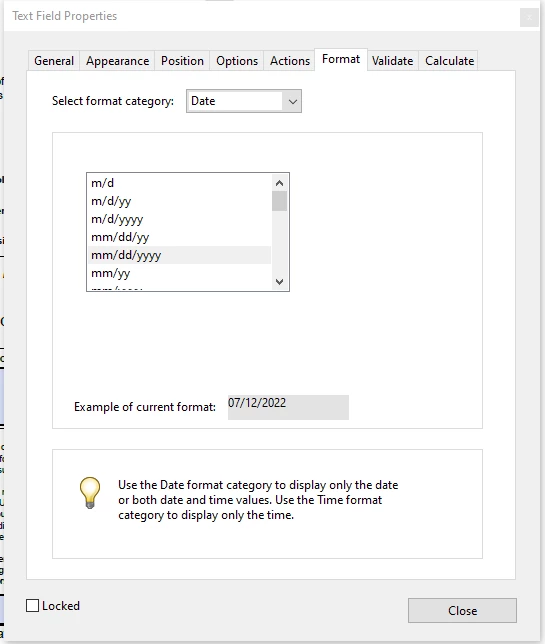
When the contract is generated, the month in the date field always appears to be '0'

 

When I click on the field, it appears to be correct. Its just being displayed incorrectly.

 

Power automate formula to populate the field is

convertTimeZone(utcnow(),'UTC','Eastern Standard Time','MM-dd-yyyy')


This topic has been closed for replies.

1 reply

ls_rbls
Community Expert
Community Expert
July 12, 2022

You need to change this part:


MM-dd-yyyy'


of the Power automate formula to all in lower case:


'mm-dd-yyyy'


In order to express UTC conventions correctly in Acrobat JavaScript, a few considerations must be followed.


For example, month, days, year, hours, minutes, seconds, to include ante-meridian (am), post-meridian acronyms when using a 12 hour clock time format instead of a 24 hour military clock time format, you'll notice that in Acrobat JavaScript the expression "MM" is used to declare minutes, not a month.


That is why the formula is throwing that incorrect format.