

bartonlew
Legend
October 14, 2021
Answered

Date Format showing incorrectly in Text Field Properties

  • October 14, 2021
  • 1 reply
  • 2017 views

I am trying to correct a problem with the way a date is showing in a fillable PDF.  The Date Format in Text Field Properties is mmmm d, yyyy and the date should appear as, for example, September 30, 2021, but is instead appearing as September 30, 0202.  Screenshot below.  Any thoughts?  Thank you in advance.
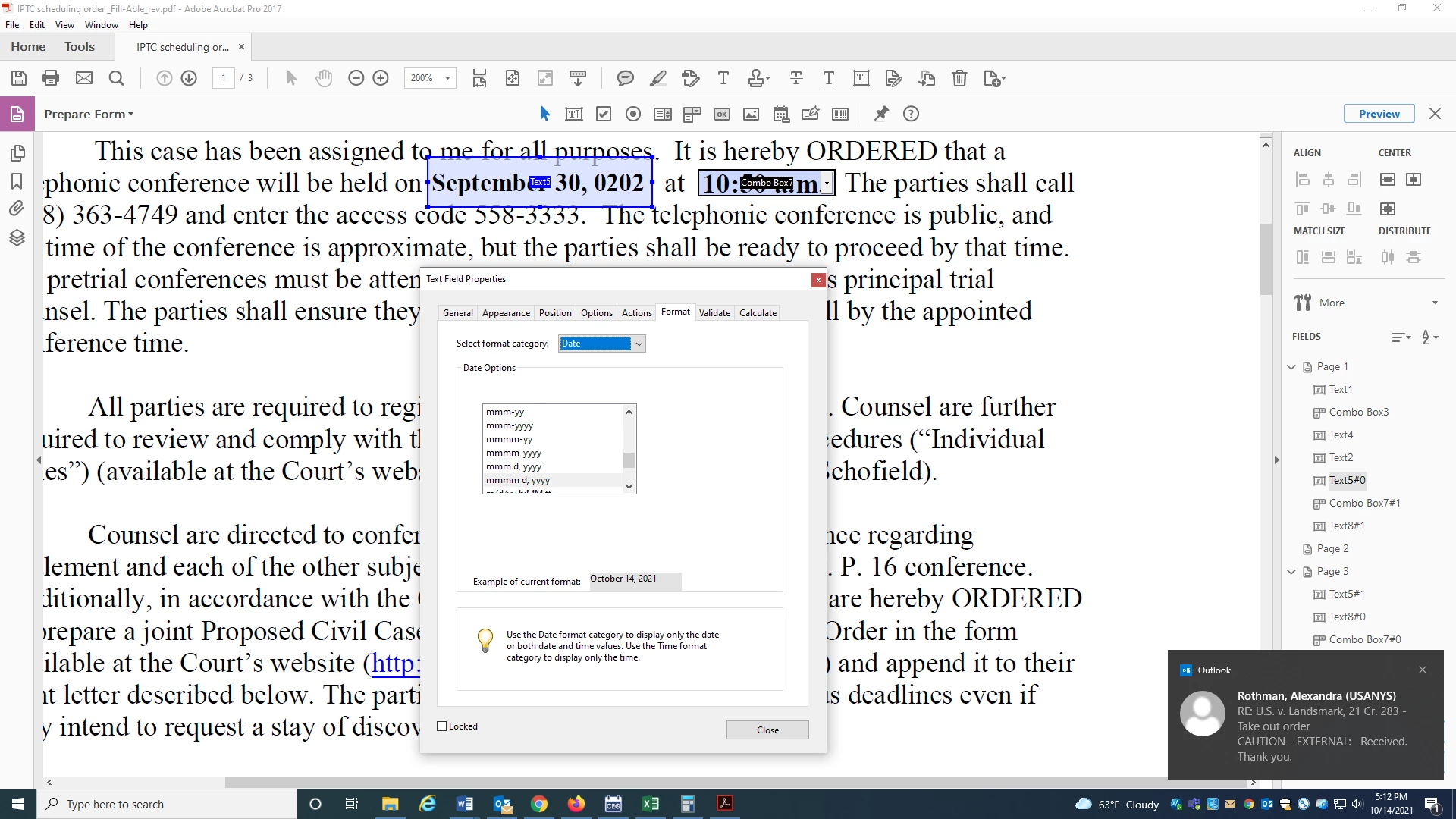


This topic has been closed for replies.
Correct answer bartonlew

I don't think spacing was the issue, as the date shown (with "0202" as the year) was the same size as the correct date, also four digits, and decreasing the font and extending the field did not make a change.  However, by reselcting the date in the drop-down, I was able to get the year to show correctly.  

1 reply

ls_rbls
Community Expert
Community Expert
October 15, 2021

You can simply choose a smaller font size or elongate the width of that datefield a little more so that the long date format that you're using fits in.

bartonlew
bartonlewAuthorCorrect answer
Legend
October 15, 2021

I don't think spacing was the issue, as the date shown (with "0202" as the year) was the same size as the correct date, also four digits, and decreasing the font and extending the field did not make a change.  However, by reselcting the date in the drop-down, I was able to get the year to show correctly.