Inspiring
June 5, 2025
Answered

Deleting pages with Adobe Standard

  • June 5, 2025
  • 1 reply
  • 1131 views

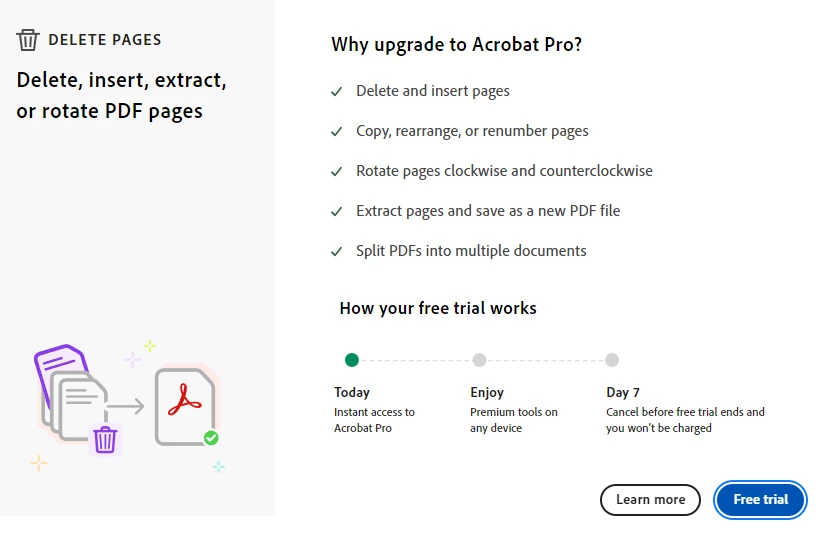
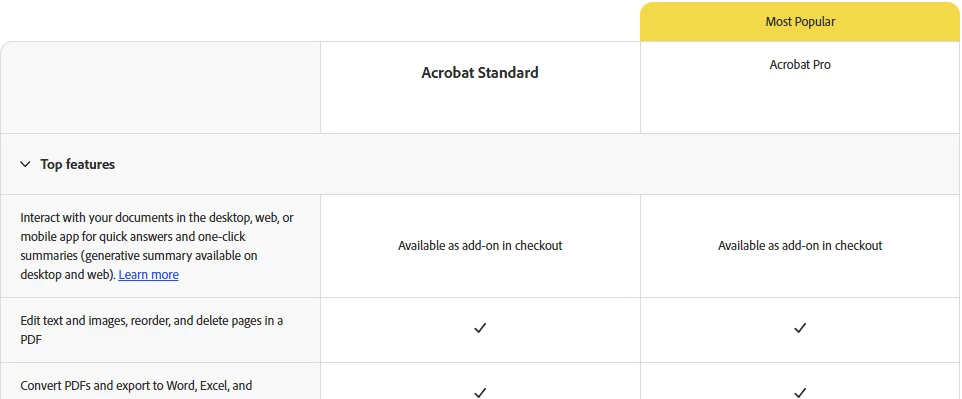
I recently relogged into my adobe account and for whatever reason I am unable to delete pages in adobe acrobat because I do not have the pro edition. Is this a new limit on the standard edition or do I have some error with my account? From what I could tell online for adobe's standard plan, I should be able to delete a pdf page, but when I try to in the application it gives me a pop-up to upgrade to pro to be able to delete the page. What is going on here, I have only had the standard plan for 6 months?


I have reference screenshots of why this situation makes no sense to me.

 - Popup in the application
 - Plan items for Standard and Pro


Correct answer keith_3052

Do I have the wrong program or something? A month ago I was able to delete pages as I needed to with no issue. I have the same license and the only thing that has changed is that I have gotten a new laptop and logged into Adobe Acrobat Reader.


 I am not sure what I did, but Adobe installed extra edit packages when I tried to edit the document and now I am able to delete my pages.


1 reply

Community Manager
June 5, 2025

Hi @keith_3052

Thanks for reaching out with your question. 
I have checked your account, and your subscription for Adobe Acrobat Standard is active. I will check internally about any limitations to the feature and get back to you. 

Could you please confirm if you are unable to delete pages on other PDF files, as well?


Thank you for your patience. 


~Tariq

Inspiring
June 5, 2025

Thank you.

Yes, I am unable to delete pages on any PDF docuement.

Community Manager
June 5, 2025

Thank you for the quick response, @keith_3052
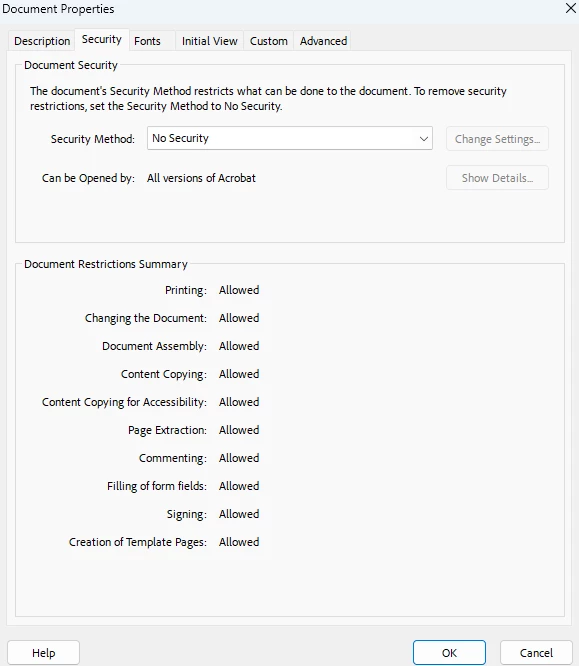
If possible, could you record a video of what happens when you try to delete pages? While you do that, please open document properties > Security. 


Also, let us know the version of Acrobat installed: https://adobe.ly/4kPVPU6


~Tariq