
Desktop Acrobat XI Stopped Working. Don't I own the license?
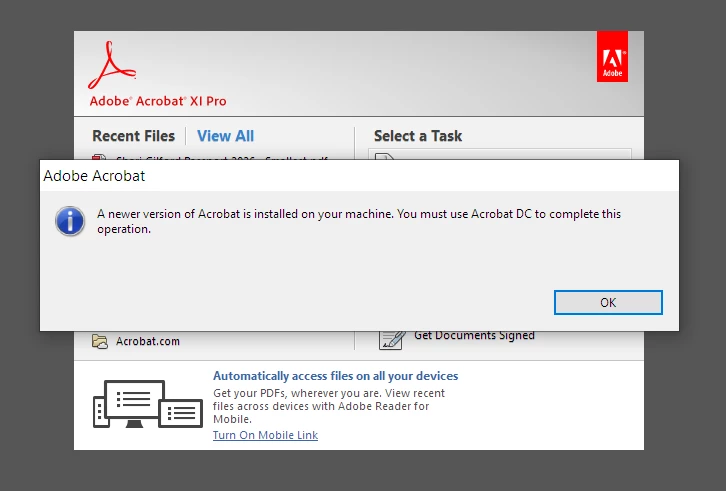
In 2016 I purchased and installed the desktop version of Acrobat XI. Always worked perfectly. Just recently it started giving me an error message and directing me to use Acrobat DC (also installed on my computer). When I try to complete the same task in Acrobat DC (free version) I am presented with a sales page from Adobe inviting me to sign up for a monthly subscription. I thought I owned the desktop license for Acrobat XI forever. I understand that Adobe ends their "support" after five years, but in this case it appears my desktop version of Acrobat XI has been disabled/deactivated. How can I continue using my desktop version of Acrobat XI? Yes I am aware of Adobe's many warnings about the risk of using "unsupported" software. I will take the risk. I want to continue using this software because I paid for the desktop version.
Error: A newer version of Acrobat is installed on your machine. You must use Acrobat DC to complete this operation.


 AdChoices