Please have a look at the subject distinguished name of your certificate:
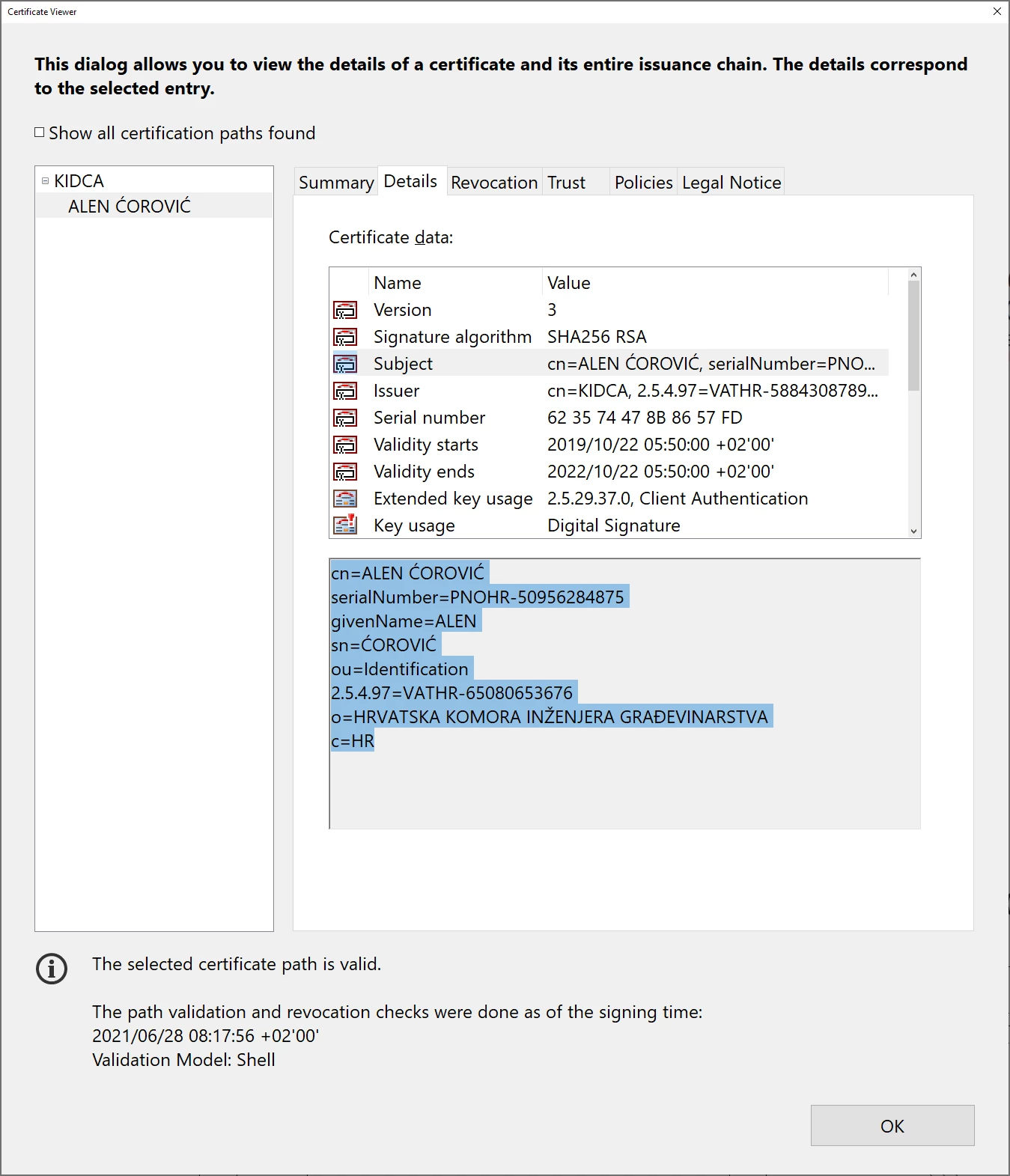
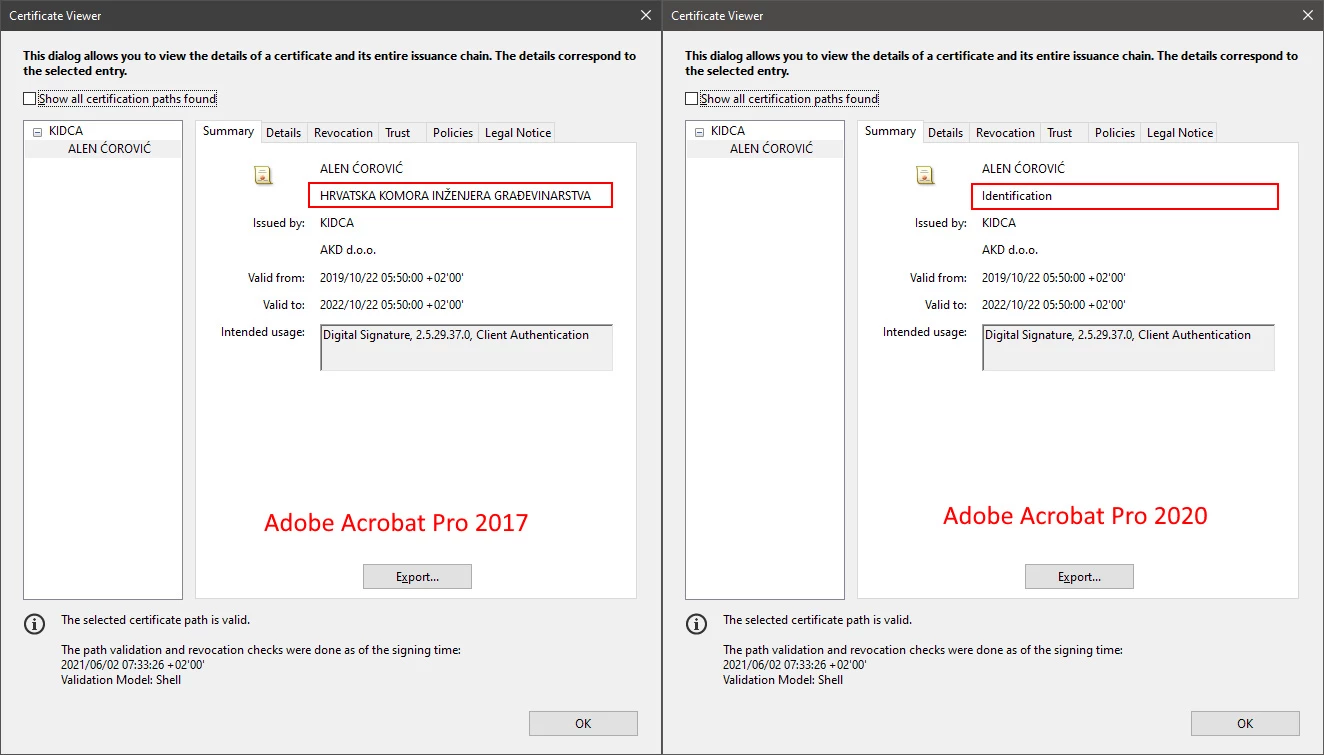
Thus, the word "Identification" simply is the organization unit entry of your distinguished name while "HRVATSKA KOMORA INŽENJERA GRAĐEVINARSTVA" is the organization entry. Apparently Adobe changed the priority of distinguished name components to show, formerly the organization entry had a higher priority, now the organization unit entry.
So, you've always had missing information in that dialog because your distinguished name has too many components for it, and only the selection of which components are displayed and which are not has chnged.
Hi MikelKlink,
I see You are very advanced user and your solution is very interesting. I am tempted to try it but I am not so advanced user even your tutorial seems prety simple. In addition to the Adobe Support Comumunitiy, I also contacted Adobe Care Help Support. At the end, they advised me to roll back to Acrobat Pro 2017 because it is a bug in Acrobat Pro 2020 and it will be fixed with next update. I decide to wait for this update and hope it will be fixed.
Thank You for the effort. Also, thanks all of You who were kind to help me.
Best regards to all.

 AdChoices