
Question
Disable photo edit popup in Acroban
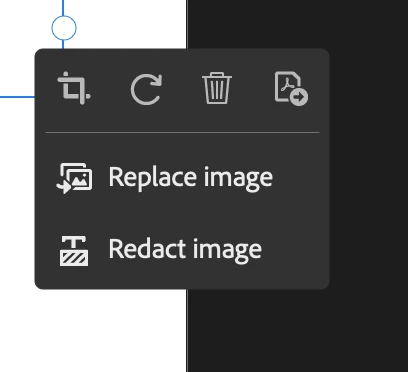
How do I disable this annoying popup when I'm in edit mode in Adobe Acrobat. Every time I click on something in edit mode it pops up. It's annoying because it often covers things I need to see. They'd be helpful in the sidebar but not as a pop-up. It seems to be a recent feature that came with the recent updates. I don't want it or need it, but there doesn't seem to be a "hide" option like there is in the new popup bars in illustrator or indesign.
I'm using Adobe Acrobat Pro Continuous Release Version 2024.002.20857 on Mac OS Ventura 13.6.6
 AdChoices