Answered
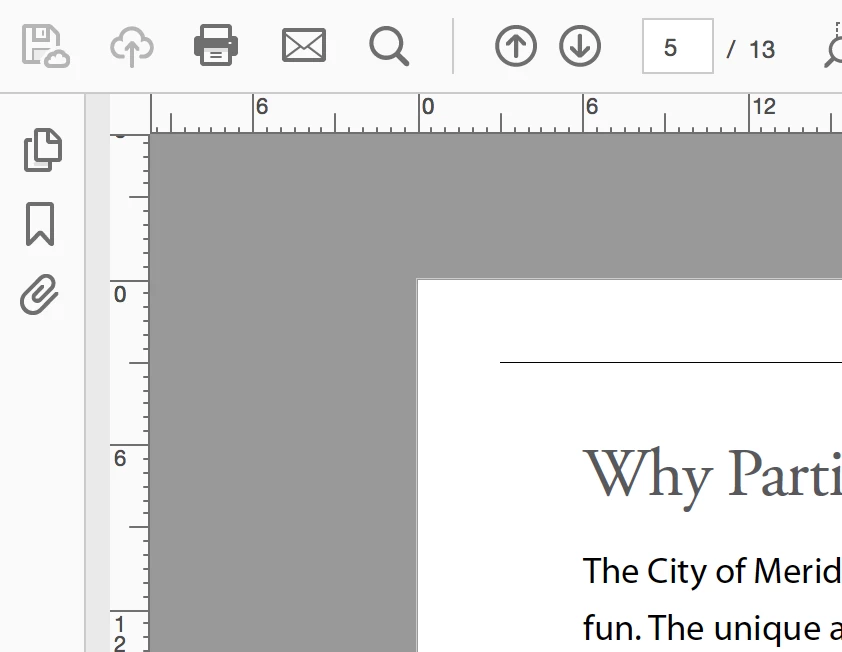
Display Theme: Is it possible to change to white ground only?
Currently using Acrobat Pro DC 2018.011.20055
Hello-
I would like to change the Display Theme to a white ground only. Is this possible at all? If so... how.
Thanks in advance...

Currently using Acrobat Pro DC 2018.011.20055
Hello-
I would like to change the Display Theme to a white ground only. Is this possible at all? If so... how.
Thanks in advance...
These are the two choices:

Are you thinking you want the gray area that is not the page to be white? If so, you need to request it at UserVoice where the engineers will see it and track it. This is a user forum. We can tell you how Acrobat works, but we can't make changes.
https://acrobat.uservoice.com/forums/590923-acrobat-for-windows-and-mac
Already have an account? Login
Enter your E-mail address. We'll send you an e-mail with instructions to reset your password.
 AdChoices