
March 8, 2017
Question

Document could not be printed from Adobe DC

  • March 8, 2017
  • 4 replies
  • 3083 views

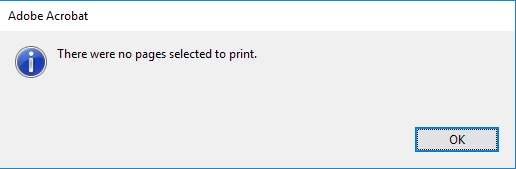
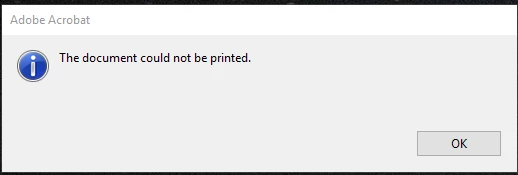
I recently started to have an issue with printing from Adobe DC and receiving two errors. First pop up is "The document could not be printed" followed by " There were no pages selected to print". Changing from the default printer to a second printer corrected the issue and the document printed. If I change back to the original default printer it fails again. If I login as a different user everything works printing to the original default printer. This means that it is tied to the user profile. Any suggestions from support to fixed without uninstalling and reinstalling?
I have followed the following posts with no resolution:

https://forums.adobe.com/thread/2090898

https://helpx.adobe.com/acrobat/kb/troubleshoot-pdf-printing-acrobat-reader.html

https://forums.adobe.com/thread/1985738

[Moved from the Lounge (which is where you can "connect with your peers" from across all of Adobe's products for conversations that don't directly relate to help and support) to a product-specific support forum - moderator]

This topic has been closed for replies.

4 replies

Participant
April 25, 2017

Got an email from Adobe with questions about windows version, acrobat version etc. Answered the questions but until now no response.

Set windows 10 back to earlier windows build and problems solved!!!

Go to windows "Update & Security" and choose "Recovery". Then choose the option "Go back to an earlier build". Skip the option to look for recent updates....

Dirk.

May 26, 2017

I need the solution for this issue.  I continue to get the no pages selected error.  all other apps print fine.  I turned off the protected security setting and restarted the PC but no help.   What is the real solution?

May 26, 2017

I could not get adobe to print any documents anymore since their last update and it seems adobe has not fixed the issue for months.  The best solution i found is to uninstall adobe and install a different PDF viewer.  

edwardo84860480
Participant
April 23, 2017

I'm in the same boat - why must you email the solution rather than just posting it?  I'd appreciate the email.  Ed

Participant
April 14, 2017

Goodmorning,

Also have the same problem. Can you send me the resolution steps as wel?

Allready tried to deinstall en install. Latest updates but no success.

This happened after the windows update yesterday.

It is also unable to print to pdf from Word, Exel etc... Alle applications crash.

Thanks in advance.

Dirk.

Adorobat
Community Manager
Community Manager
April 14, 2017

Hi Dirk,

I have sent you an email, please check the inbox for the same.

Thank You,

Shivam

Adorobat
Community Manager
Community Manager
March 10, 2017

Hi leonardj58339766,

I have sent you an email, please check the inbox for the same.

Thank You,

Shivam

bryantajudddin
Participant
March 17, 2017

Hi  there,

I also have similar problem. Can you send me the resolution steps please?

Thanks in advance.

Bryan T.

Adorobat
Community Manager
Community Manager
March 18, 2017

HI bryantajudddin,

I have sent you an email, please check the inbox for the same.

Thank You,

Shivam