
Question
Dropdown Properties > Options: Change
Hello-
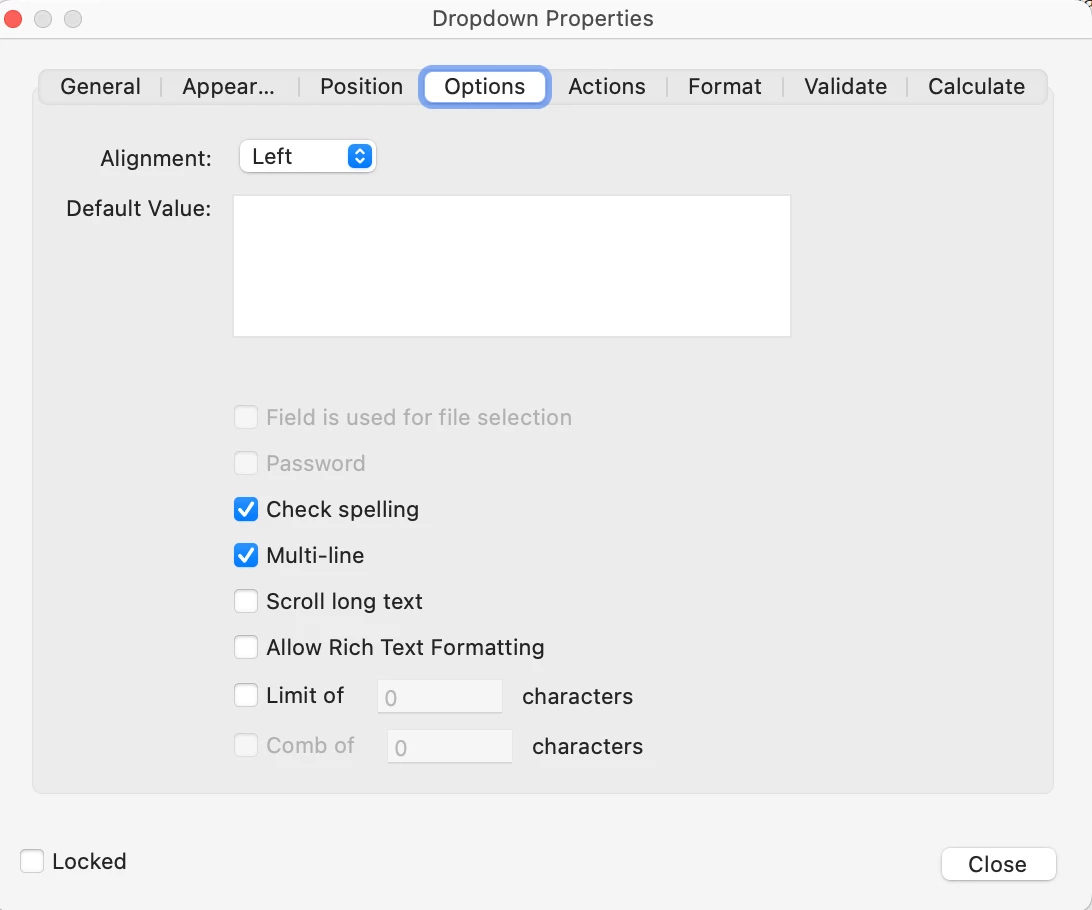
I'm in "Prepare a form" and have added teh drop-down list. In the past, you would double click to get to "dropdown Properties" and then when you selected the "Options" tab you could add/edit your dropdown list copy. This isn't the case when I try this now. I get the attached screenshot. How do you update the dropdown list in the latest version of Adobe Pro (version 2002.002.20759)??? Even when I type something in the "Default Value" box it doesn't show in the dropdown when I Preview the form. Really stumped
 AdChoices