
Participant
August 31, 2020
Question

Edit "Warning: Javascript Window" Message

  • August 31, 2020
  • 3 replies
  • 1024 views

Hi

Newbie here - I have changed the formatting of a field to Arbitrary Mask for numbers to be displayed in a certain way. Eg: ABN Numbers to be completed on an application form in the following sequence:

99 999 999 999

Is there any way to change the Warning message from the Javascript Pop-up?? (see below)
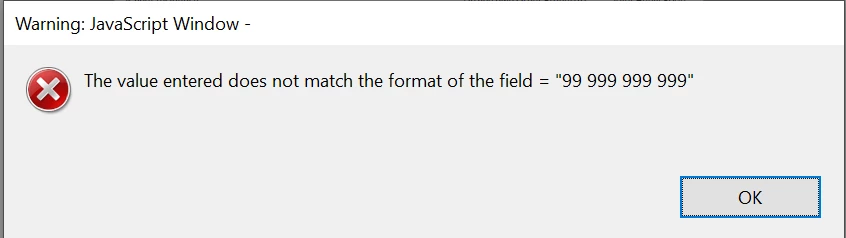
 

I basically just need it to say: "ABN must be 11 digits" > as i have clients filling out this form - the pop up error needs to be very simple and explanatory.


If there is no way to do this due to the Arbitrary Mask formatting - is there any other way I can do this without losing the number sequence formatting of : 99 999 999 999??


Please help? 


This topic has been closed for replies.

3 replies

Legend
August 31, 2020

The caption is a VITAL security protection, to stop people faking other dialogs (to steal passwords etc.). Train your users to be delighted by the caption!

try67
Community Expert
Community Expert
August 31, 2020

You can't change it, but you can write your own code that will do the validation, and then you can use any message you'd like. However, the "warning: javsscript window" part will still appear, as it's a built-in part of any alert window that isn't executed from a trusted context.

ls_rbls
Community Expert
Community Expert
August 31, 2020

You can do the arbitrary mask as a custom keystroke script or as custom validtion script, for example.


 If the user doesn't enter the desired format it can throw a customized alert and reset the field .


Is this  what you're asking about?