TronicJon
Participant
October 19, 2017
Answered

Editing or Deleting any text of Amazon label causes ALL text to disappear. (Advice/Work-Arounds?)

  • October 19, 2017
  • 3 replies
  • 1913 views

Editing text of Amazon label causes ALL text to disappear. (Advice/Work-Arounds?)

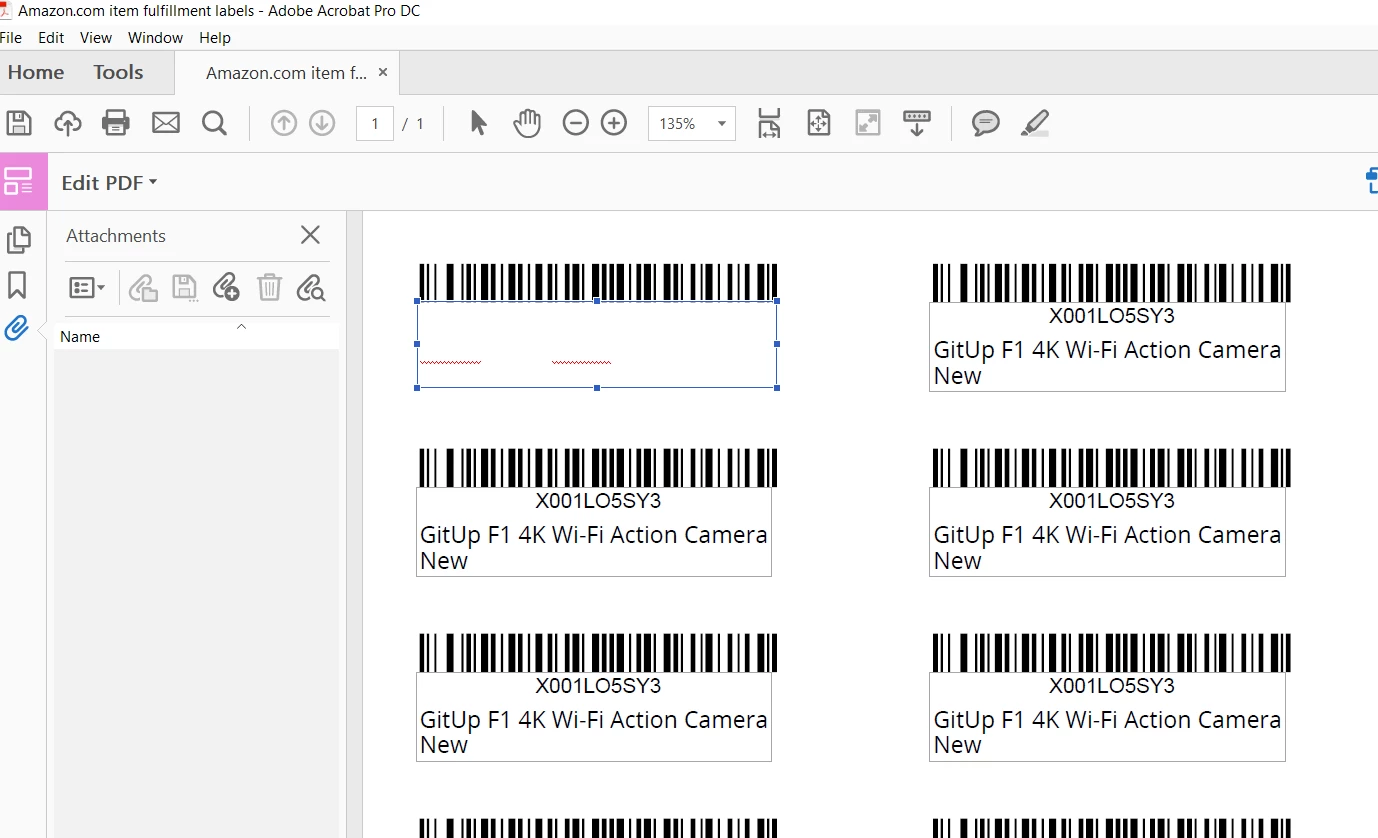
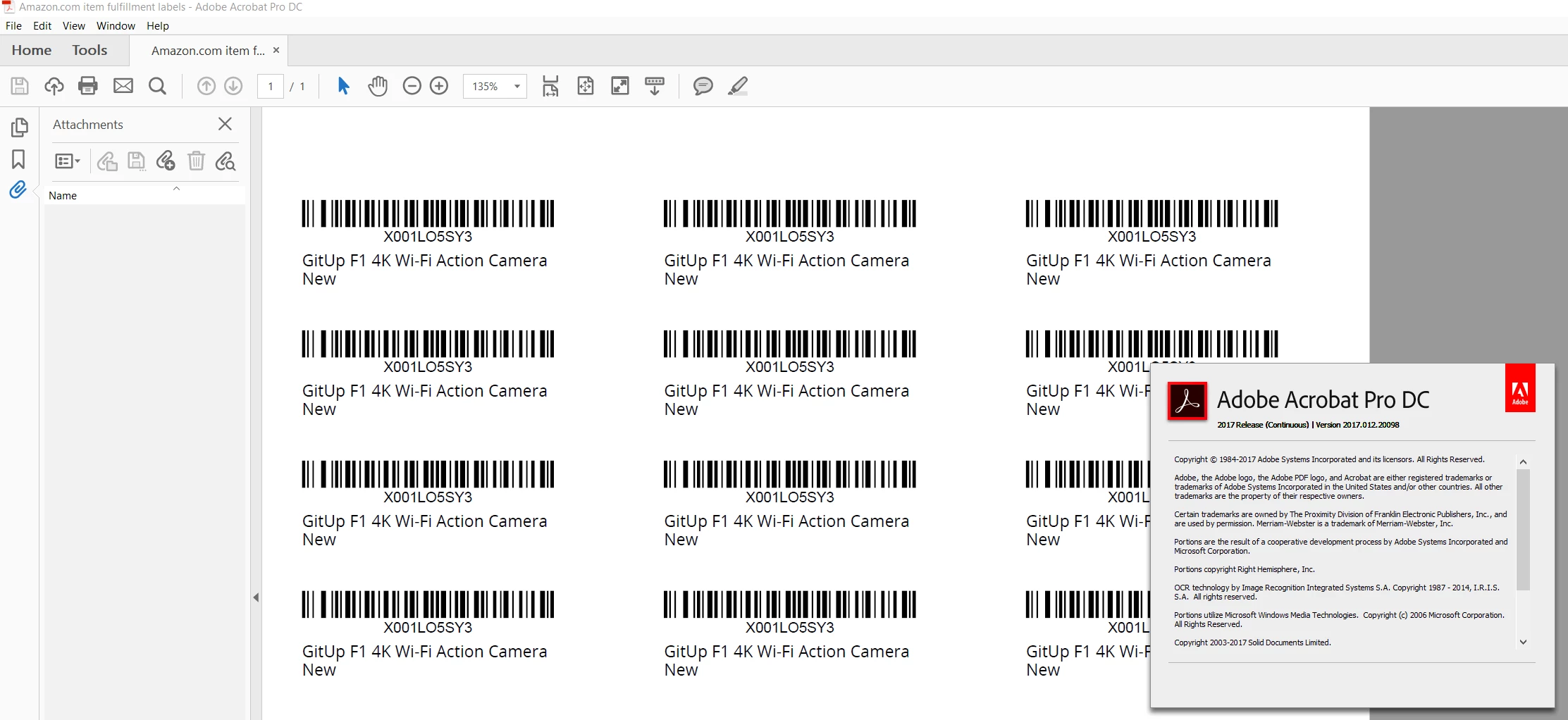
These labels are generated by Amazon Seller Central.  Why can't we edit the text?  I can create new text boxes from scratch but have no idea how to keep them all aligned perfectly the same box to box.   Can someone help me understand how the following example label can be edited?  What am I missing?  I have the latest and greatest Acrobat DC (Windows 10)  My friend also has the latest but on Mac yet it does the same thing.   As soon as you delete 1 letter, all text vanishes.  As soon as you type one letter, all text vanishes.  (using Edit PDF)

Example:

https://www.dropbox.com/s/shwz7m27bll37ua/GITF1%20PRODUCT%20LABELS.pdf?dl=1
This topic has been closed for replies.
Correct answer gkaiseril

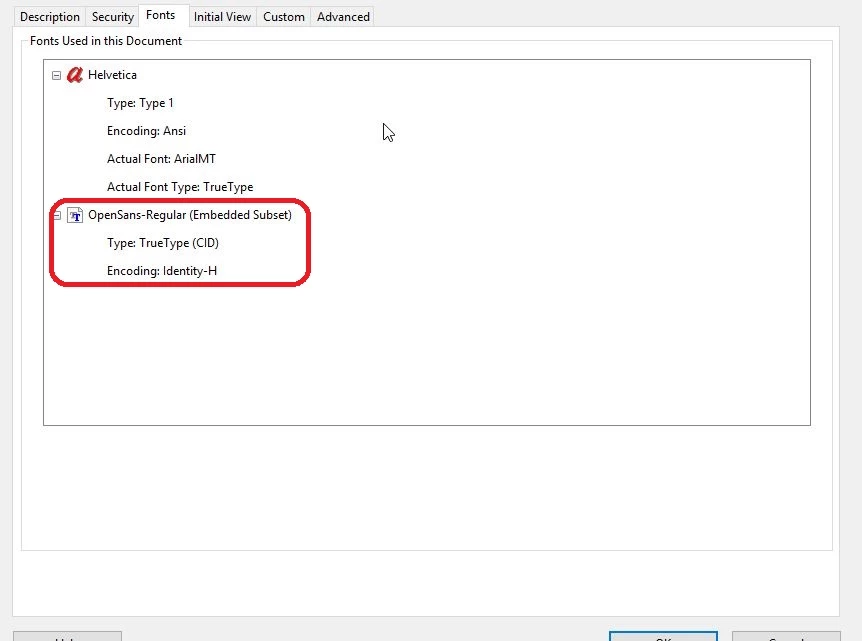
The font used by Amazon is most likely not available on your system. You can verify this by looking at the Properties of the PDF and listing the fonts used in the PDF. The font, OpenSans-Regular, was also only subsetted so Acrobat cannot draw any new characters.

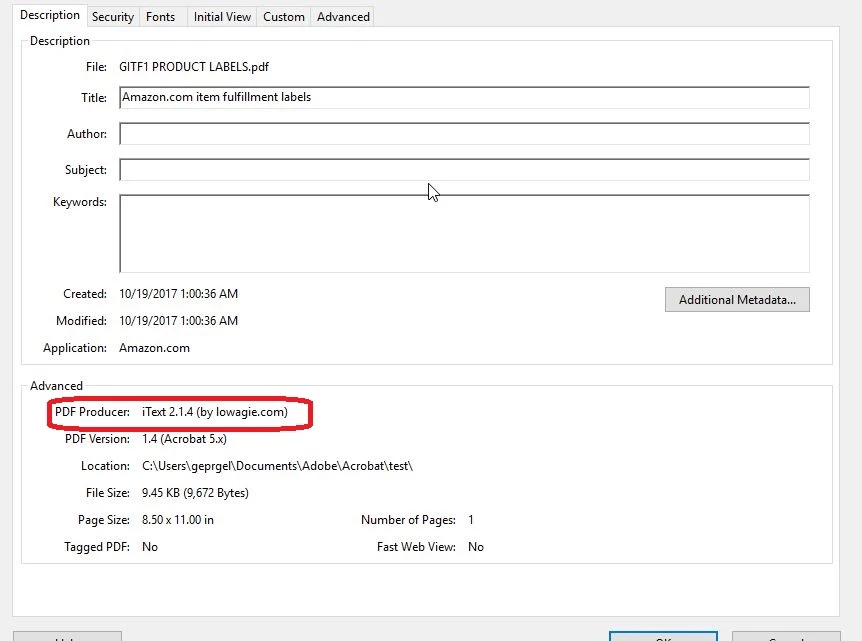
Also this PDF was not created using an Adobe product but the iText program.

3 replies

Meenakshi Negi
Legend
August 15, 2018

Hi TronicJon,

Please try this workaround: print PDF to Adobe PDF in Acrobat DC.

- Open PDF in Acrobat and click on Print icon.

- Then select Adobe PDF as the printer.

- Click on Print tab in Print window and save the new PDF.

- Then try to make changes to the text using the Edit PDF tool.

Check if that works for you.

Regards,

Meenakshi

Bernd Alheit
Community Expert
Community Expert
June 10, 2018

Try the Redaction Tool.

Participant
June 10, 2018

I am trying to understand the reason. I usually don't suggest you to mess with FNSKU numbers. I also suggest you to print out the FBA shipping list per location with FNSKU numbers and titles if the reason the titles are too long etc. Please let me know if you need any help. Deniz Olmez / Amazon Consultant

gkaiserilCorrect answer
Inspiring
June 10, 2018

The font used by Amazon is most likely not available on your system. You can verify this by looking at the Properties of the PDF and listing the fonts used in the PDF. The font, OpenSans-Regular, was also only subsetted so Acrobat cannot draw any new characters.

Also this PDF was not created using an Adobe product but the iText program.