
Participant
June 11, 2020
Answered

editing pdf manual for work and am stuck on the table of contents

  • June 11, 2020
  • 3 replies
  • 3166 views

Hi all,


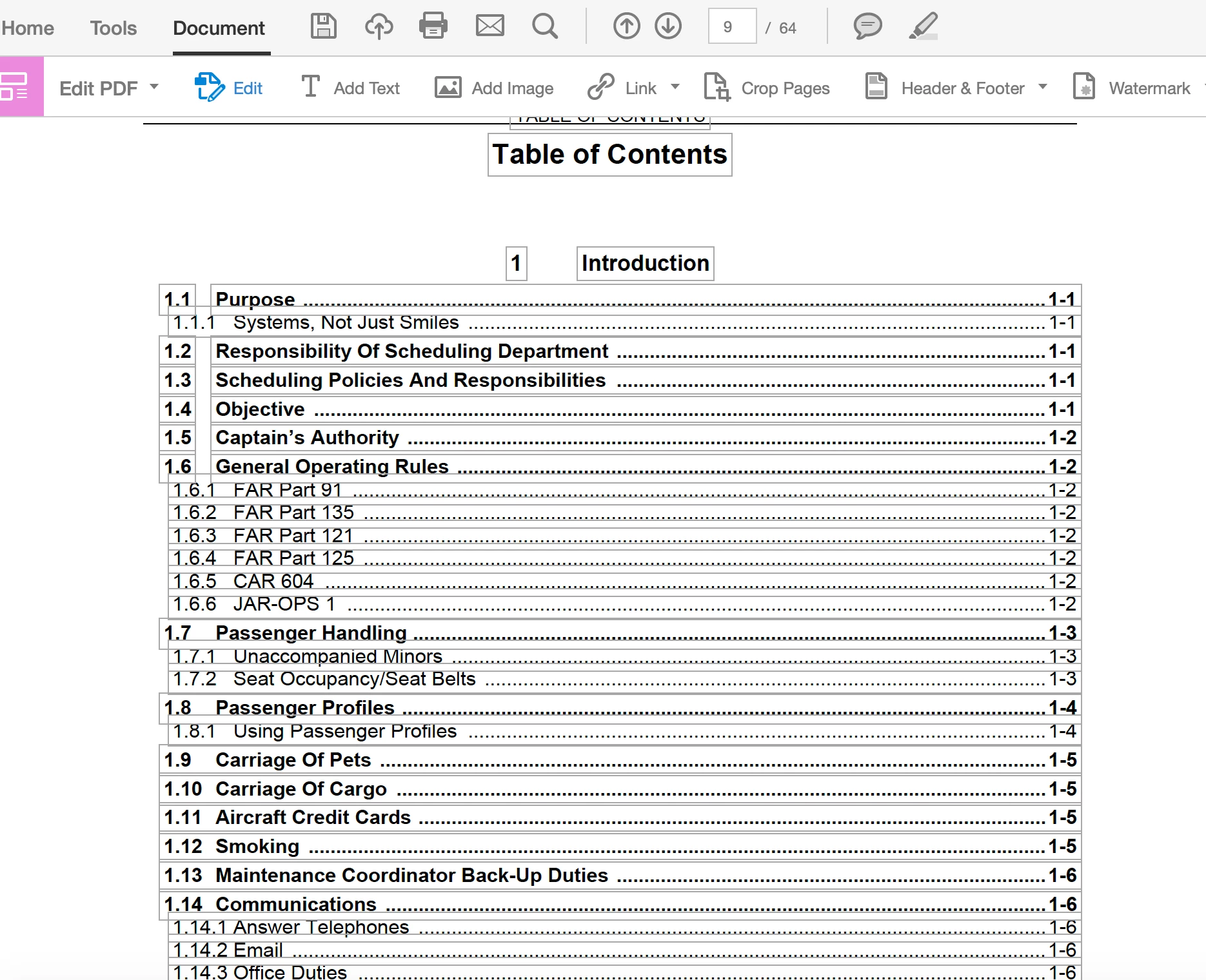
I have been tasked with updating a manual for work, but honestly have no clue what I'm doing.  I've got it in edit pdf format so I can update the text, but I know the TOC is going to have to be updated as I make changes.  Everything I've looked up online so far keeps referencing something along the lines of choosing an update TOC option, but for the life of me I'm not seeing anything like that.  Below is a screenshot of what I'm seeing.  I've tried right-clicking on the TOC as well, but nothing helpful comes up.  


Any insight (and patience) is much appreciated!


-CCS


This topic has been closed for replies.
Correct answer Bevi Chagnon - PubCom.com

Seconding what "Test_Screen_Name" said.

Edits are always made in the source document (such as MS Word, GoogleDocs, Adobe InDesign).

  1. After editing, update the TOC in THAT program, not in Acrobat.
  2. Then re-export a new PDF.


The PDF file format is static: think of it as a picture of the original document in the source program (ie, Word). PDFs were never inteded to be changed, regardless of what advertising hype you'll hear from software manufacturers.


So get the original source file and proceed from there. In a pinch when you can't locate the original source file, you can Export To Word from Acrobat's File menu.


3 replies

Bevi Chagnon - PubCom.com
Legend
June 11, 2020

Seconding what "Test_Screen_Name" said.

Edits are always made in the source document (such as MS Word, GoogleDocs, Adobe InDesign).

  1. After editing, update the TOC in THAT program, not in Acrobat.
  2. Then re-export a new PDF.


The PDF file format is static: think of it as a picture of the original document in the source program (ie, Word). PDFs were never inteded to be changed, regardless of what advertising hype you'll hear from software manufacturers.


So get the original source file and proceed from there. In a pinch when you can't locate the original source file, you can Export To Word from Acrobat's File menu.


|    Bevi Chagnon   |  Designer, Trainer, & Technologist for Accessible Documents ||    PubCom |    Classes & Books for Accessible InDesign, PDFs & MS Office |
ccs_05Author
Participant
June 11, 2020

Thank you so much!!  Will try exporting to word if I can't locate the original.  Appreciate the help!!

Legend
June 11, 2020

Stop right there. We do NOT edit PDF manuals. This would be beyond painful, and take weeks or months longer than needed to get a poor quality result. What you need to do is get the ORIGINAL file, which might have been a Word Document, or InDesign document or something else. Now, make your edits to that original. Finally, make a new PDF. If correctly set up a TOC will be generated.

ccs_05Author
Participant
June 11, 2020

ahhhhh, thank you!!  This makes total sense, because it is painful already.  Will work on tracking the original down!

Bernd Alheit
Community Expert
Community Expert
June 11, 2020

What does you see online?