
I have a problem signing a document in Adobe using a qualified signature, error pkcs#11 is displayed. I removed and added the module again but no change. Where is the problem? This signature worked before.
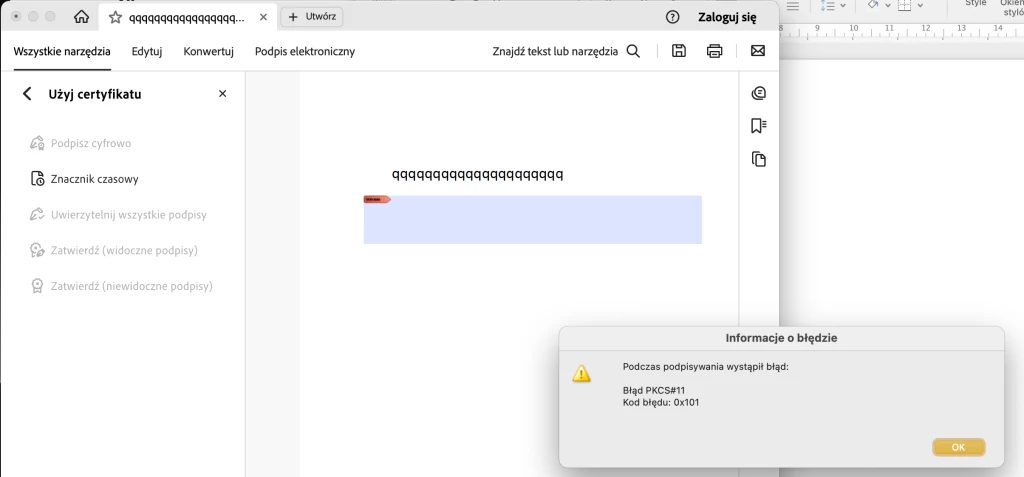
I work on Mac.This is a cloud signature.It works on the /usr/local/lib/libencardp11.dylib library. The signature worked in Adobe but suddenly stopped.I reinstalled Adobe, reinstalled the signing software, removed the module, added it again.The signature works fine through the signing software.
If you are using a Cloud certificate-based Digital ID, it is possible that the RootCA (Root Certification Authority) is not trusting your certificate-based Digital ID in the certificate's trust chain.
I suspect that this falls on Bullet #4 , of the guidance posted by @Tariq Ahmad :
Incorrect configuration in Acrobat’s Digital ID and Trusted Certificates settings
Sometimes, this happens after an unattended update takes place or a major upgrade from an older version of the operating system to a newer version, which directly impact the System's Key Chain.
Is this occurring on a macOS computer? It is not clear if you are referring to employing a self-signed certificate-based digital signature or using a smart card with a reader.
Please describe in a little more detail the workflow that you were trying to achive.