jamesinealing
Participant
October 4, 2018
Answered

Embedding image transcriptions of historical handwritten text to enable search in pdf

  • October 4, 2018
  • 1 reply
  • 663 views

Hi

I am working on a project which has digitised a historical text. I have a single pdf file per volume, with one scanned image per page. As the text is hand written and very old, OCR will not work, but I do have the transcribed text and other metadata around the contents on a per page basis (though no data on where in the page any specific entry will fall).

I want to make the pdf files searchable e.g. by names or country but don't know what the best way of embedding the descriptive content and metadata, nor how to do this in Acrobat Pro (or any other tool for that matter!). Much Googling has turned up very little on this, surprisingly, but maybe I'm looking at the wrong search terms!

Thanks, James
This topic has been closed for replies.
Correct answer Document Geek

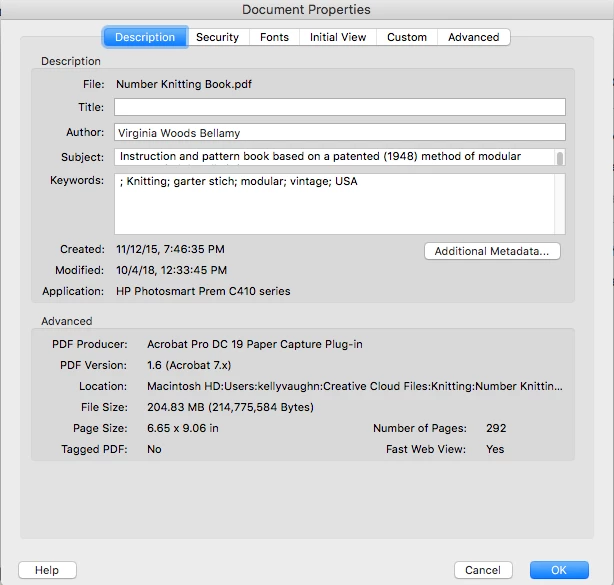
You can add limited metadata in Acrobat using the Document Properties dialog box.

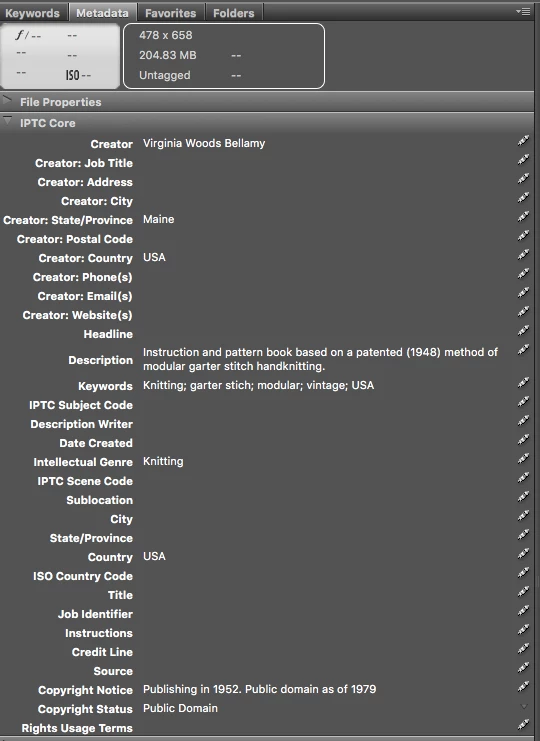
If you use Adobe Bridge, you can add even more metadata in the Metadata panel.

For adding the text to the pages, I would go to the Edit Tool (in Acrobat), then click on the page, and paste your text. Then select the text frame that you just made, right click on it and send to back.

Then it will sit behind the scanned image.

1 reply

Document Geek
Community Expert
Document GeekCommunity ExpertCorrect answer
Community Expert
October 4, 2018

You can add limited metadata in Acrobat using the Document Properties dialog box.

If you use Adobe Bridge, you can add even more metadata in the Metadata panel.

For adding the text to the pages, I would go to the Edit Tool (in Acrobat), then click on the page, and paste your text. Then select the text frame that you just made, right click on it and send to back.

Then it will sit behind the scanned image.