Participant
March 21, 2025
Question

Erreur lors de l'ouverture d'un fichier PDF

  • March 21, 2025
  • 3 replies
  • 975 views

Bonjour,


Depuis quelque temps, j'ai un problème avec Adobe Acrobat. Lorsque j'ouvre un fichier PDF, Acrobat se lance, affiche mon fichier puis se bloque durant quelques secondes. Après ce court blocage, je ne peux plus ouvrir d'autres fichiers PDF. Ce message d'erreur apparait quand bien même le deuxième fichier se trouve au même endroit que le premier.
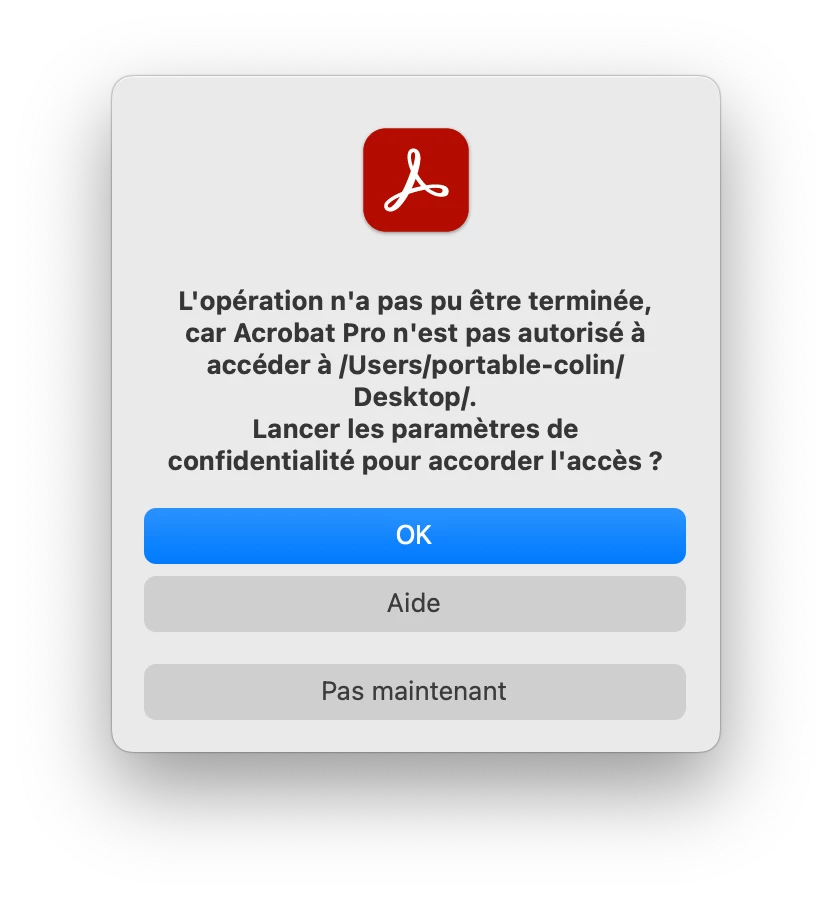
Même chose dans n'importe quel dossier, pas uniquement sur le bureau. Lorsque je quitte Acrobat sans toucher aux autorisations et que je le relance, je peux à nouveau ouvrir un fichier. Mais un deuxième que j'ouvre engendre à nouveau ce message.


J'ai déjà plusieurs fois autorisé l'accès, désinstallé puis réinstallé Acrobat et éteint et rallumé mon MacBook, le problème persiste.

Je suis sur un MacBook Pro nov 2023, puce Apple M3 Pro, Sequoia 15.3.2. Ma version d'Acrobat est 2025.001.20432.


Une idée pour résoudre ce problème?

3 replies

JR Boulay
Community Expert
Community Expert
March 24, 2025

Par principe j'attends toujours au moins un an après sa sortie avant d'installer une nouvelle version de MacOS.

😉

Acrobate du PDF, InDesigner et Photoshopographe
JR Boulay
Community Expert
Community Expert
March 24, 2025

Bonjour


D'abord désinstallez Acrobat, ensuite utilisez le Acrobat Cleaner Tool (pour Mac) et pour finir réinstallez Acrobat.

Acrobate du PDF, InDesigner et Photoshopographe
Participant
March 24, 2025

Bonjour,

Acrobat Cleaner Tool n'a pas résolu le problème. Mais je viens de recevoir un message par mail du support technique qui me dit que ma licence «Tout Creative Cloud»  contient Acrobat DC qui ne fonctionne pas sur Sequoia... Il faut Acrobat Pro.

AnandSri
Community Manager
Community Manager
April 18, 2025

Hello @NGgraphistes


I hope you are doing well, and thanks for sharing all the details.


Adobe Acrobat Pro is compatible with macOS 15 Sequoia. For detailed information, please see this article: https://adobe.ly/42kR6nk

For technical specifications, see this article: https://adobe.ly/42xwE19


Ensure that you have the latest version of Acrobat installed on the machine: 25.001.20458 Planned update, Apr 15, 2025. Check for any pending updates from the Menu > help > check for updates, install the updates, restart the app and the machine. For more information, see this: https://adobe.ly/3Y76a5o


If the app still freezes, please collect the logs from the machine and share them with us for further investigation.


Thanks,

Anand Sri.

creative explorer
Community Expert
Community Expert
March 23, 2025

@NGgraphistes An optional update is now available to address two major bugs introduced in the March 11, 2025 release. Recommend advising to install the latest optional update: Version 25.001.2043x (March 19, 2025). 

  • Mac: DC Continuous 25.001.20438


m
Participant
March 24, 2025

Thank you for your reply. As Creative Cloud doesn't offer ‘DC Continuous 25.001.20438’, I downloaded it from https://www.adobe.com/devnet-docs/acrobatetk/tools/ReleaseNotesDC/continuous/dccontinuousmar2025qfe2.html but during installation, I'm asked to select the copy of Acrobat to update but I can't select it. The installation fails.