
Participant
September 28, 2016
Answered

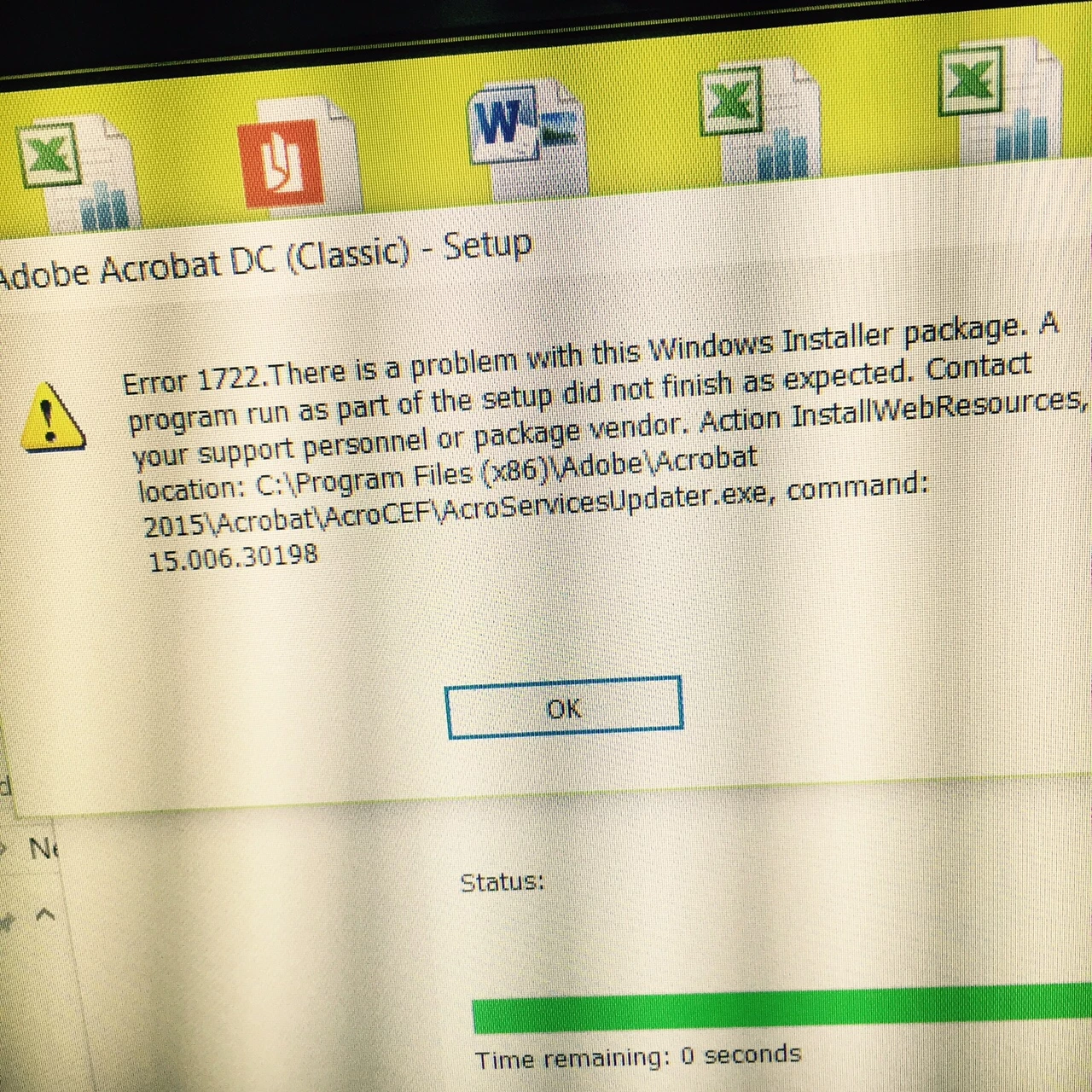
Error 1722 while installing Adobe Acrobat

  • September 28, 2016
  • 2 replies
  • 14024 views

I need HELP ! ,

I am trying to install Adobe Acrobat in Lenovo Laptop (Windows 10) . i am getting Error 1722 while installing half way through installation and error pops up (error 1722) and the setup roll back .

- I have tried UN-Installing the previous version

- I have update the System via Windows Update

Please give me a solution

Thank you

Sravan Kumar

Installing, Updating, & Subscribing to Acrobat
Message was edited by: SRAVAN KUMAR

This topic has been closed for replies.

2 replies

Participating Frequently
July 27, 2022

Try a different browser. Certain conditions on your computer, such as security settings or browser cookies, can prevent the Acrobat Reader Installer from downloading. Often, the easiest way to resolve an unsuccessful download is to try the download again using a different browser.


Hope This Works,

Peter

kglad
Community Expert
Community Expert
September 28, 2016

assuming you have a purchased (not subscription) acrobat dc:

uninstall all adobe acrobat/reader versions.

clean per Download Adobe Reader and Acrobat Cleaner Tool - Adobe Labs

restart your computer

retry installation

Participant
October 1, 2016

Hi Kglad ,

-I have un-installed all versions of Adobe

-I have run the Adobe Reader & Acrobat Cleaner Tool

-Restarted my PC

- Tried installing Adobe Acrobat DC 2015 ( Classic)

I'm still facing the same error 1722 .

Please help me out .

Thanks

kglad
Community Expert
kgladCommunity ExpertCorrect answer
Community Expert
October 1, 2016