Hallo Patrick, ich habe das gleiche Problem. Cache, Browserverlauf gelöscht, diverse Browser getestet. Immer das gleiche. hast du mittlerweile eine Lösung?
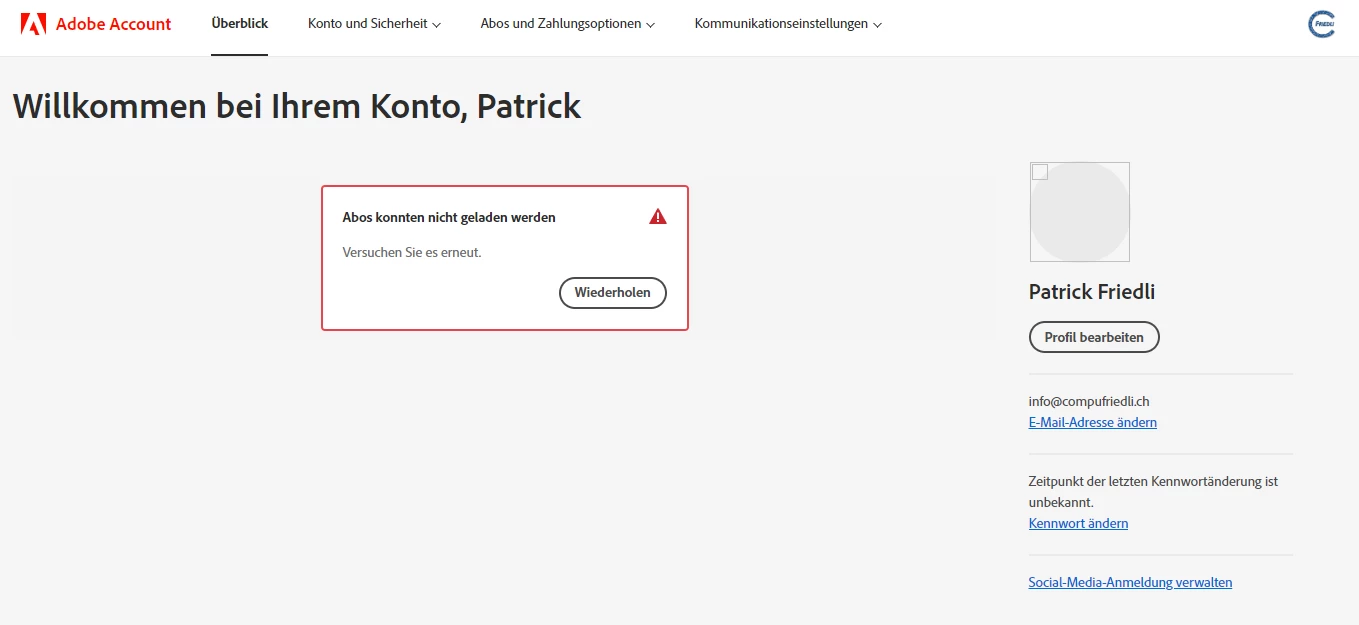
Nein, leider habe ich noch keine Lösung. Ich hatte auf einem anderen Rechner Mozilla Firefox installiert. Leider ist auch unter diesem Browser das Selbe Problem, wie oben beschrieben, aufgetreten. Adobe scheint nicht daran interessiert zu sein, das Prroblem kurzfristig zu lösen. Sehr schade. 😞 Nur auf meinem Android-Smartphone via Microsoft Edge Browser wird mein Adobe-Konto angezeigt und nur dort kann ich auf die Aboverwaltung zugreifen. (Siehe Screenshot)
Das Problem tritt auf einer persönlichen Maschine, unter Windows 10 in Microsoft Edge, Mozilla Firefox und Google Chrome auf. Auf dem Android-Smartphone in Microsoft Edge tritt das Problem NICHT auf. (Siehe Screenshot)
Danke
Patrick Friedli
Hi Patrick and Ralph,
I had the same problem and, as I thought, it was due to the Windows firewall. When I deactivate it, the subscription management is displayed. I was able to solve the problem relatively quickly, see screenshot. I hope this helps you. Best regards
Could you please confirm, since when you started observing this error? Try checking an alternate browser and see if you get the same error messages.
As Eric Dumas suggested, did you try accessing your Adobe account using any alternate device? Try to use the browser on your mobile device or a device with a different internet connection.
Please check if you can access your Adobe products.
If you get any error messages, please share them with us.
I had observed this error since mid-March 2022. Before, it had always worked. On the smartphone, which is connected to the WLAN, with Microsoft Edge browser, the subscriptions are displayed. On the computer via Microsoft Edge browser, logging into the Adobe account still takes a long time and the subscriptions are still not displayed. I don't want to install an alternative browser. The browsers used today, Google Chrome, Mozilla Firefox and Michrosoft Edge, are all based on Chromium architecture. So it has to work with Microsoft Edge as well, doesn't it? Find the cause, everything else is symptom control.
Hi Eric Thank you for your hint. I had already done that. I have deleted the entire browsing history including cookies. Nevertheless, the same error message still appears. Also, the same error message still appears on my customer's account. The login process takes an extremely long time. Also see screenshot below.


 AdChoices