


trsunn
Participant
March 11, 2018
Question

Error when adding PDF printer manually

  • March 11, 2018
  • 1 reply
  • 493 views

Windows 7 64 bit AcrobatDC

My PDF printer is missing from list of devices in controlpanel. I try to add manually  as described in forum, but getting errors.
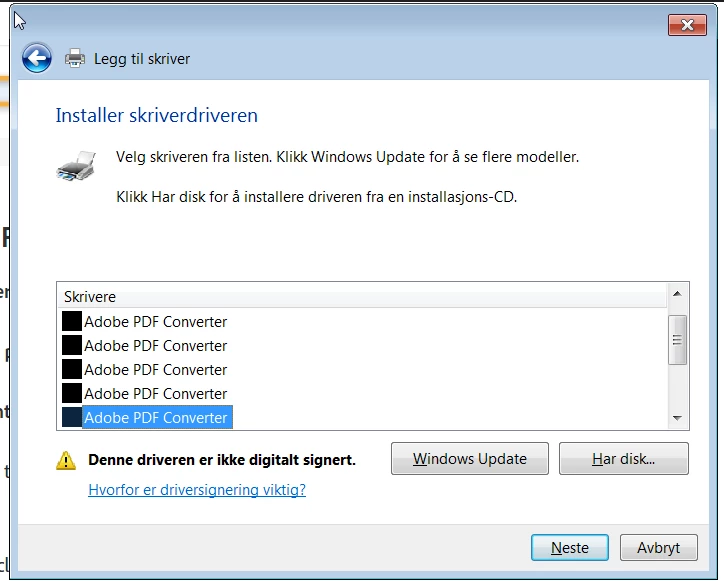
Choose the number 6, this driver is not digital sign, clicks next, and this appears;
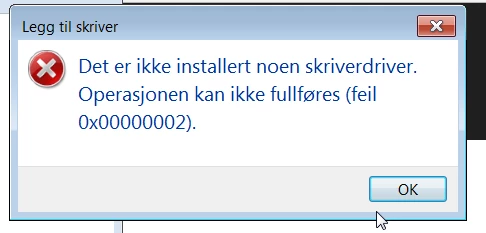
It says: no pringer driver installed, operation can not proceed, fault ....

This topic has been closed for replies.

1 reply

try67
Community Expert
Community Expert
March 12, 2018

Why are you trying to do it manually? It should be created automatically when you install Acrobat.

If it was not, run a Repair Installation from the Help menu of Acrobat.

trsunn
trsunnAuthor
Participant
March 12, 2018

The reason i am doing this manually, is of course that it did not created it automatically when I installed it, and yes, I have done the Repair Installation as you mentioned.

But still not present..:-(

Community Manager
May 3, 2018

Hi Trsunn,

Sorry for the inconvenience caused.

Would you let us know if you still experiencing this issue? If yes, i would suggest running cleaner tool once to uninstall Acrobat from your machine: Download Adobe Reader and Acrobat Cleaner Tool - Adobe Labs  Once the uninstallation is done restart your machine.

Then try reinstalling Acrobat and let us know if that helps you to install Adobe PDF Printer?

-Tariq Dar